Gateway API Routes
Routing traffic via HTTPRoute and GRPCRoute.
Routes in the Gateway API describe routing logic: binding to a Gateway, request matching rules, and backend services. You manage them in a cluster namespace.
Supported route types:
| Type | API | Destination |
|---|---|---|
| HTTPRoute | gateway.networking.k8s.io/v1 | HTTP/HTTPS routing |
| GRPCRoute | gateway.networking.k8s.io/v1 | gRPC routing |
Where to configure:
- namespace - section Networks → Routes.
- Through custom resources: namespace → section Administration → Custom resources → API group gateway.networking.k8s.io → HTTPRoute or GRPCRoute.
For a general overview of the Gateway API, see Gateway API. For classic publishing via Ingress, see How to publish an application.
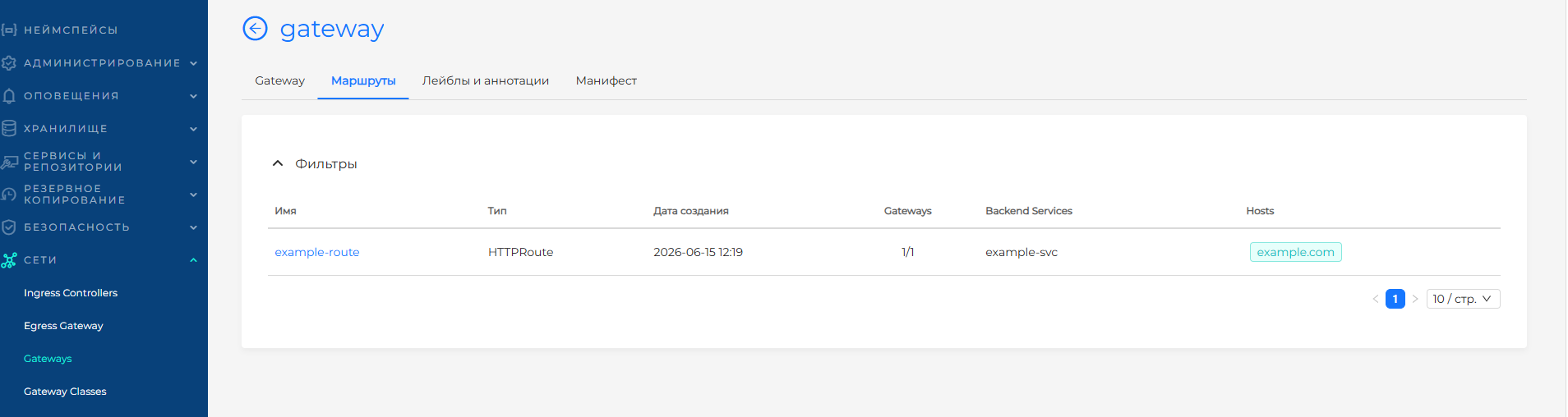
The Routes page displays a list of created routes (HTTPRoute, GRPCRoute) in the namespace.
Screenshot: list of routes
Creating a route
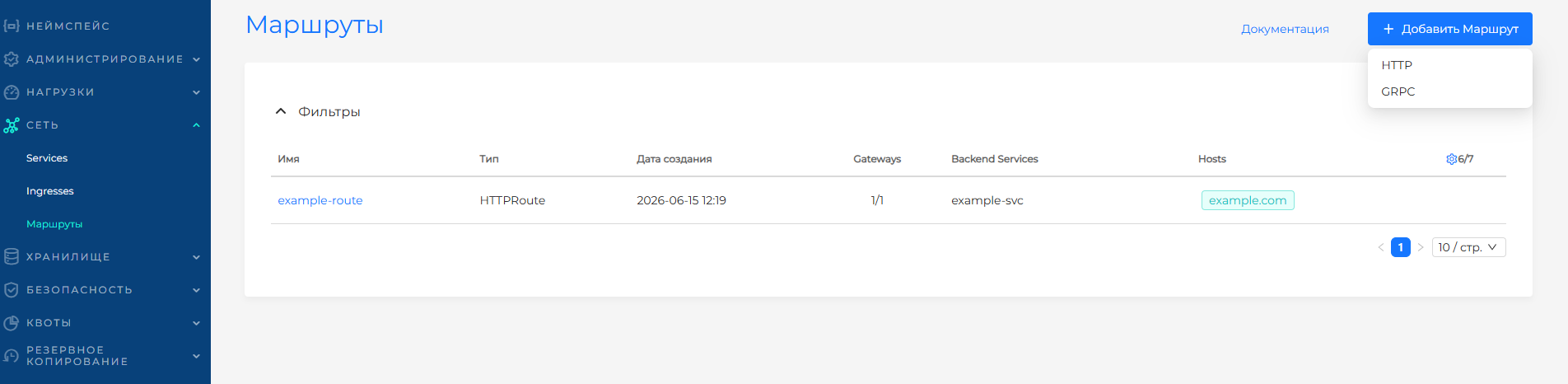
On the Routes page, click +Add Route and select the route type: HTTP, GRPC. On the page that opens, fill in:
- Name - required, unique within the namespace; does not change when editing.
- Labels and Annotations are optional.
Screenshot: selecting route type
Object specification
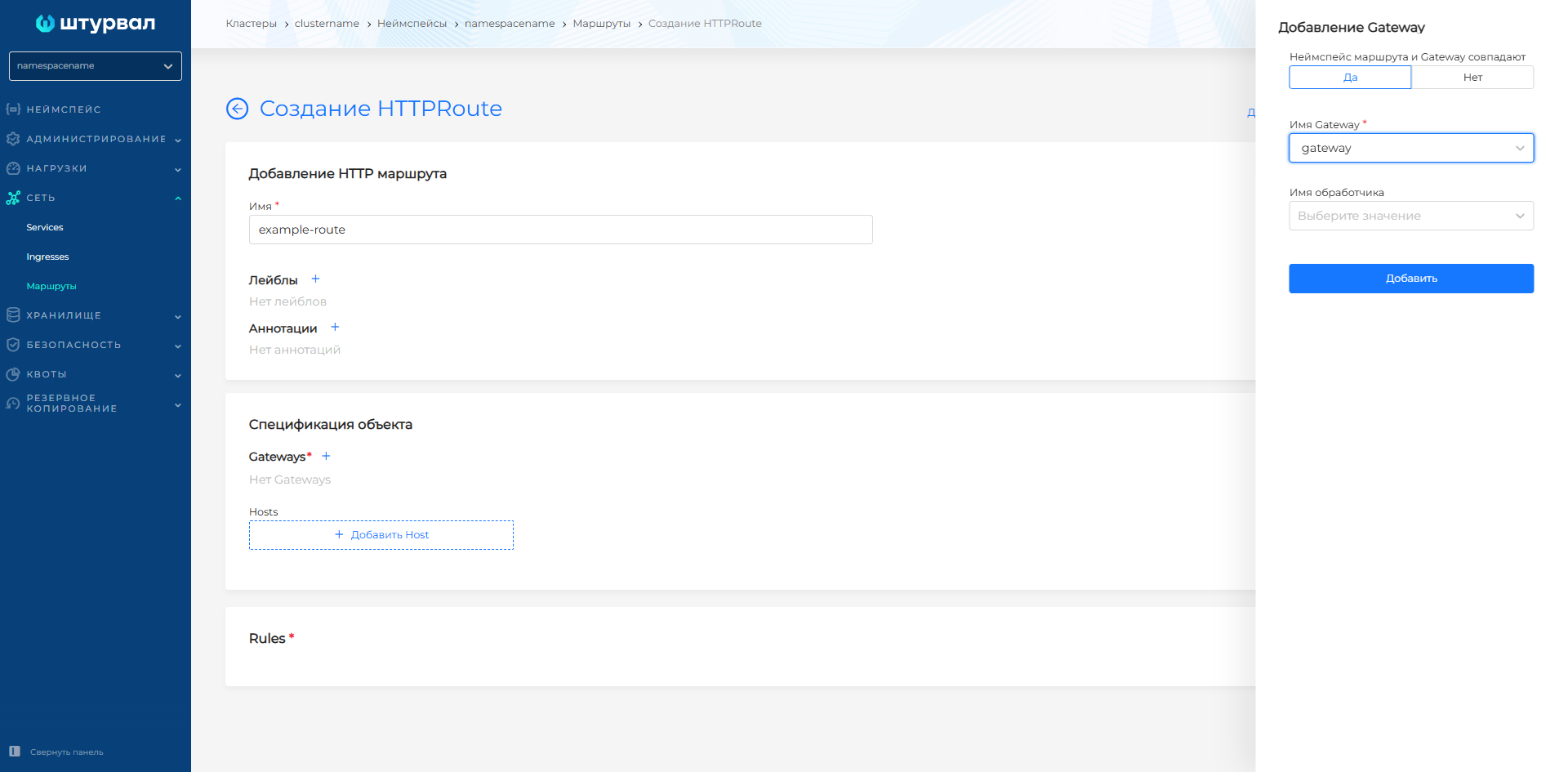
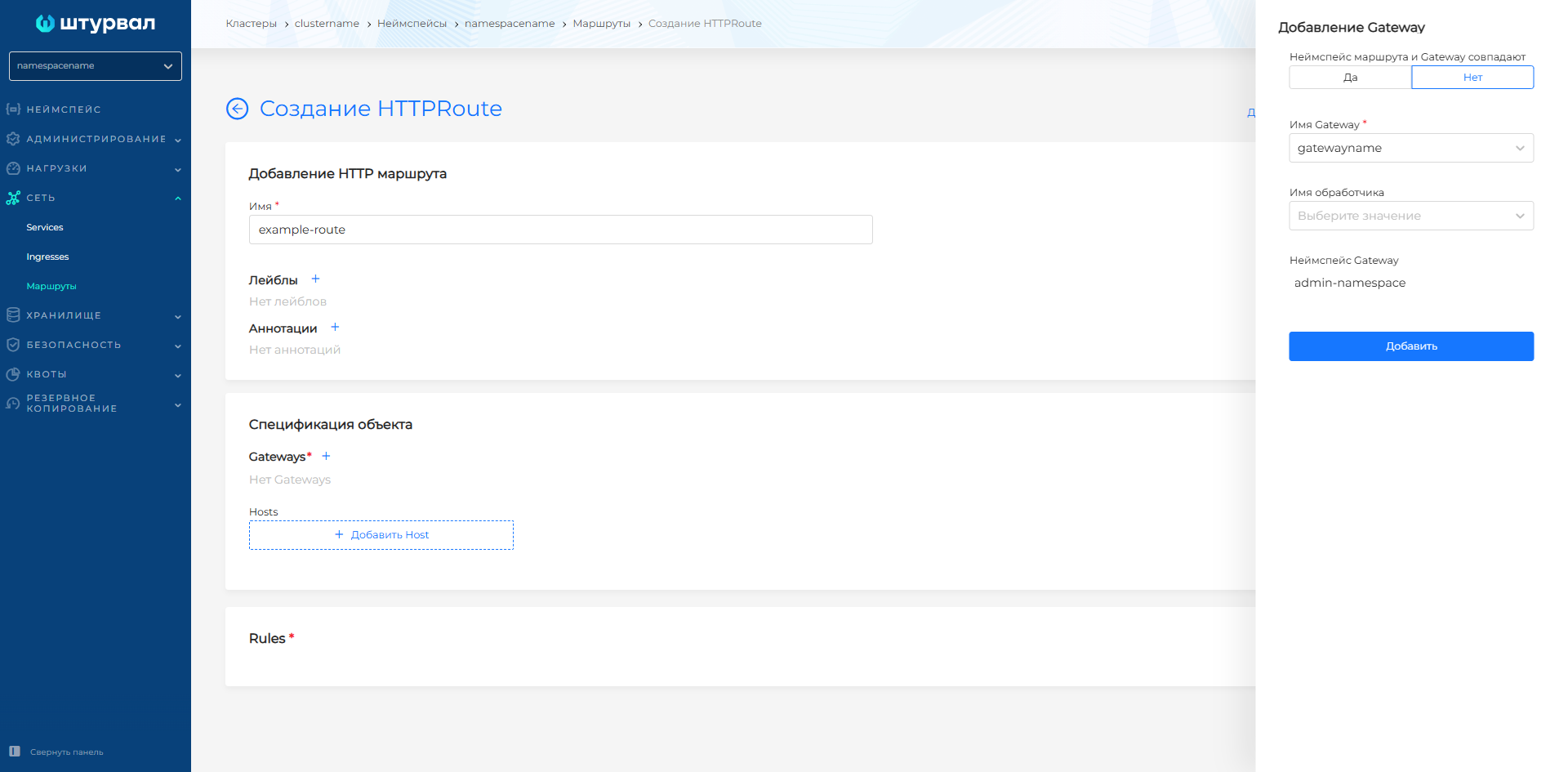
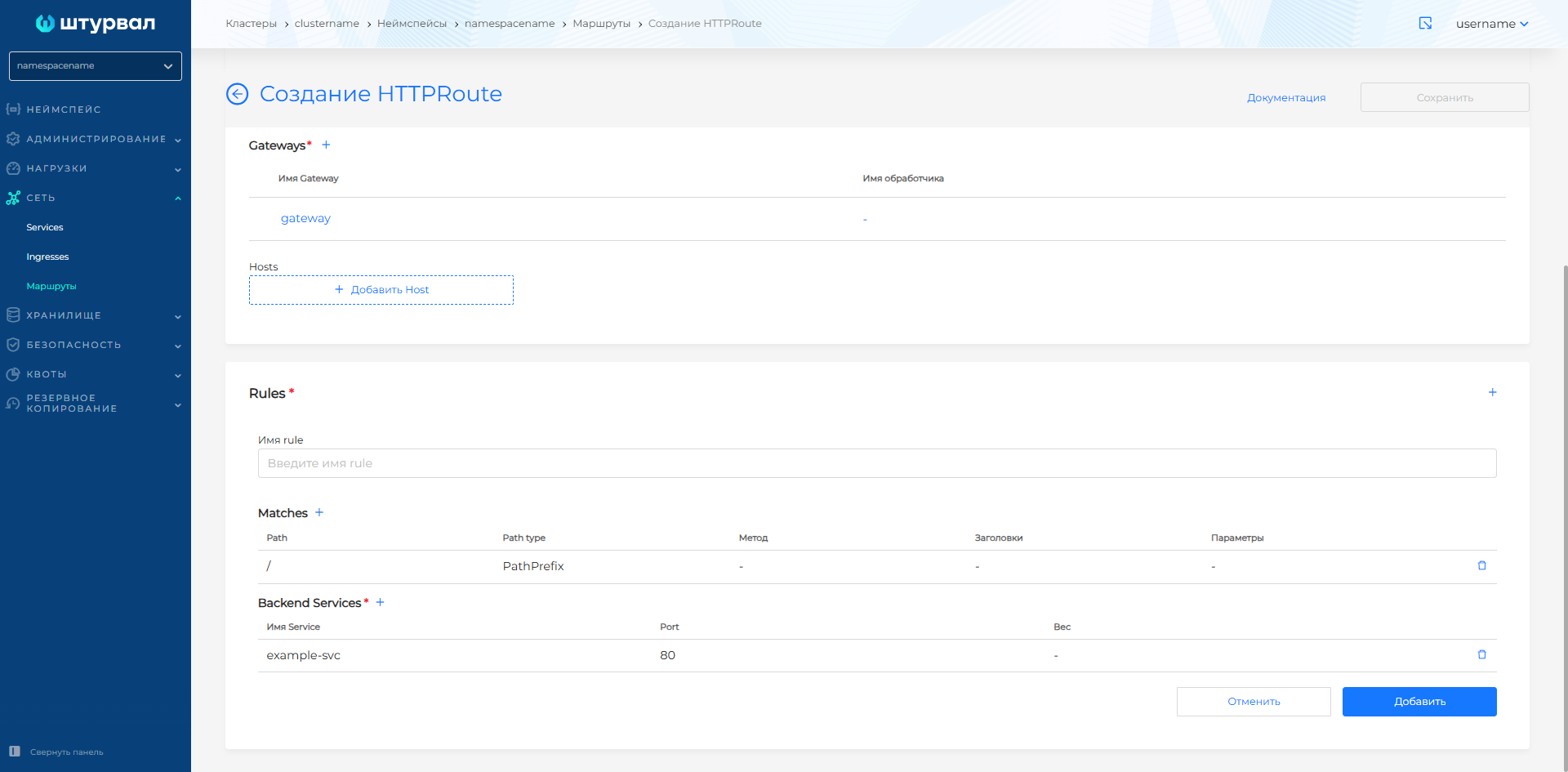
The route must be linked to at least one Gateway. Press + to select a Gateway from the list of available ones. If necessary, select a handler name.
- The list of available Gateways depends on the namespace of the route and the Allowed routes from namespaces settings in Gateway handlers:
- The namespace of the route and Gateway are the same - select the name Gateway and the name of the handler;
Screenshot: adding Gateway from the same namespace
- Gateway from another namespace—the list of available Gateways for selection is determined if the Gateway handler allows route binding from all namespaces (ALL) and/or the route namespace labels match the namespace Selector in the handler.
Screenshot: adding Gateway from another namespace
- Hosts (optional) - hostnames that must match the request header to select this route. If hostname is specified in both a handler and a route, there must be at least one overlapping name to attach to the handler.
Example of hostnames matching
| hostname in Listener | host in route | Attachment |
|---|---|---|
test.example.com | (not specified) | yes |
test.example.com | test.example.com | yes |
test.example.com | foo.example.com | no |
*.example.com | (not specified) | yes |
*.example.com | *.example.com | yes |
*.example.com | foo.test.example.com | yes |
*.example.com | example.com | no |
Rules
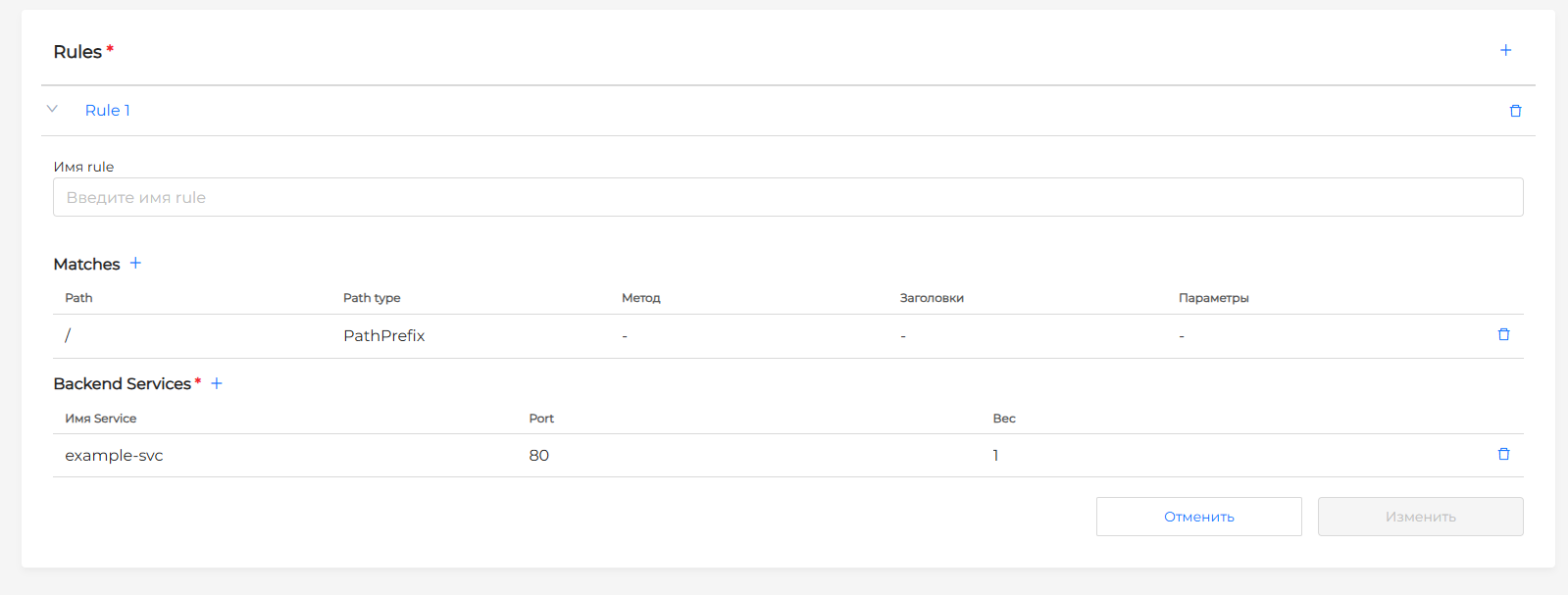
In the Rules block, route rules can be specified: matching requests based on matches (Matches) and forwarding them to Backend Services. You can set several rules. Click + to configure the rule. In the window that opens, configure:
- Rule name (optional) – the name of the route rule, must be unique in the route. When added, appears in the list of rules in the Rules block.
- Matches - if it is necessary to set up a matching condition with an incoming request.
| Matches principle | Description |
|---|---|
| Logic AND inside one rule | Several conditions (matches) are specified in one rule, the request must match all these conditions at the same time |
| OR logic between different rules | If the request matches the conditions of at least one of the rules, it will be sent to the backends specified in this rule |
Click + in the Matches section to add a matching condition. The following settings are available in the side window:
| Field | Description |
|---|---|
| Path | HTTP request path to match |
| Path type | Determines how to interpret the request path value specified in the Path field. Three types are supported:
|
| Method | The HTTP method that the request must match. Possible values: GET, HEAD, POST, PUT, DELETE, CONNECT, OPTIONS, TRACE, PATCH |
| HTTP request headers | Conditions to match against HTTP request headers. In one Match, you can specify several conditions for the HTTP request headers and all of them must be met. Each header is defined by three parameters:
|
| HTTP request parameters | Conditions to match with query parameters. In one Match you can specify several conditions for parameters and all of them must be met. The following are available for the parameter:
|
| Field | Description | |
|---|---|---|
| GRPC method | The name of the gRPC method that the request should match. If a method name is specified, the Service field must also be filled in. If both fields (Service and Method) are not specified, the rule will match any gRPC requests. | |
| Service | The name of the gRPC service that the request should match. | |
| Type | Determines how to interpret the values of the Service and GRPC Method fields. Two types are supported:
| |
| GRPC Headers | Conditions to match against gRPC request headers. Each header is defined by three parameters:
|
Screenshot: creating HTTPRoute
Screenshot: setting up Rules and Backend Services
apiVersion: gateway.networking.k8s.io/v1
kind: HTTPRoute
metadata:
  name: my-app-route
  namespace: my-namespace
spec:
  parentRefs:
    - name: example-gateway
      namespace: infra
      sectionName: http
  hostnames:
    - app.example.com
  rules:
    - name: default
      matches:
        - path:
            type: PathPrefix
            value: /
      backendRefs:
        - name: my-service
          port: 80
apiVersion: gateway.networking.k8s.io/v1
kind: GRPCRoute
metadata:
  name: grpc-app
  namespace: my-namespace
spec:
  parentRefs:
  - name: my-gateway
  hostnames:
  - "example.com"
  rules:
  - matches:
    - method:
        service: com.example.user
        method: Login
    backendRefs:
    - name: my-service
      port: 50051