Change token lifetime
In the Shturval platform, by default the token is valid for 24 hours. If necessary, you can change the validity period by applying the ShturvalServicePatch (ShturvalServicePatch) resource to the Authentication Control Module (shturval-auth) specification (ssc) by running:
Actions are performed in the management cluster
- Prepare a manifest for the ShturvalServicePatch object. In the
custom valuesblock, add theat_expparameter, as in the example below.
Example ShturvalServicePatch
apiVersion: ops.shturval.tech/v1beta2
kind: ShturvalServicePatch
metadata:
  name: <resource name>
spec:
  shturvalServiceConfigName: shturval-auth
  custom values:
    authn_variables:
      at_exp: <your parameter value>
| Parameter | Description | Data type | Example |
|---|---|---|---|
metadata.name | Name of the created ShturvalServicePatch | string | shturval-auth-token |
at_exp | Token lifetime. It is possible to set in minutes (for example, 30m), hours (24h). Default 24 hours | string | 48h |
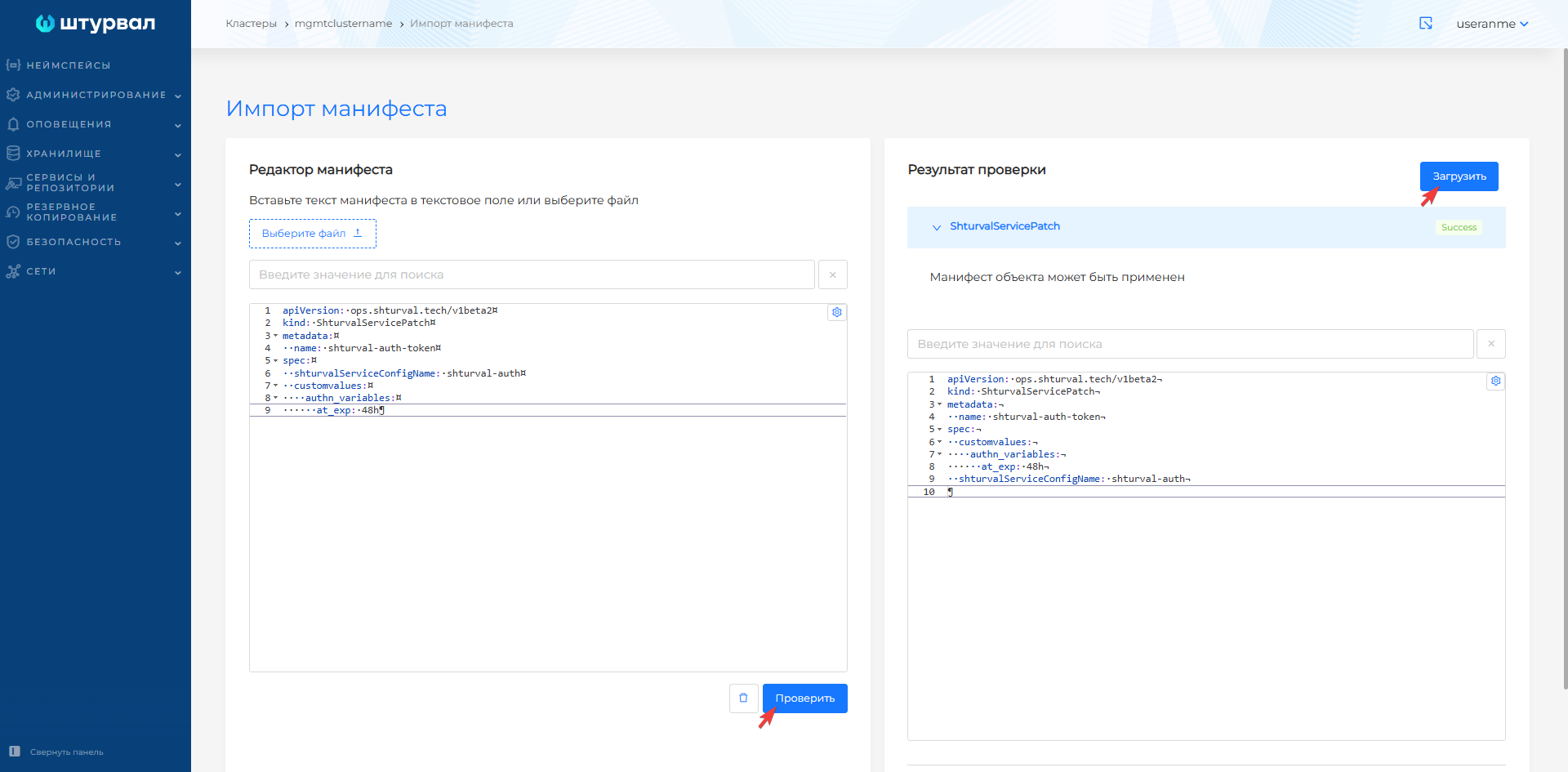
- In the management cluster, load the prepared ShturvalServicePatch using Import. To do this:
- Click on the Import icon located to the left of the user name. Upload the manifest file or drag the ShturvalServicePatch manifest into the window that opens. Verify and click Download.
Screenshot

- In the namespace
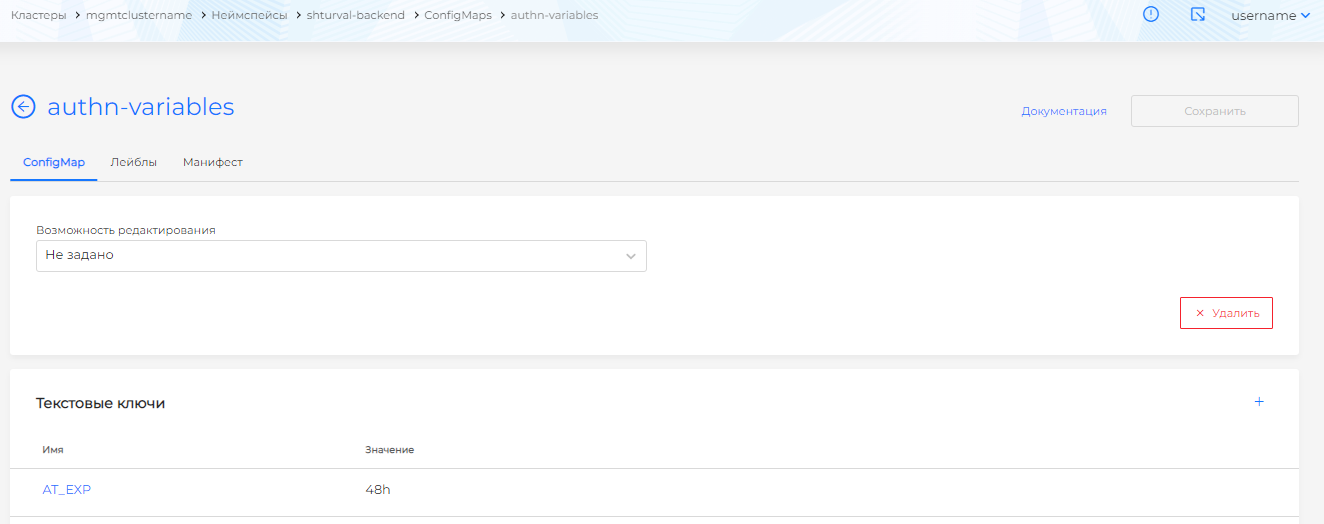
shturval-backendof the management cluster, open the Storage section and go to the Configmaps page. Find the Configmap namedauthn-variablesand go to the view page. Make sure that theAT_EXPkey is set to the required token lifetime value.
Please note! Applying *ShturvalServicePatch* will take a few minutes, wait for the `AT_EXP` value to change in *Configmap*.
Screenshot
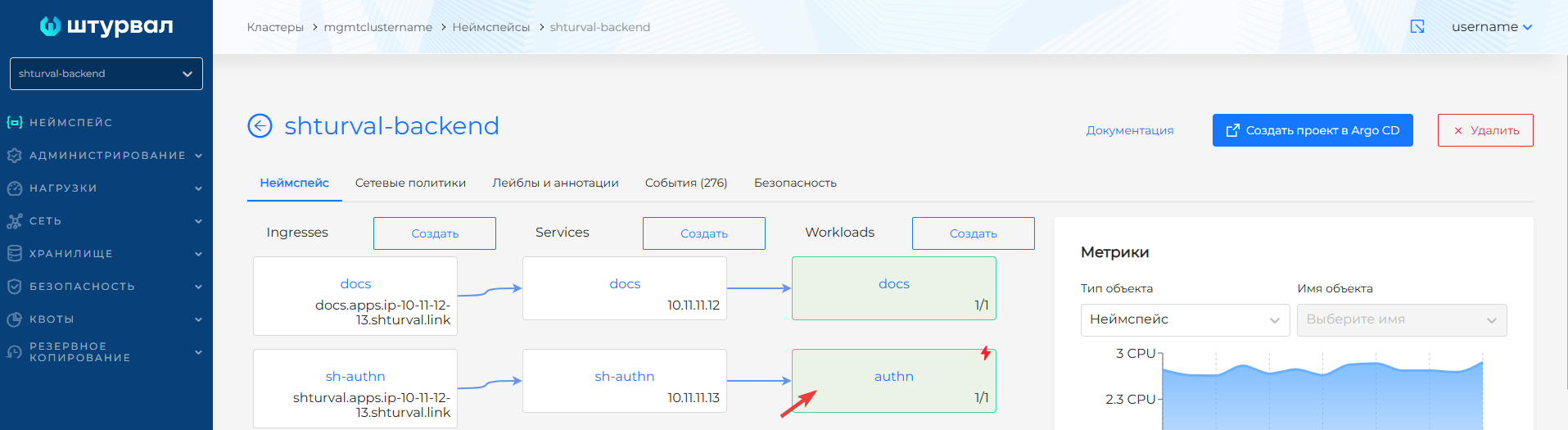
- From the dashboard of namespace
shturval-backend, go to the load page namedauthn, the Pods tab will open. Delete the pod namedauthn. After removal, the pod will restart.
Screenshot
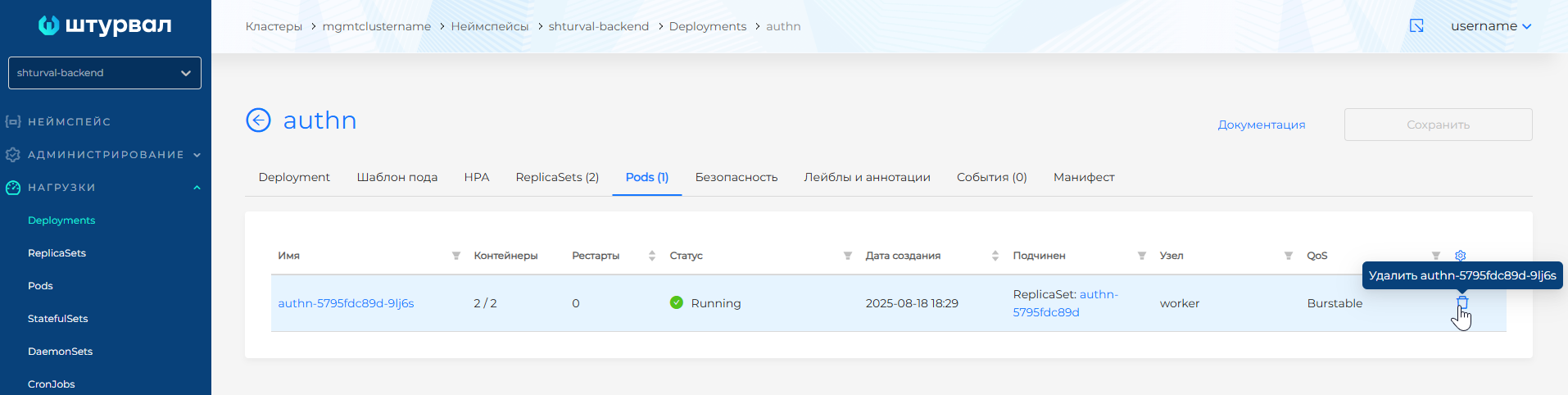
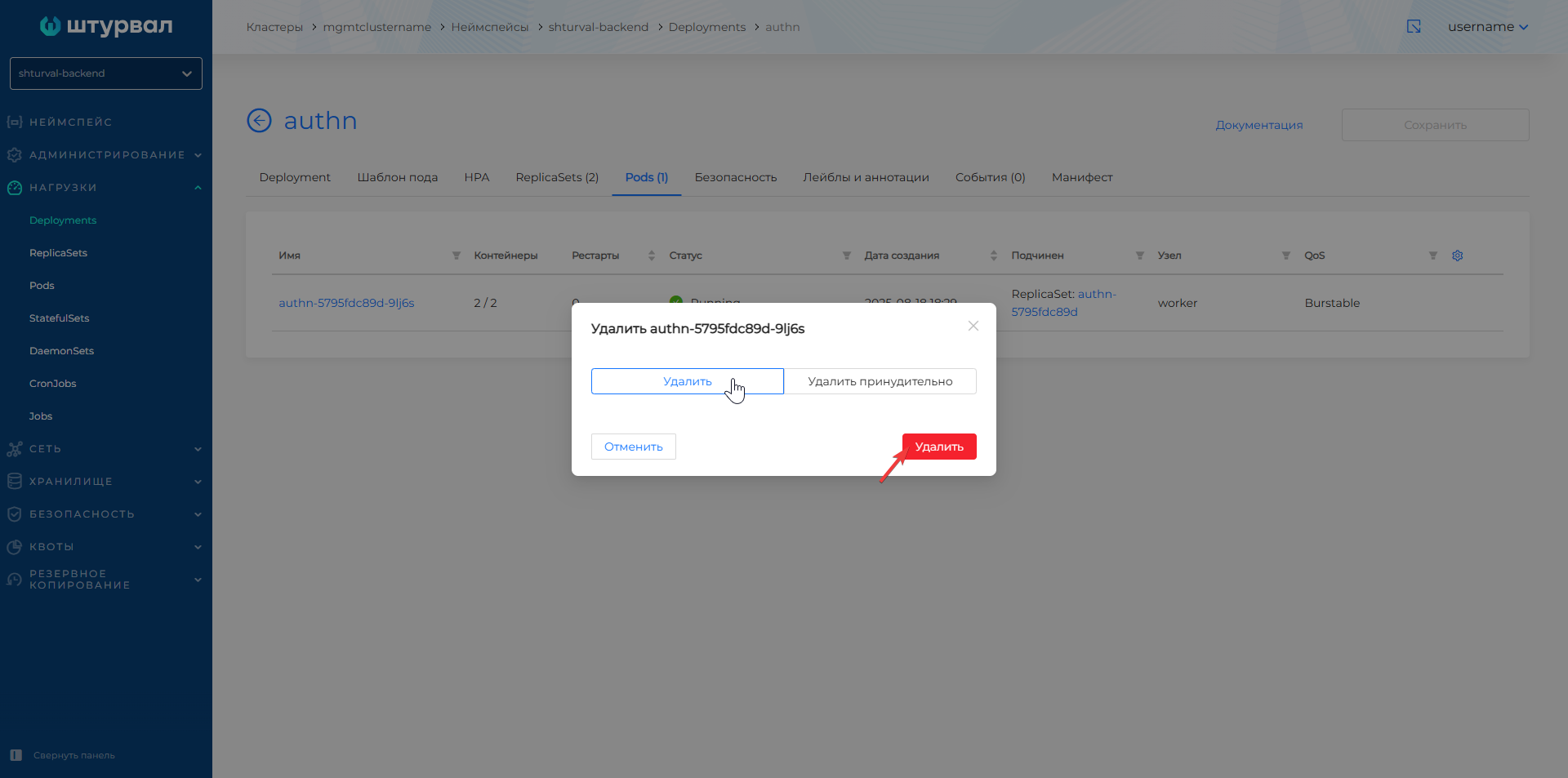
Wait for the pod to restart.
Please note! The changed lifetime will only be applied to new tokens; the validity period of previously received tokens will not change.