Summary report on client cluster resources
Resources, nodes, pods and CPU/Memory/Disk usage by cluster.
The summary report allows you to obtain detailed information about all client clusters deployed in the Shturval platform.
Where to open
In the platform GUI: section Summary reports → Report on client cluster resources (or a similar name in the menu).
What is included in the report
The information is provided in the following context:
- name of the client cluster;
- types of infrastructure providers;
- names of infrastructure provider instances;
- number of nodes in the cluster;
- node group name (filtering available);
- group roles (filtering available);
- list of nodes by group (filtering available);
- number of hearths;
- CPU;
- Memory;
- Disk.
The report displays only created running nodes.
Clicking on the name of a provider, cluster, or node template takes you to the corresponding object page.
Resource usage (CPU, Memory, Disk)
If the local metrics collection module is installed and running in client clusters, and the centralized metrics storage module is enabled and running in the management cluster, the summary report for nodes displays actual usage of the indicator versus the allocated (requested) one.
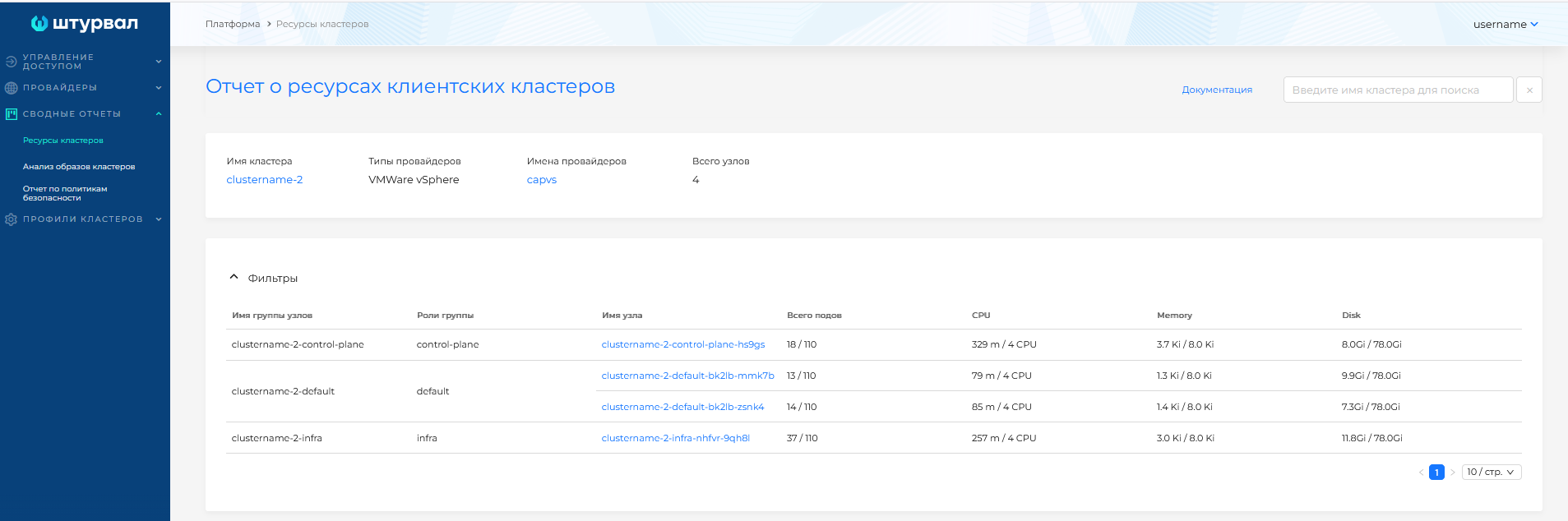
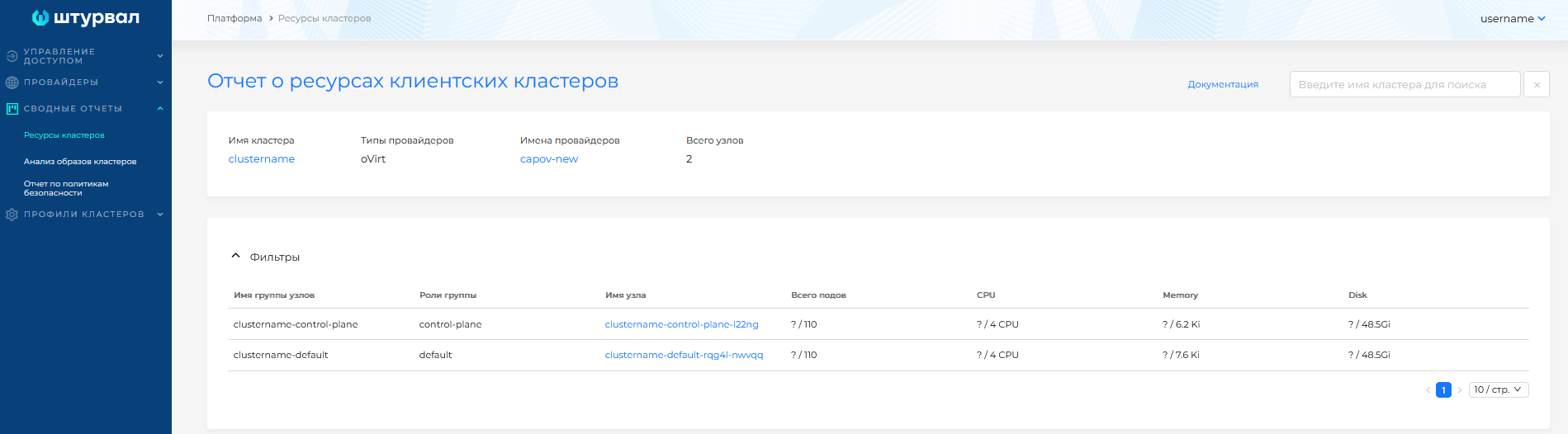
If metrics are not available, only the requested amount of resources for the nodes is displayed.
Illustration: Resource usage (CPU, Memory, Disk)
Filtering
Filtering by clusters is available on the page. Enter the cluster name in the search field in the upper right corner. The search is performed by match, starting from the first character entered.
Illustration: Filtering
