What reports are in the platform and where are they located?
Report locations in the GUI and export options.
Introduction
The Shturval platform generates reports on image vulnerability scans, Kyverno security policy compliance, and cluster configuration checks against CIS, NSA, and PSS standards. Below are where to find them in the GUI and how to export them.
Reports on image vulnerabilities (Trivy)
Image vulnerability reports are available:
- in the platform GUI for all clusters where
shturval-scanneris installed; - in the cluster GUI (summary for all namespaces in the cluster);
- in the namespace GUI (summary for all workloads in the namespace);
- on workload pages (Deployment, Pod, and so on).
On the platform
Platform summary report: in the platform summary reports section, open Cluster image analysis — scan results for all clusters where shturval-scanner is installed.
If shturval-scanner is disabled in every platform cluster, the Cluster Image Analysis page is hidden from summary reports.
The page shows container image scan results from the shturval-scanner module (Trivy): vulnerabilities by severity (Low, Medium, High, Critical) and a namespace summary. You can filter by namespace and download CSV (all namespaces, one namespace, or filtered) or PDF (single namespace). If the report has no data, CSV export produces an empty file. Trivy severity ranges: 0–2.9 Low, 3.0–6.9 Medium, 7.0–8.9 High, 9.0–10.0 Critical.
Illustration: On the platform
(see the screenshot below).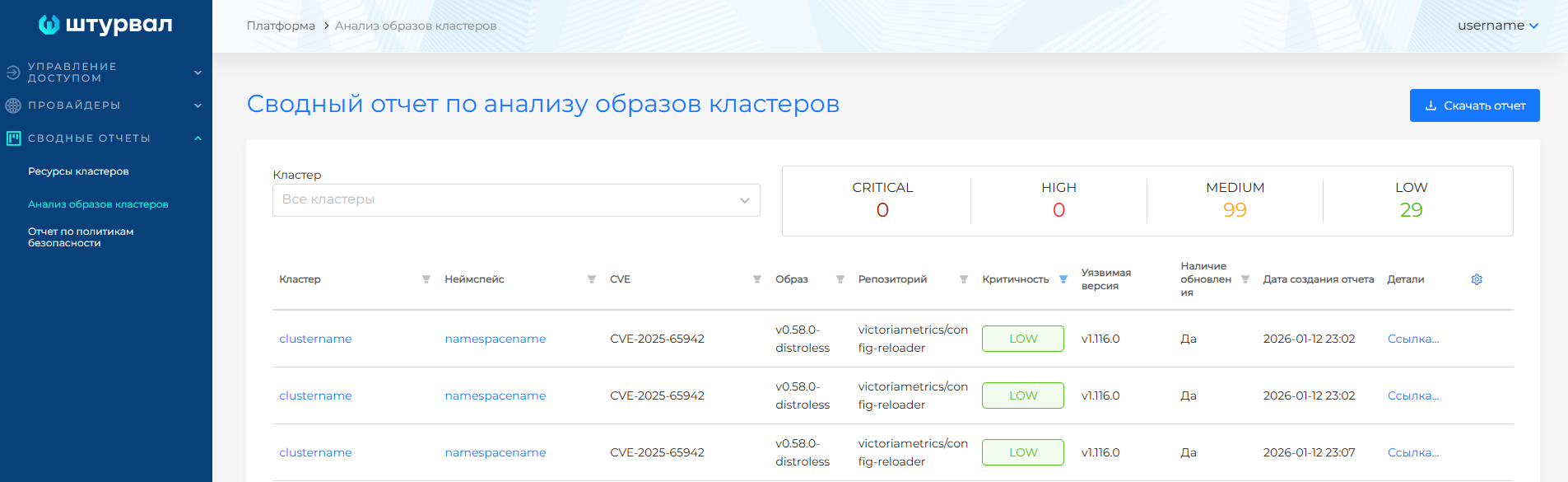
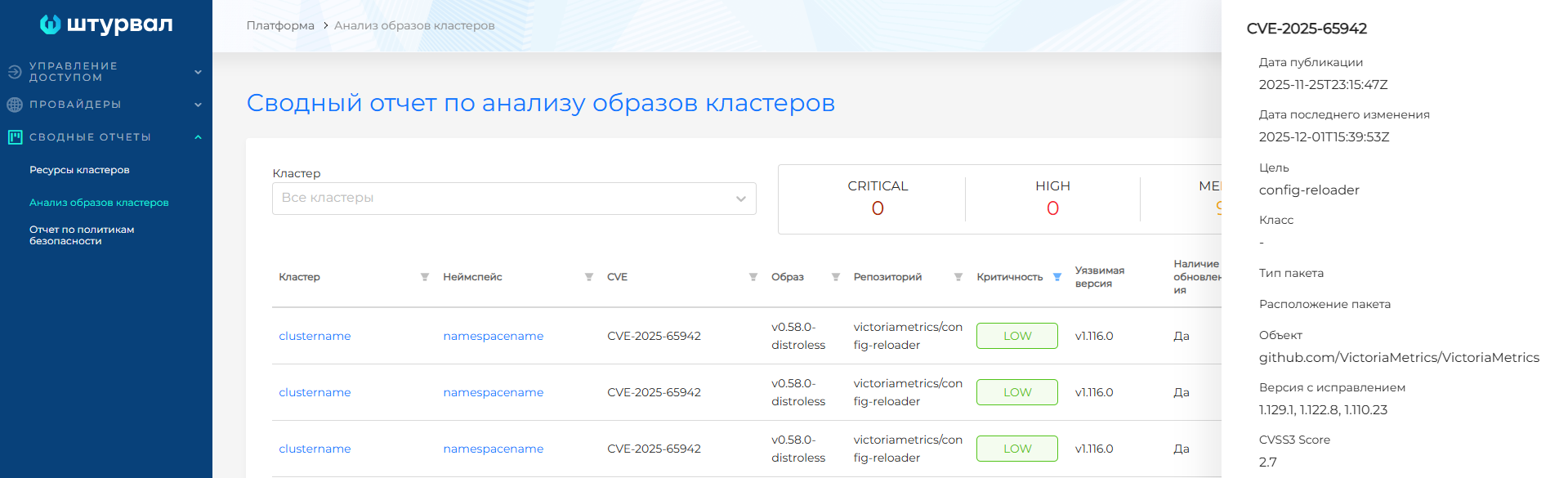
In a cluster
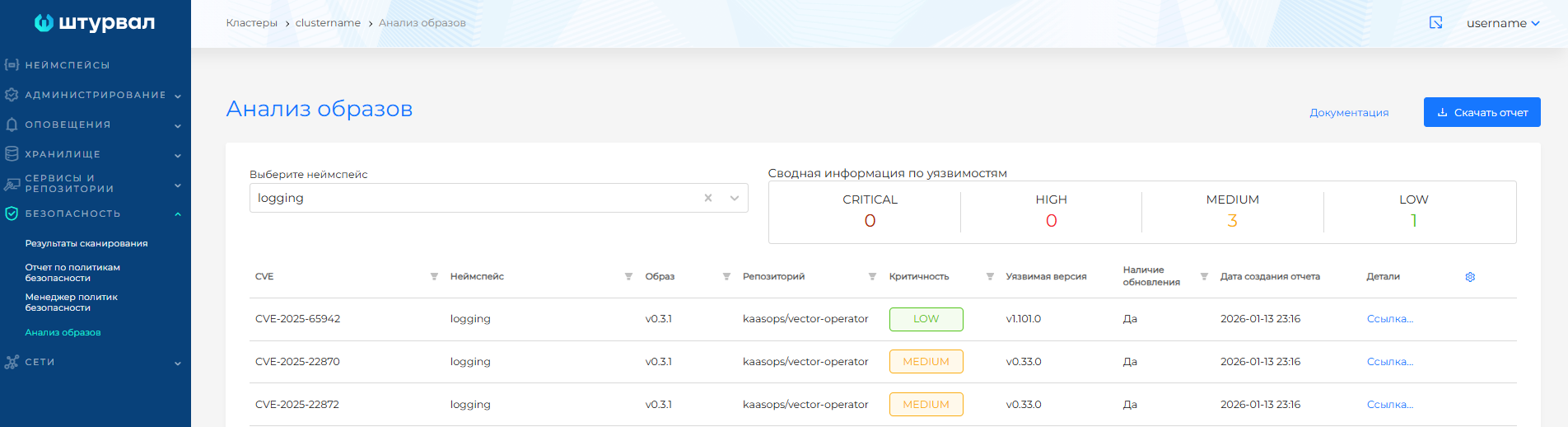
In the cluster GUI, go to Security → Image Analysis.
Illustration: In a cluster
In a namespace
On the namespace dashboard, the Loads block shows vulnerability indicators on workload cards. The Security tab lists image vulnerabilities and policy compliance when the corresponding modules are enabled.
Illustration: In a namespace
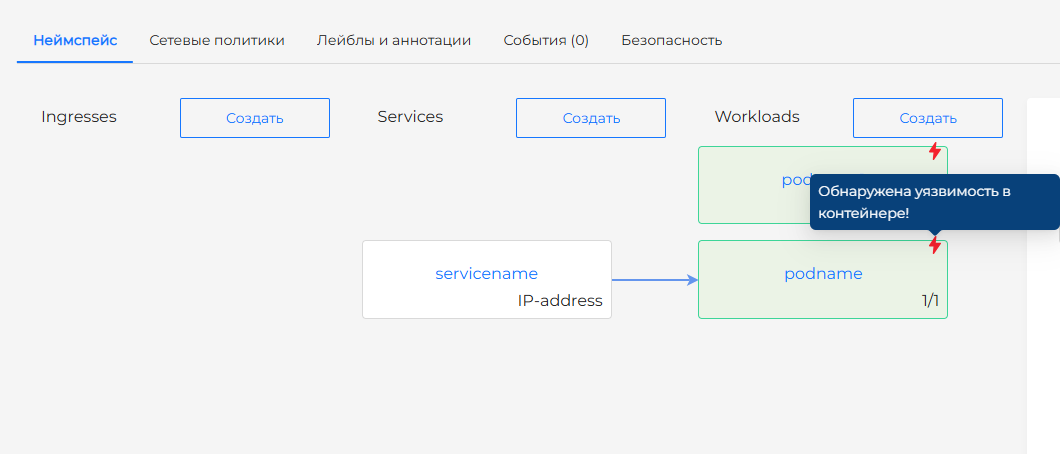
Illustration: In a namespace
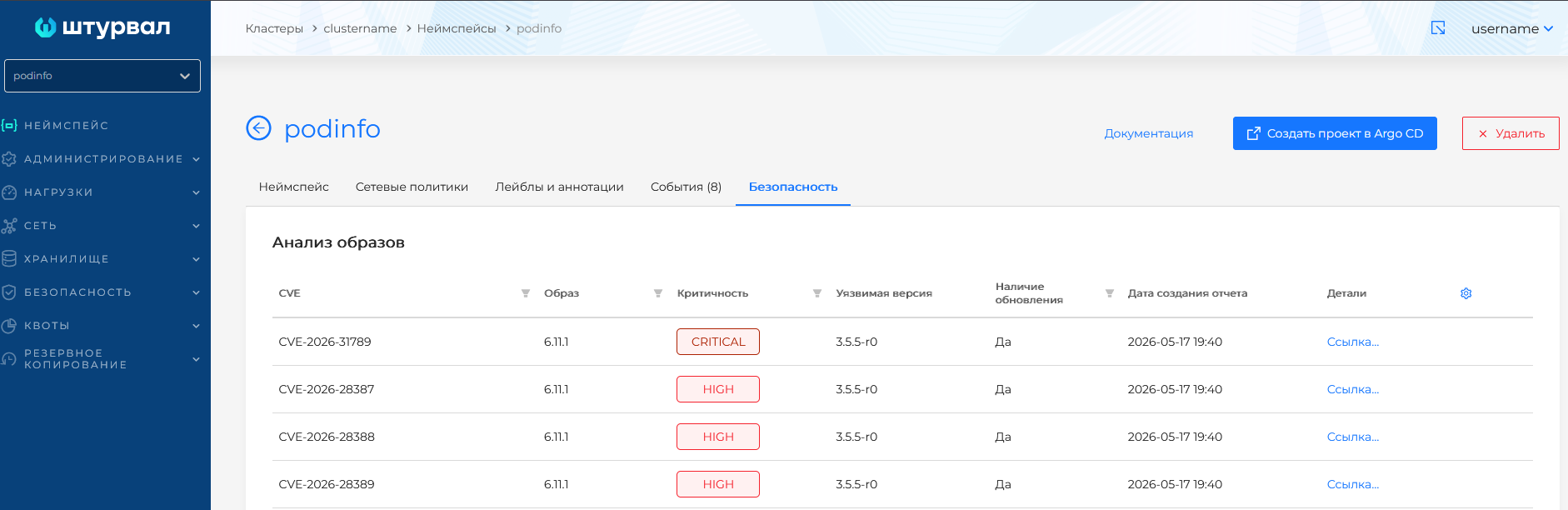
On workload pages
On Loads pages (Deployment, StatefulSet, and so on) and Pods pages, the Security tab shows image scan and policy analysis results when the modules are installed.
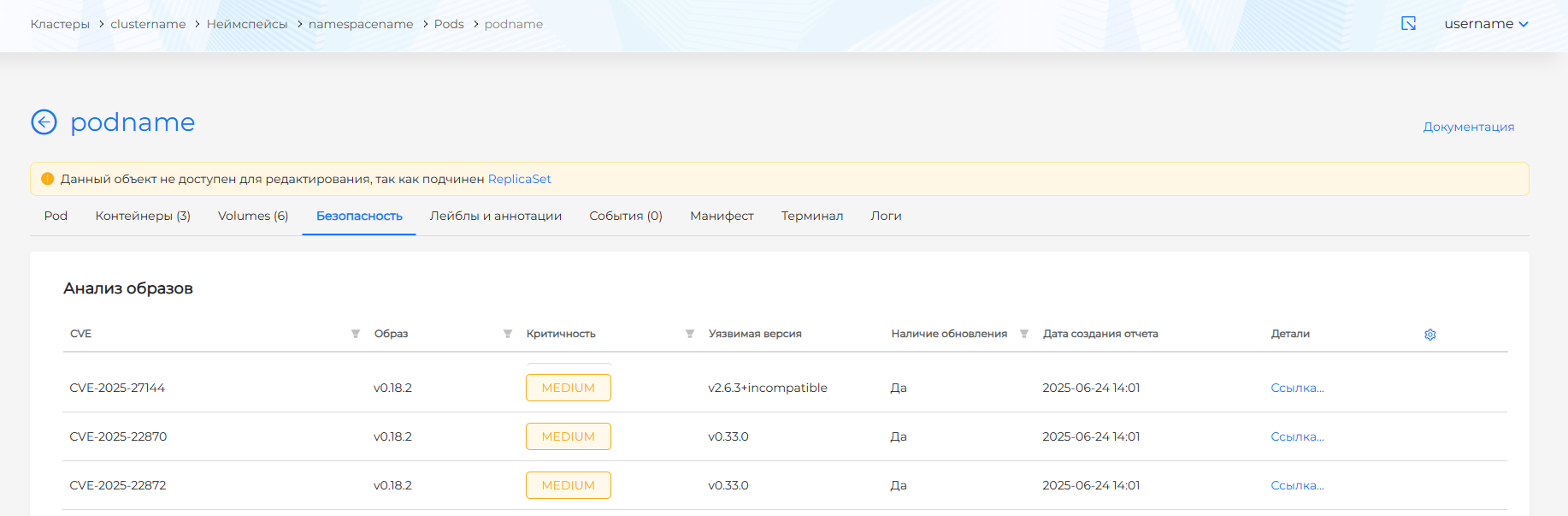
For scanner configuration, see Scanning container images.
Security policy reports (Kyverno)
Security policy reports are available:
- in the platform GUI for all clusters;
- in the cluster GUI;
- in the namespace GUI;
- on workload pages (Deployment, Pod, and so on).
On the platform
Platform summary report: in the platform summary reports section, open Security policy report — Kyverno policy analysis results for all platform clusters. The report uses data from shturval-policy-manager and the PolicyReport and ClusterPolicyReport resources.
If shturval-policy-manager is disabled in every platform cluster, the Security Policy Report page is hidden from summary reports.
The page shows the number of policy violations by policy and cluster. If clusters share policy names, the chart shows violations per cluster. Click a cluster or namespace name to open its dashboard. If no cluster has policy reports, no summary is generated. You can download CSV in full or with filters. Empty reports produce an empty CSV file. CSV filename: Violated policies report.
Illustration: On the platform
(see the screenshot below).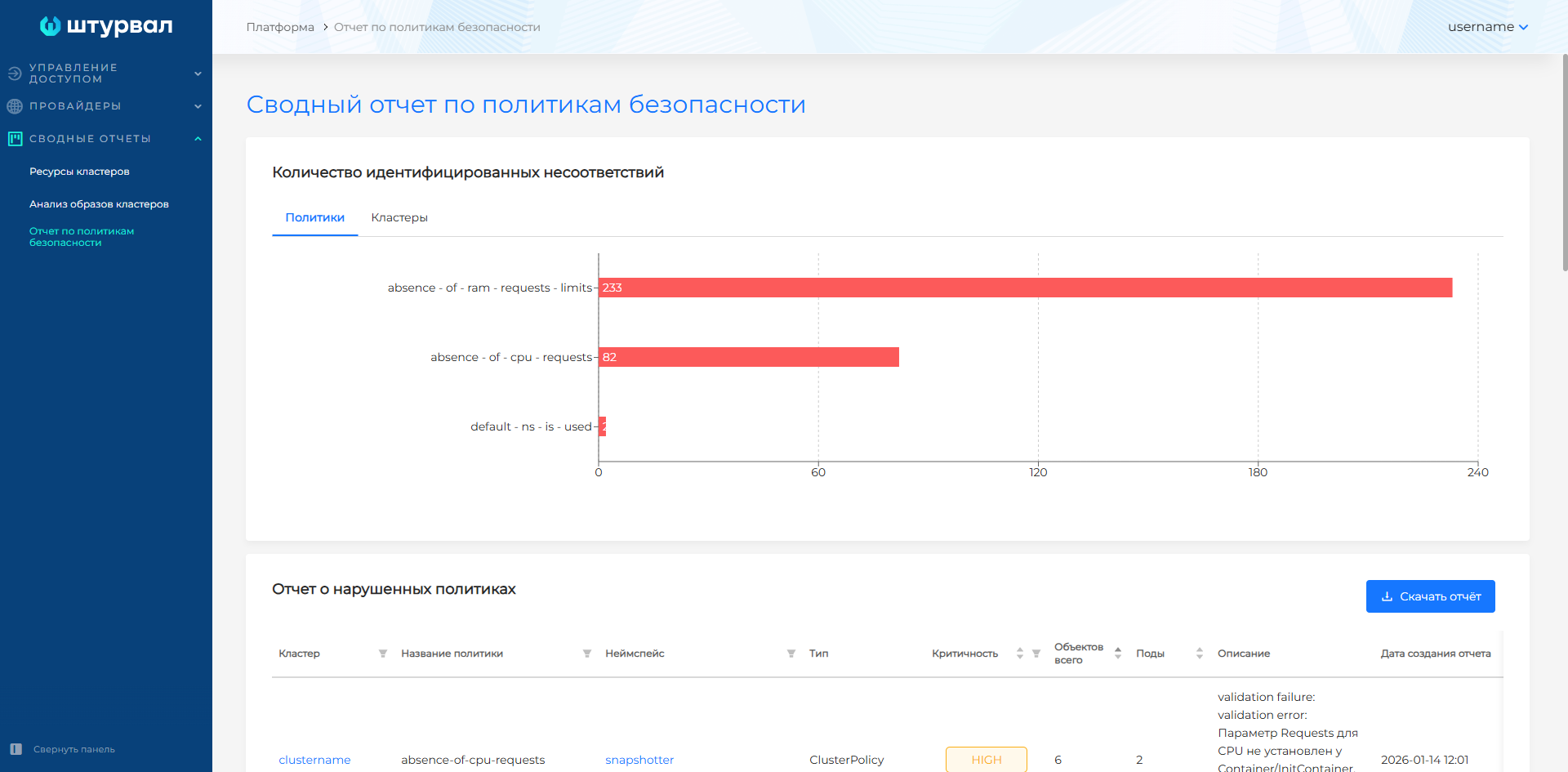
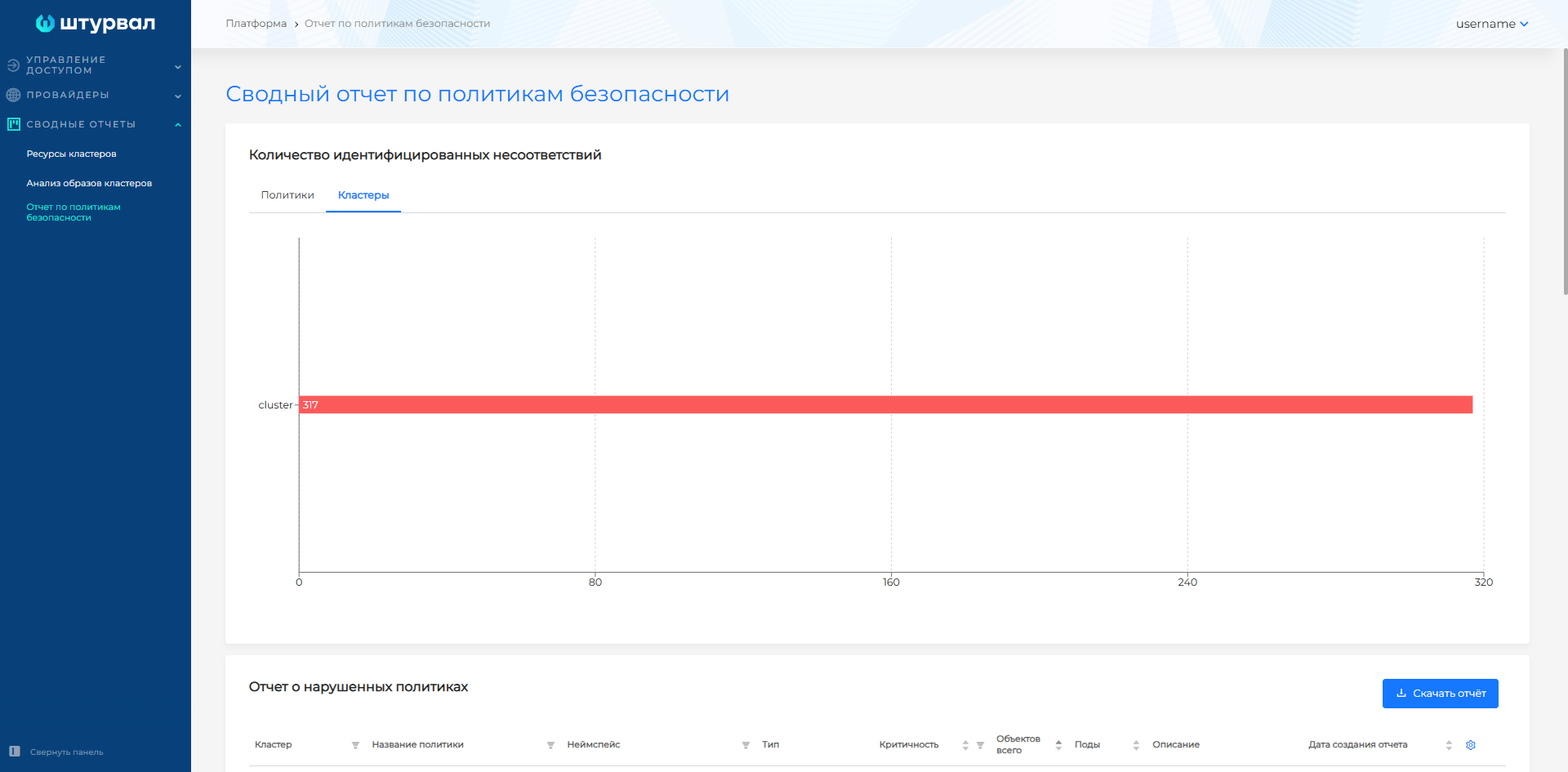
In a cluster
In the cluster GUI, go to Security → Security policy report.
The page shows Kyverno compliance results by policy and by namespace. The table lists violated policies: name, namespace, type, severity, object and pod counts, description, and report date. You can filter system and user namespaces. Export to CSV or PDF is available. Empty reports produce an empty CSV file. CSV filename: Violated policies report.
Illustration: In a cluster
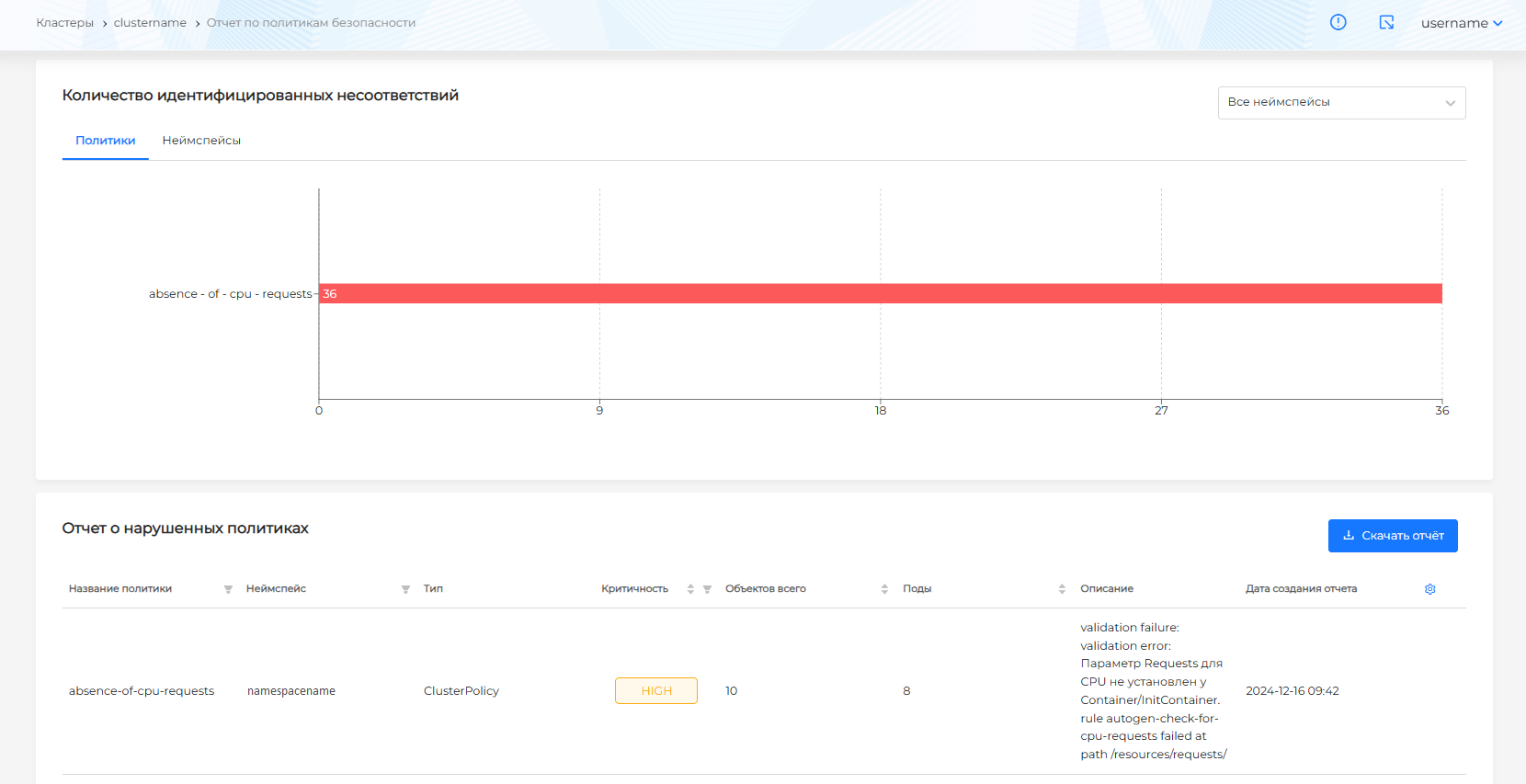
Illustration: In a cluster
(see the screenshot below).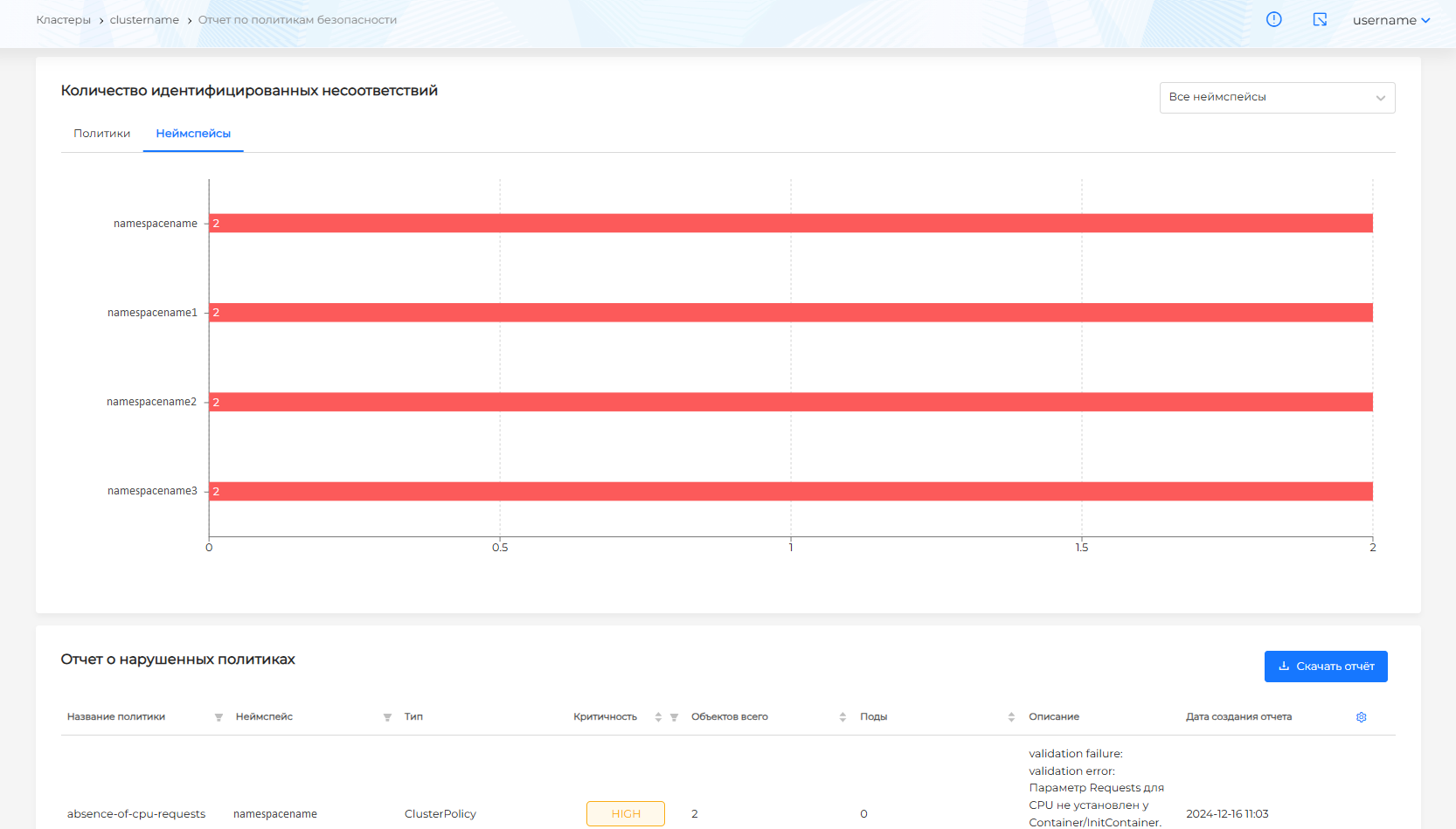

In a namespace
On the namespace dashboard, the Security tab shows policy compliance results for namespace objects when shturval-policy-manager is installed and you have rights to view analysis results.
Illustration: In a namespace
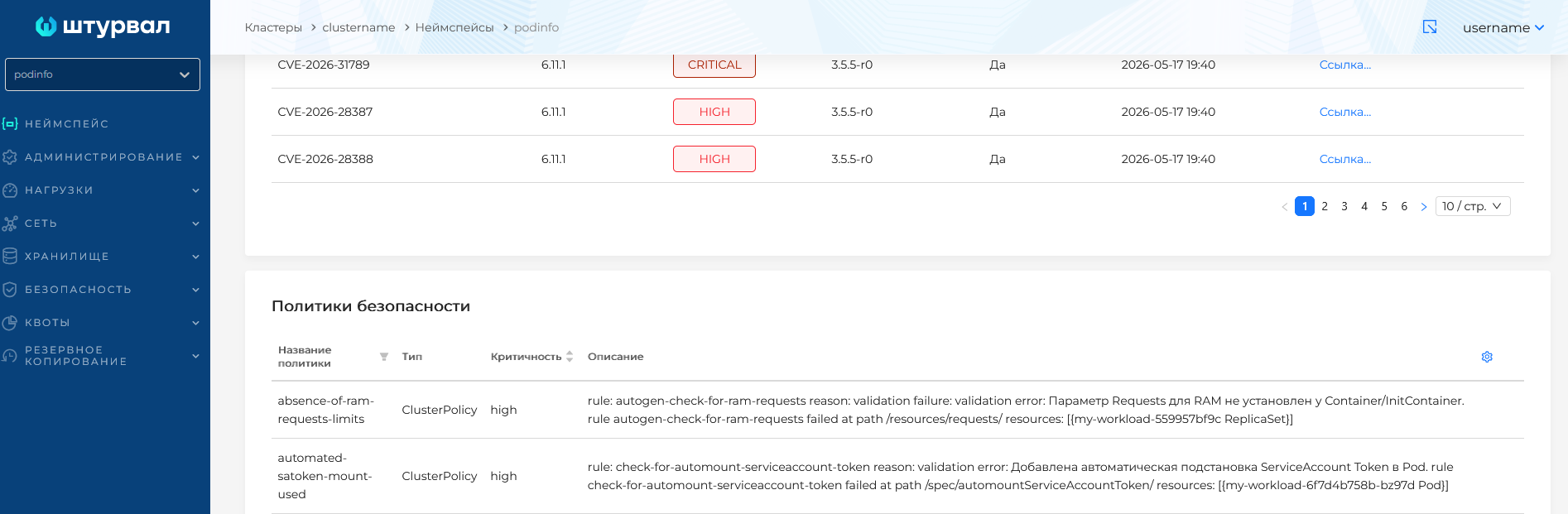
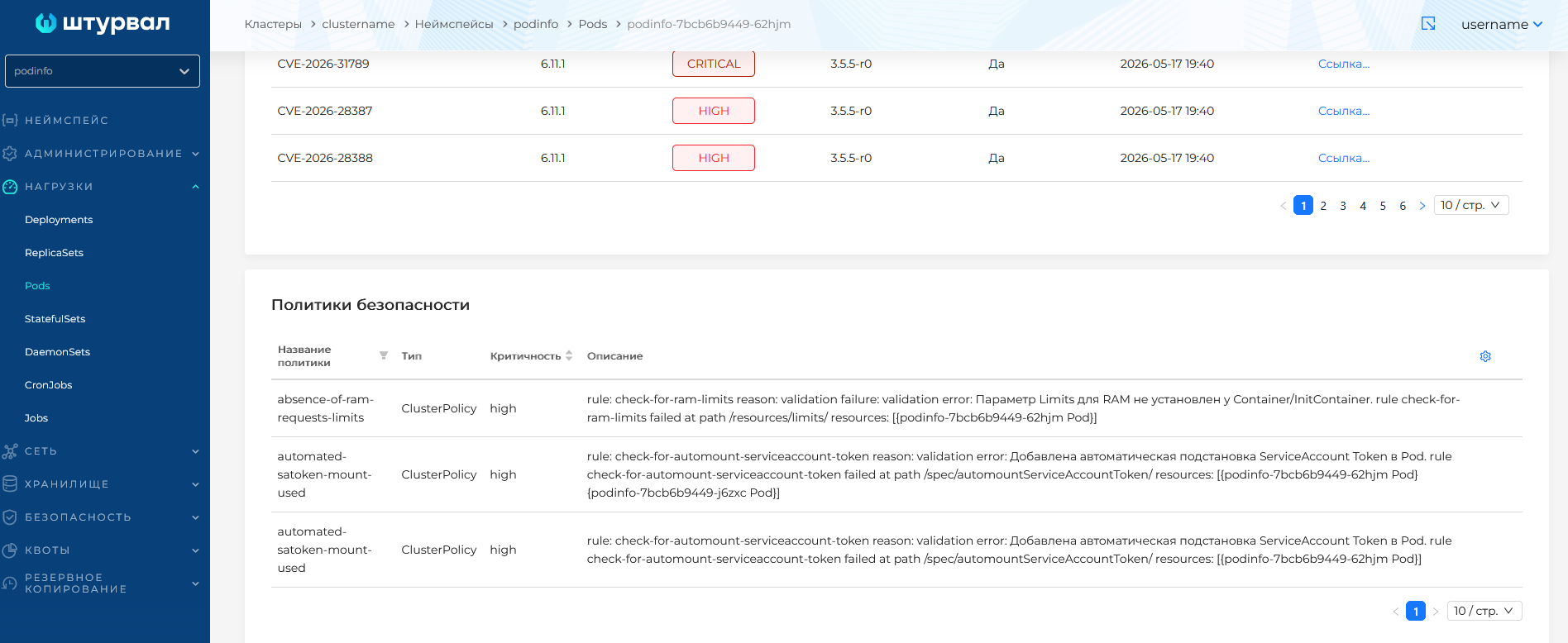
On workload pages
On Loads pages (Deployment, StatefulSet, DaemonSet, ReplicaSet, Job, CronJob) and Pods pages, the Security tab shows policy compliance results when shturval-policy-manager is installed in the cluster.
More details: Kyverno: prohibiting latest tags, requiring limits.
Scan results (CIS Benchmark, Compliance)
Cluster configuration scan reports are available in the cluster GUI.
In a cluster
In the cluster GUI, go to Security → Scan Results.
The page shows Trivy ClusterComplianceReports from shturval-scanner: compliance with CIS Kubernetes Benchmark, the NSA Kubernetes Hardening Guide, and Pod Security Standards (Baseline, Restricted).
Summary information and per-report breakdowns are shown. Detailed results are grouped on the k8s-cis-1.23, k8s-nsa-1.0, k8s-pss-baseline-0.1, and k8s-pss-restricted-0.1 tabs. Each test shows type, severity, and result (Pass/Fail). For Fail, open the row for remediation guidance. Filter by test type, ID, and severity. Export to CSV or PDF is available.
Illustration: In a cluster
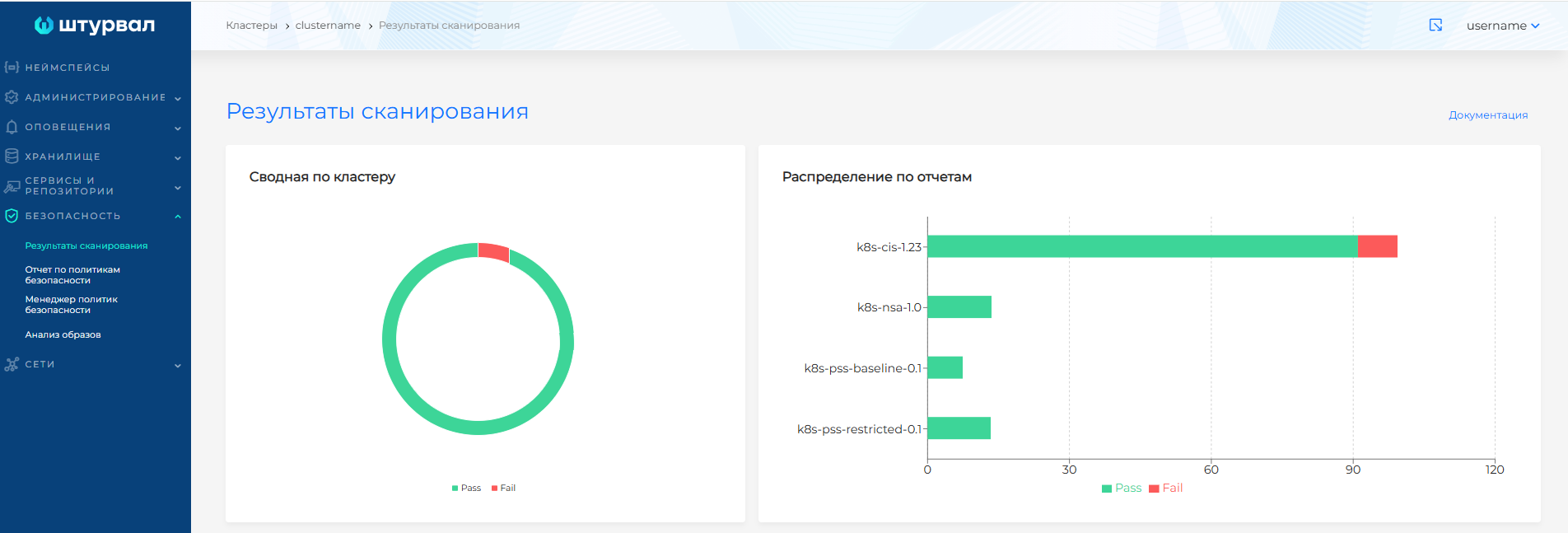
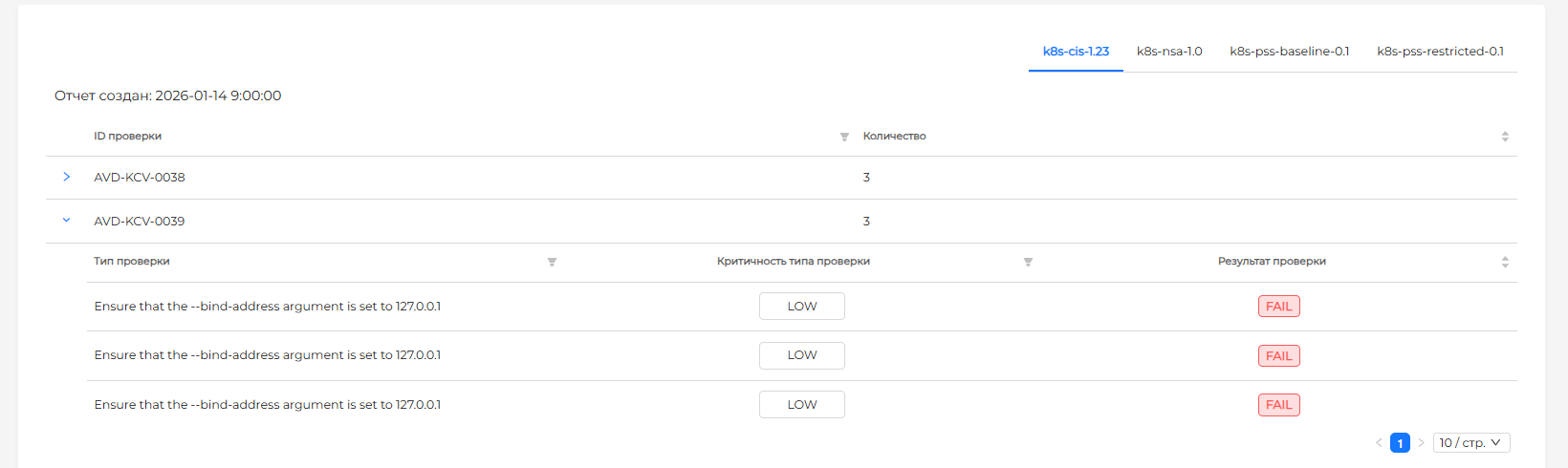
By default, the detailed report runs on a schedule (for example, every 6 hours). After cluster deployment, the first report appears after the first full scheduled scan. To show details in the GUI, set reportType: all on shturval-scanner; with summary, details are not shown in the platform GUI.
More details: Scanning hosts and platforms (CIS Benchmarks).