Release 2.14.0 (2026 Q2)
- Kubernetes version: 1.35.1
- The release is supported. See release policy.
Available versions for transition
| Source version | Update notes |
|---|---|
| 2.13.0 | Before the update: check the shturval-snapshotter CRDs1; in an air-gapped environment, update the stm utility2; for clusters with the Shturval v2 provider, remove free hosts5. After the update: replace VM templates3; restore log collection if necessary4; add the removed free hosts5. |
| 2.13.1 | Before the update: check the shturval-snapshotter CRDs1; in an air-gapped environment, update the stm utility2; for clusters with the Shturval v2 provider, remove free hosts in the provider5. After the update: replace VM templates3; restore log collection if necessary4; add the removed free hosts5. |
1 As part of the 2.14.0 release, the shturval-snapshotter component has been updated from 8.1.1 to 8.3.0. For the volumegroupsnapshots, volumegroupsnapshotcontents, and volumegroupsnapshotclasses CRDs from the groupsnapshot.storage.k8s.io API group, the resource version has changed from v1alpha1 to v1beta1. Before the update, check whether the cluster has custom resources of the VolumeGroupSnapshot, VolumeGroupSnapshotContent, or VolumeGroupSnapshotClass types. If such resources exist, save their manifests and associated data on the storage side. If necessary, convert the manifests to groupsnapshot.storage.k8s.io/v1beta1. After a successful update, apply the converted manifests again.
2 In an air-gapped environment, before uploading the bundle to the mirror, update the stm utility from the new version bundle. For details, see Working with the mirror after installation.
3 For clusters with VM templates, prepare and replace the templates in all node groups to avoid scaling errors. For details, see Nodes and VM templates.
4 After the management cluster is updated, log collection might stop working in client clusters whose version differs from the management cluster version. To restore log display on the Logs tab without updating the client clusters, restart the Vector Agent pods in the logging namespace in each such cluster. After the client clusters are updated to the management cluster version, log collection is restored and pod restart is not required.
5 For clusters with the Shturval v2 provider, the provider must not contain free hosts that are not attached to a cluster. If such hosts exist, delete them before the update and add them again after the update. If free hosts were not deleted before the update, delete and add them again after the update is complete.
Known issues and workarounds until the patch release
- Updating the management cluster (originally deployed on version 2.10.0 or earlier) may cause cyclic reboots of the Control Plane node (single-node only).
- Updating a management cluster with a single Control Plane node may hang while updating system services, specifically shturval-auth. Run the following command to fix it:
kubectl delete statefulset shturval-auth-valkey-sub -n shturval-backend
- Updating a cluster with Ubuntu 24.04 (Noble) with ufw enabled may stop due to a configuration application error. Run the following script before starting the update:
# dry run first
./hack/clean-grub-cgroup-hierarchy.sh \
  --kubeconfig .debug/cluster.conf \
  --ssh-user shturval \
  --ssh-key ~/.ssh/stand_key \
  --dry-run
# actual run
./hack/clean-grub-cgroup-hierarchy.sh \
  --kubeconfig .debug/cluster.conf \
  --ssh-user shturval \
  --ssh-key ~/.ssh/stand_key
- Updating a cluster with ALT Server 10.4 (Mendelevium) may fail due to drift of installed packages. Remove the package in the old NCI version to fix it.
- Creating VM templates with BLS enabled on rhel 9, rocky 9, or sber causes kernel parameter application errors. Disable BLS or run the following command on each node:
sudo grubby --update-kernel=ALL \
  --args="biosdevname=0 net.ifnames=0 systemd.gpt_auto=no systemd.unified_cgroup_hierarchy=1"
sudo reboot
What’s new
Infrastructure
- Added the ability to install CSI when installing a cluster with the vCloud Director provider.
- The utility for working with the shtil management cluster has been improved:
- Added remote access to the GUI of the temporary cluster;
- added the ability to go to the GUI by the IP address of the virtual machine;
- the names of commands and aliases have been changed when installing with flags;
- added the ability to specify the path to save the permanent
kubeconfig; - improved checks and display of the stages of creating a provider and management cluster.
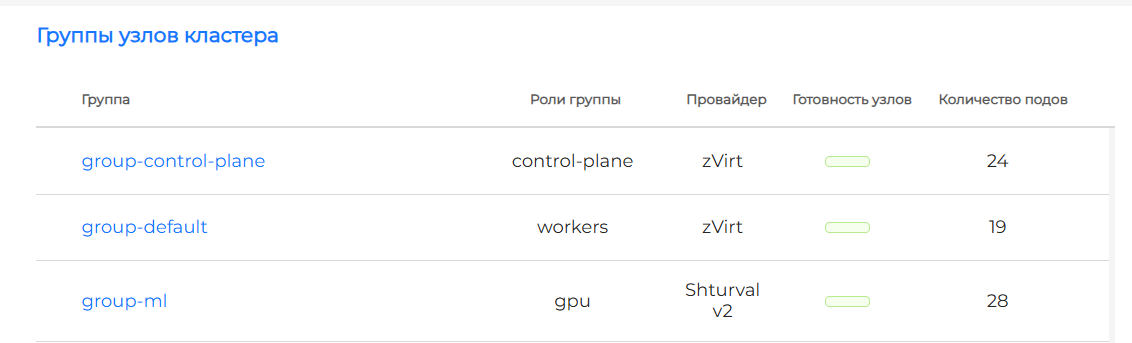
- Management of hybrid clusters in the platform to support ML workloads: nodes without GPUs can be created on the virtualization system provider, nodes with GPUs on the Shturval v2 provider.
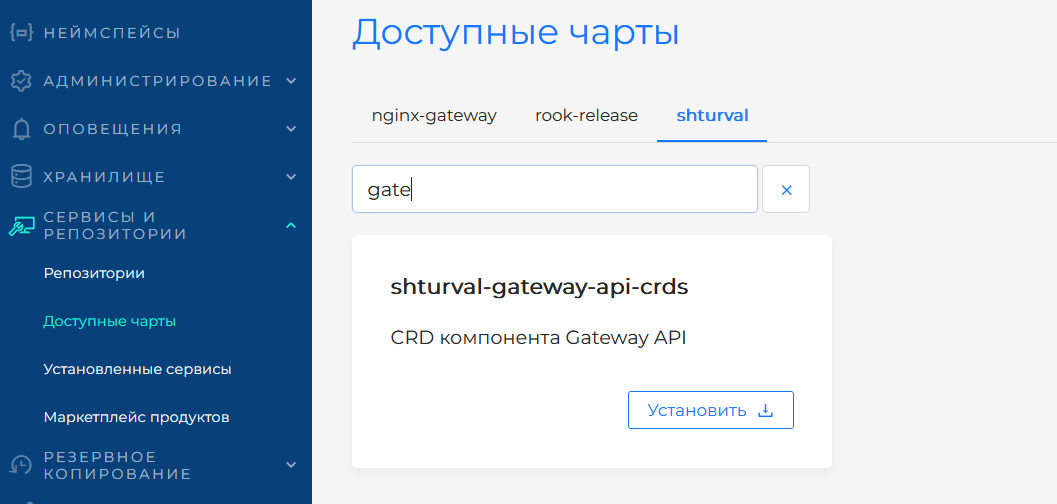
- Added Gateway API object management service in the platform.
- Added the ability to specify the Storage Domain where oVirt virtual machine disks should be created.
GUI
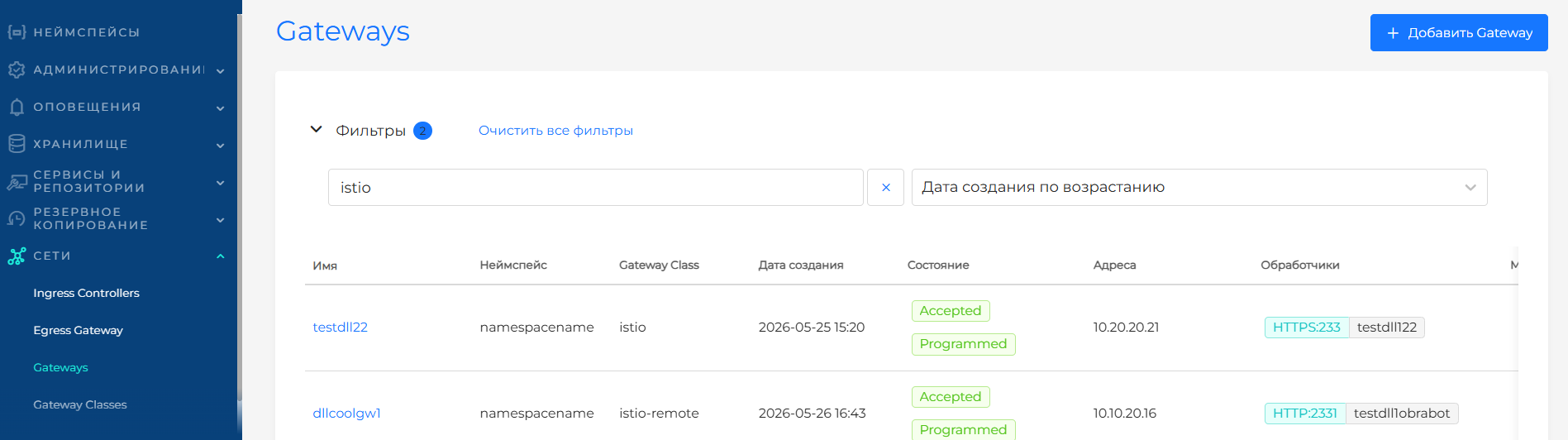
- Gateway API object management GUI: GatewayClasses, Gateway, HTTPRoute, GRPCRoute.
- You can add an additional group of Worker nodes with the Shturval v2 provider to the created clusters with any other providers existing in the platform.

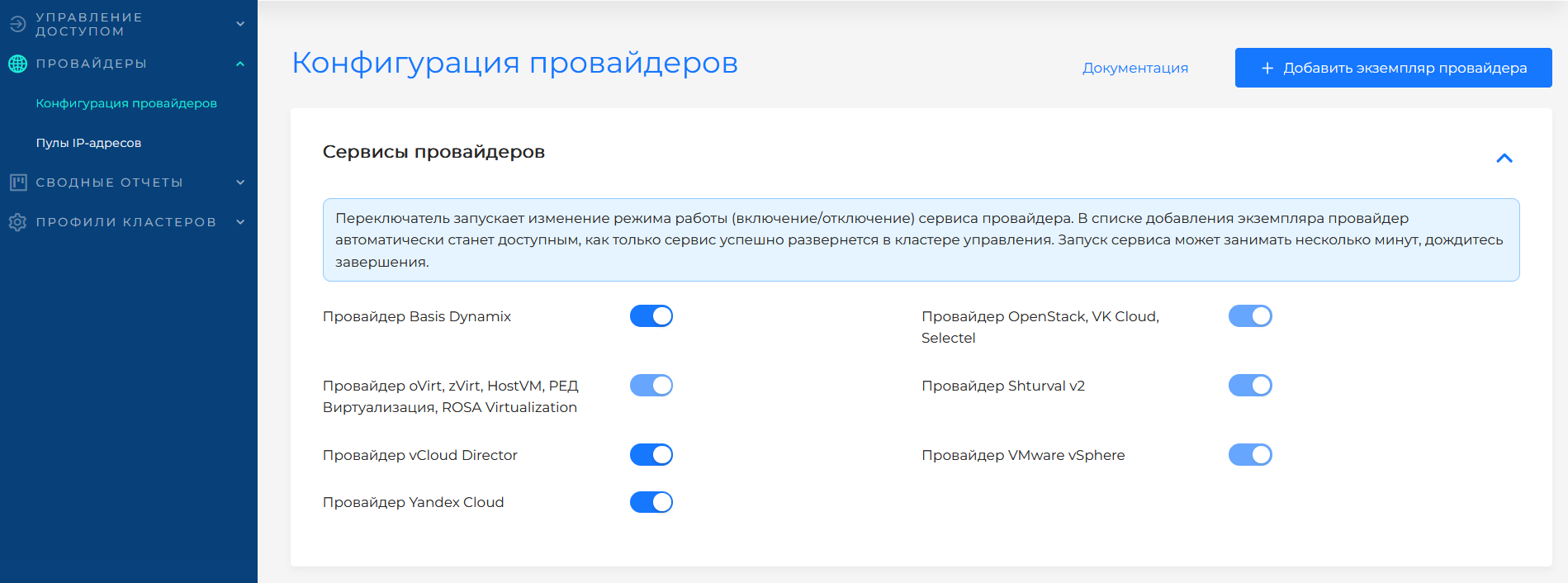
- You can enable or disable provider services in the provider management GUI.
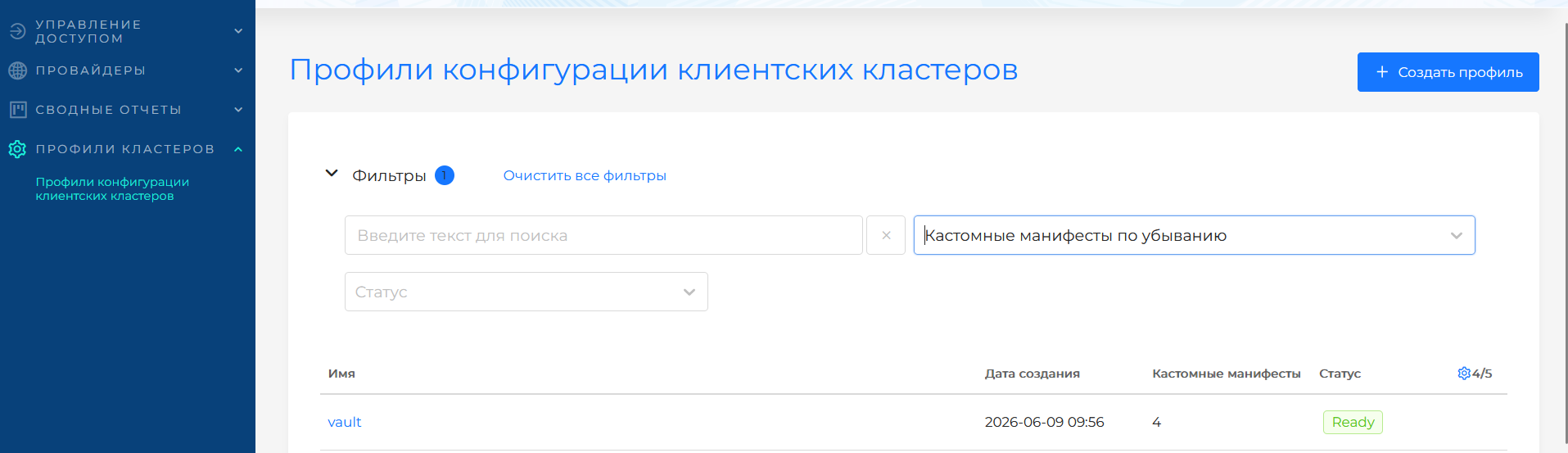
- Manage configuration profiles for client clusters.
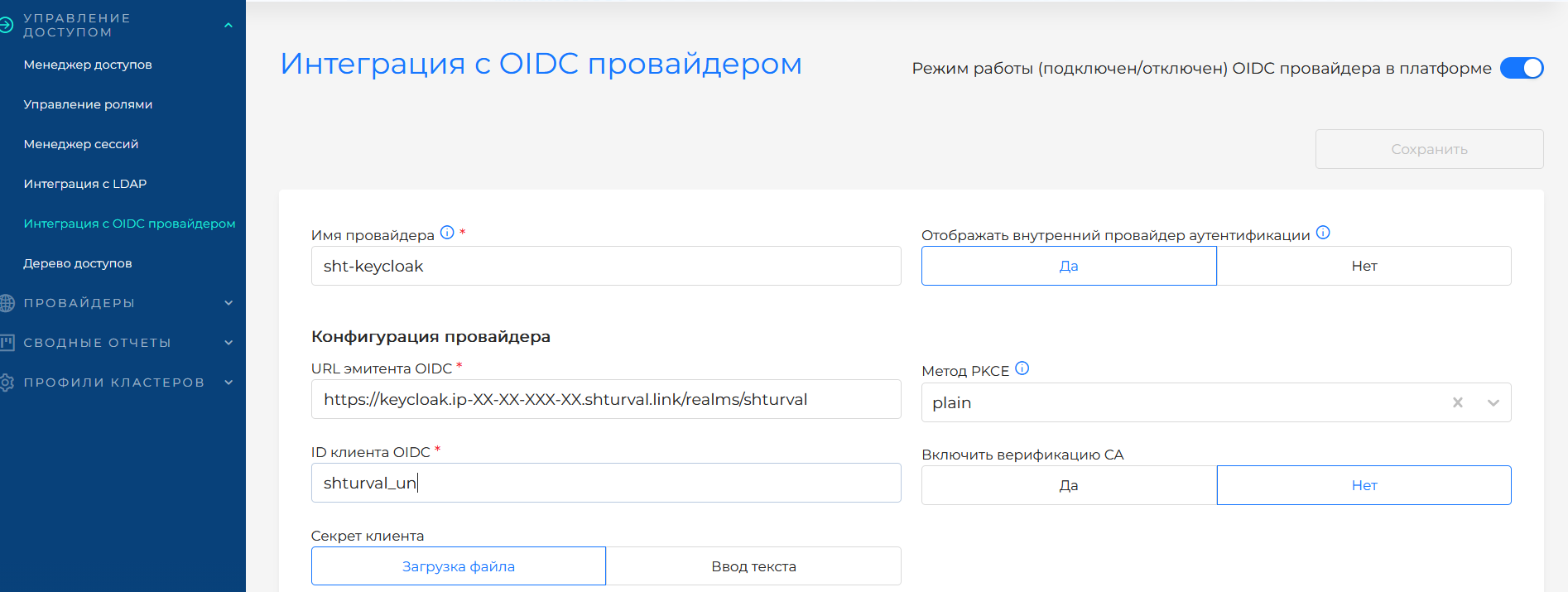
- OIDC provider configuration interface for connecting to the platform.
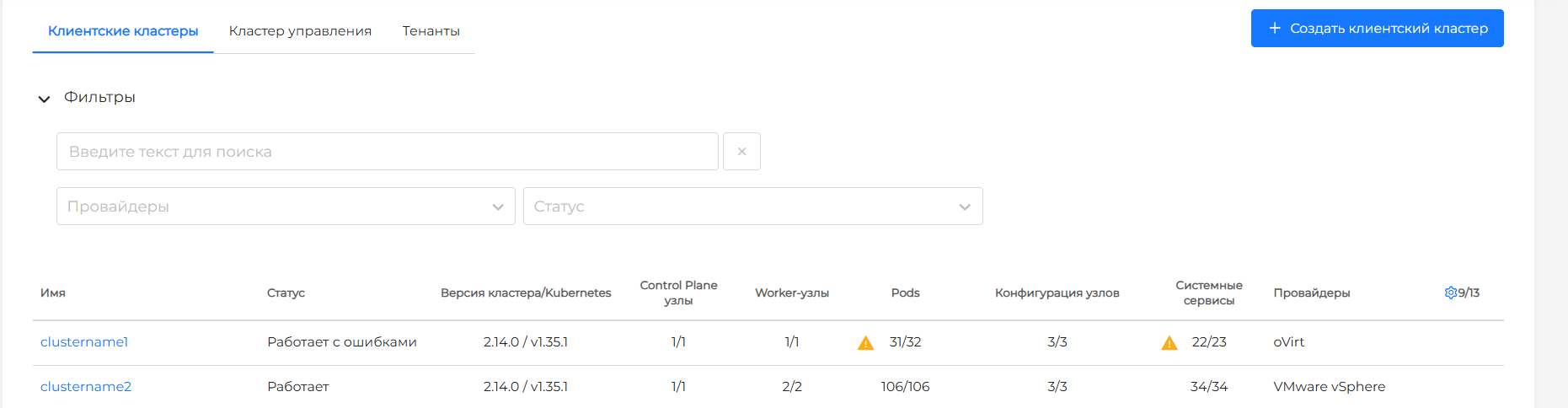
- Improved platform cluster list interface of platform clusters:
- added display of cluster object counters;
- added information about cluster versions and Kubernetes.
- Indication of the status of cluster objects on interface tabs.
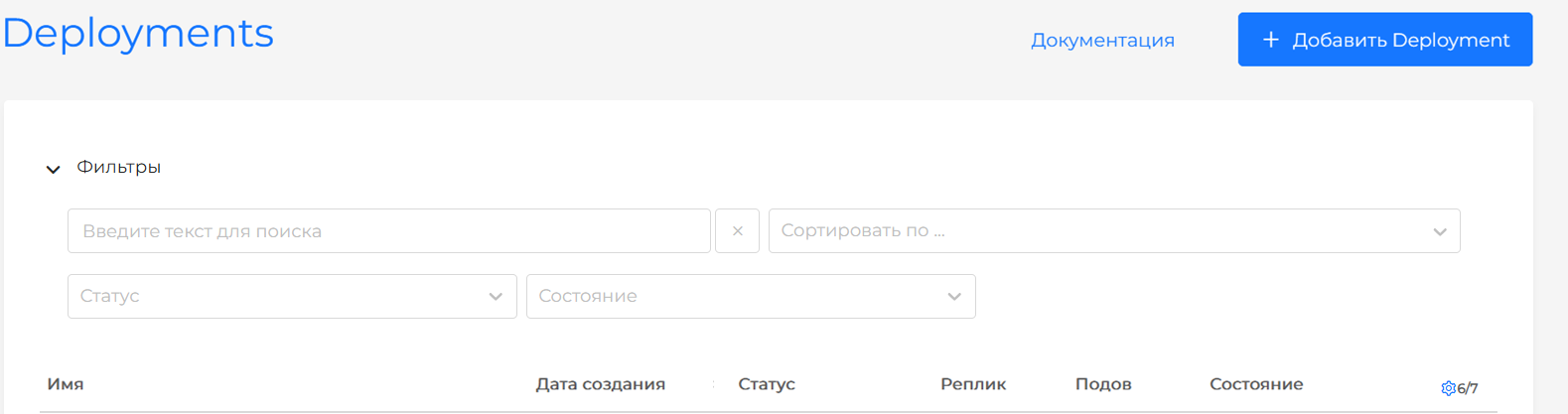
- Updated search and filters on pages with lists of interface objects. (see the screenshot below)
Before:

After:
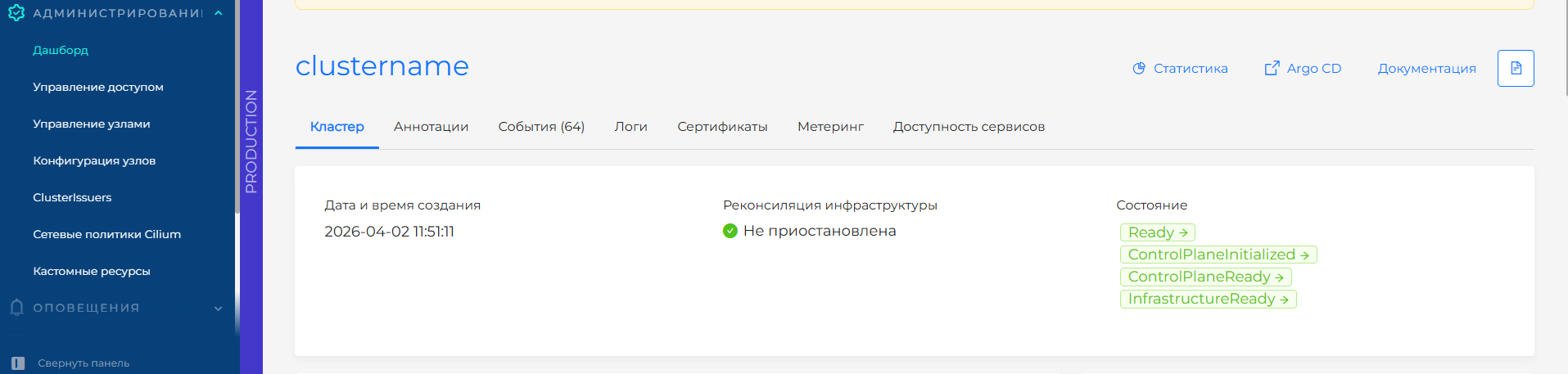
- Ability to configure visual indication of the cluster environment.
- Improved cluster creation interface:
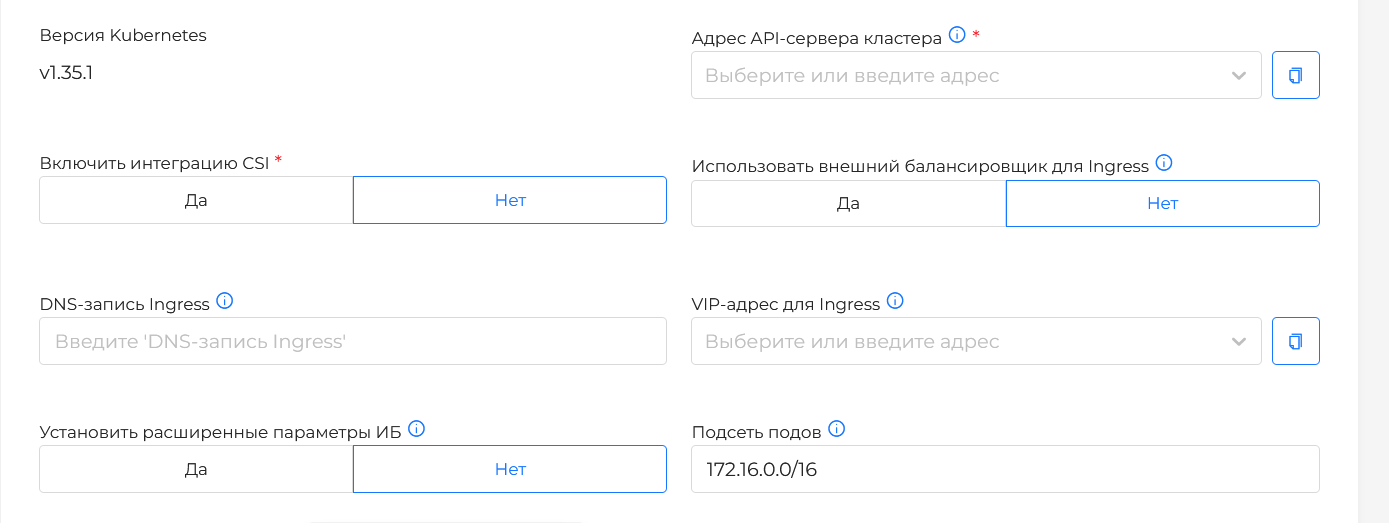
- at the data verification step, the ability to call the cluster configuration check in test mode (Dry run) has been added;

- availability of simultaneous indication of VIP and DNS records for Ingress in cluster configurations with providers: Shturval v2, VMware vSphere, oVirt, zVirt, HostVM, RED Virtualization, ROSA Virtualization.
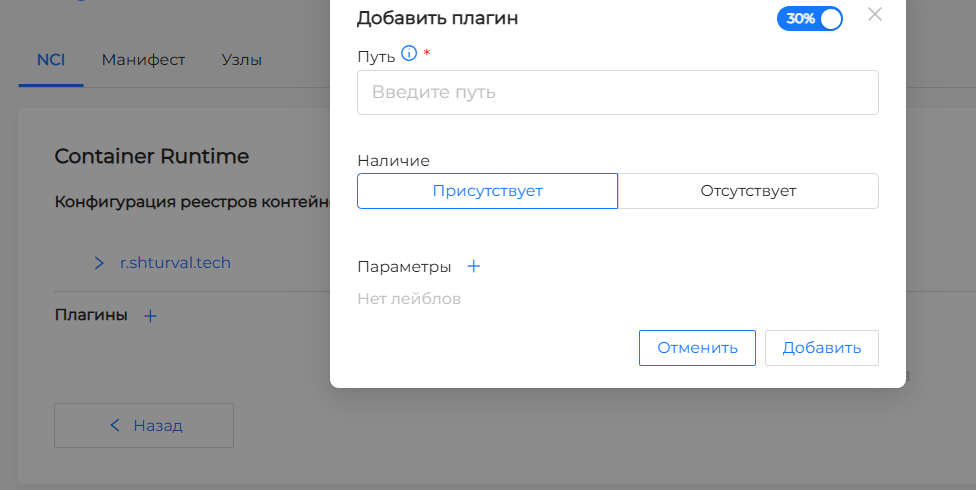
- Container Runtime plugin configuration interface in the NCI interface.
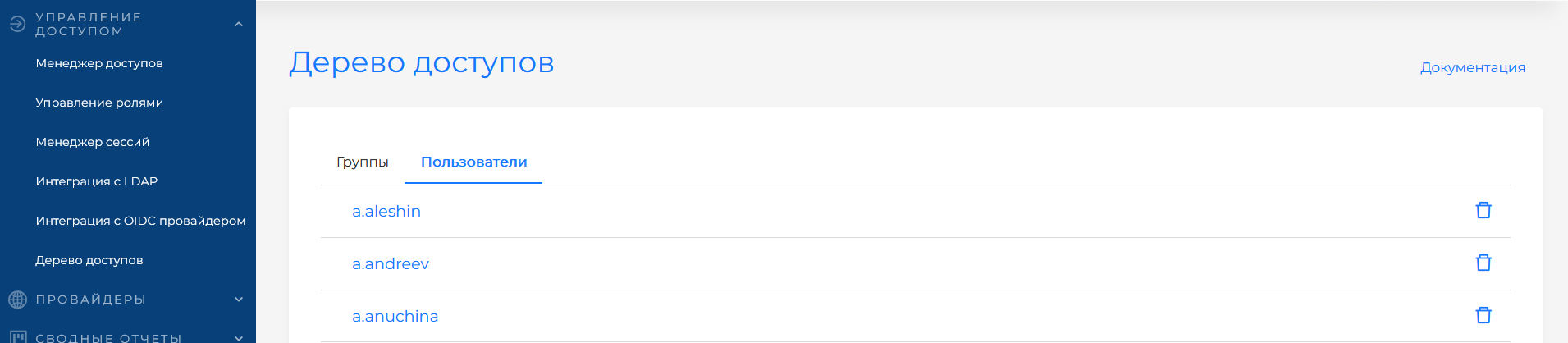
- Ability to revoke all assigned access rights to a user/user group in the platform; (see the screenshot below)
- Manage access rights to Kubeflow.
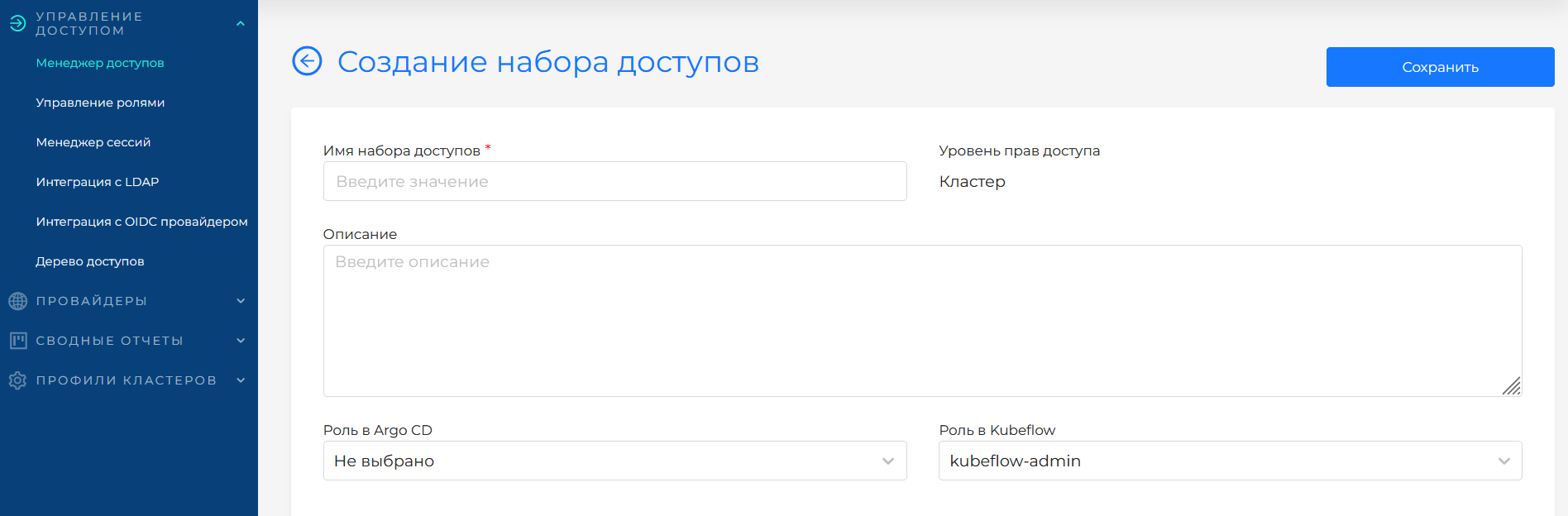
- Navigate from namespaces to the Kubeflow GUI.

- You can no longer create a Cilium security policy without configured rules.
- Deleting a backup or restored copy is blocked during the delete phase.
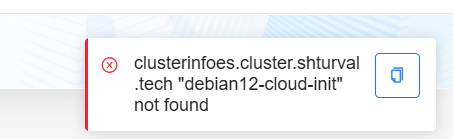
- The period for displaying notifications with errors has been increased and the ability to copy text has been added. (see the screenshot below)
Fixed
- Fixed inability to replace the TLS certificate file and client key in the Secret GUI.
- Fixed mandatory label value requirement in the node selector of the pod template in the GUI.
- Fixed inability to delete and recreate a failed Control Plane node (with the not ready status) in the GUI.
- Fixed first-failure
kubeadm initerrorkubeadm initdue to reinitialization of the cluster without stripping and preparing the node. - Fixed panic error display in backend logs when no groups were found based on the results of LDAP configuration analysis.
- Fixed saving settings when switching modes in the cluster creation interface at the stage of configuring Control Plane nodes with the Shturval v2 provider.
- Fixed time interval validation when selecting a range of days with Sunday in the alert settings.
- Fixed automatic substitution of extra characters when working in the graphical manifest editor.
- Fixed chart version validation in the GUI for setting up the chart configuration.
- Fixed missing InfraMachineTemplate display of InfraMachineTemplate in the configuration of a group of Control Plane nodes.
- Fixed inability to save the updated LDAP integration configuration after successful verification in the GUI.
- Fixed requirement to use sudo to install a bootstrap cluster with the VK Cloud provider in a closed environment and Podman.
- Fixed inability to specify connection credentials in the GUI of the created instance of the VK Cloud provider.
- Fixed inability to delete custom resources of the core API group in the GUI.
- Fixed inability to delete a provider instance without associated clusters in the GUI.
- Fixed requirement to install a management cluster with Worker nodes with the Shturval v2 provider.
- Fixed issue saving StorageClass in the cluster when changing Provisioner in the GUI.
- Fixed bootstrap cluster deletion during installation on Astra Linux 1.7.6.
- Fixed VM template preparation with stc template on OS OSnova.
- Fixed bootstrap cluster installation on ROSA OS.
- Fixed Audit Policy application configuration configured via NodeConfigItem.
- Fixed kernel loader parameter application parameters on a node via NodeConfigItem.