Custom resources
What is CRD and custom resources
In Kubernetes, custom resources (Custom Resources) extend the object model: on top of built-in types such as Pod, Service, and Deployment you can add your own entities with the fields you need. Those resource types are defined with CRD.
CRD (Custom Resource Definition) is the resource that lets you create new resource types to extend the API.
Most GUI operations (creating a cluster, changing node configuration, installing services, assigning rights) create or update resources; operators reconcile cluster state to match them.
Custom resources in GUI
In the Administration → Custom Resources section, you can view and manage Kubernetes custom resources (CR) at the cluster and namespace level.
Where in the cluster: select a cluster → Administration → Custom Resources. Where in a cluster namespace: select a namespace → Administration → Custom Resources.
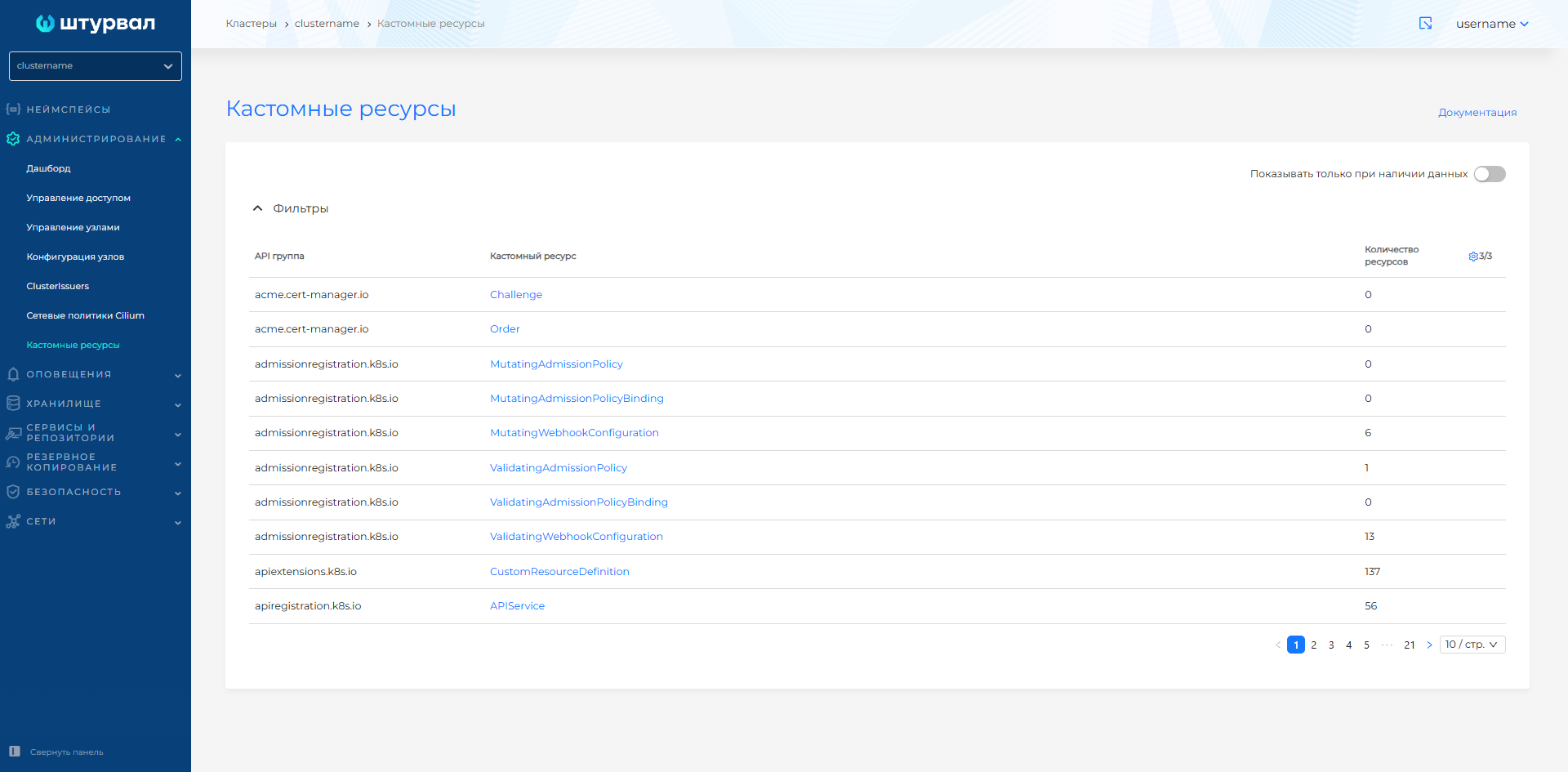
The Custom Resources page lists CRDs — built-in Kubernetes types and those created in the cluster — with API group, Custom resource, and Number of resources. For example, API groups operator.victoriametrics.com, ops.shturval.tech.
The Show only when data is present switch hides rows that have no instances.
Screenshot: Custom Resources page
Screenshot: filters on the Custom Resources page
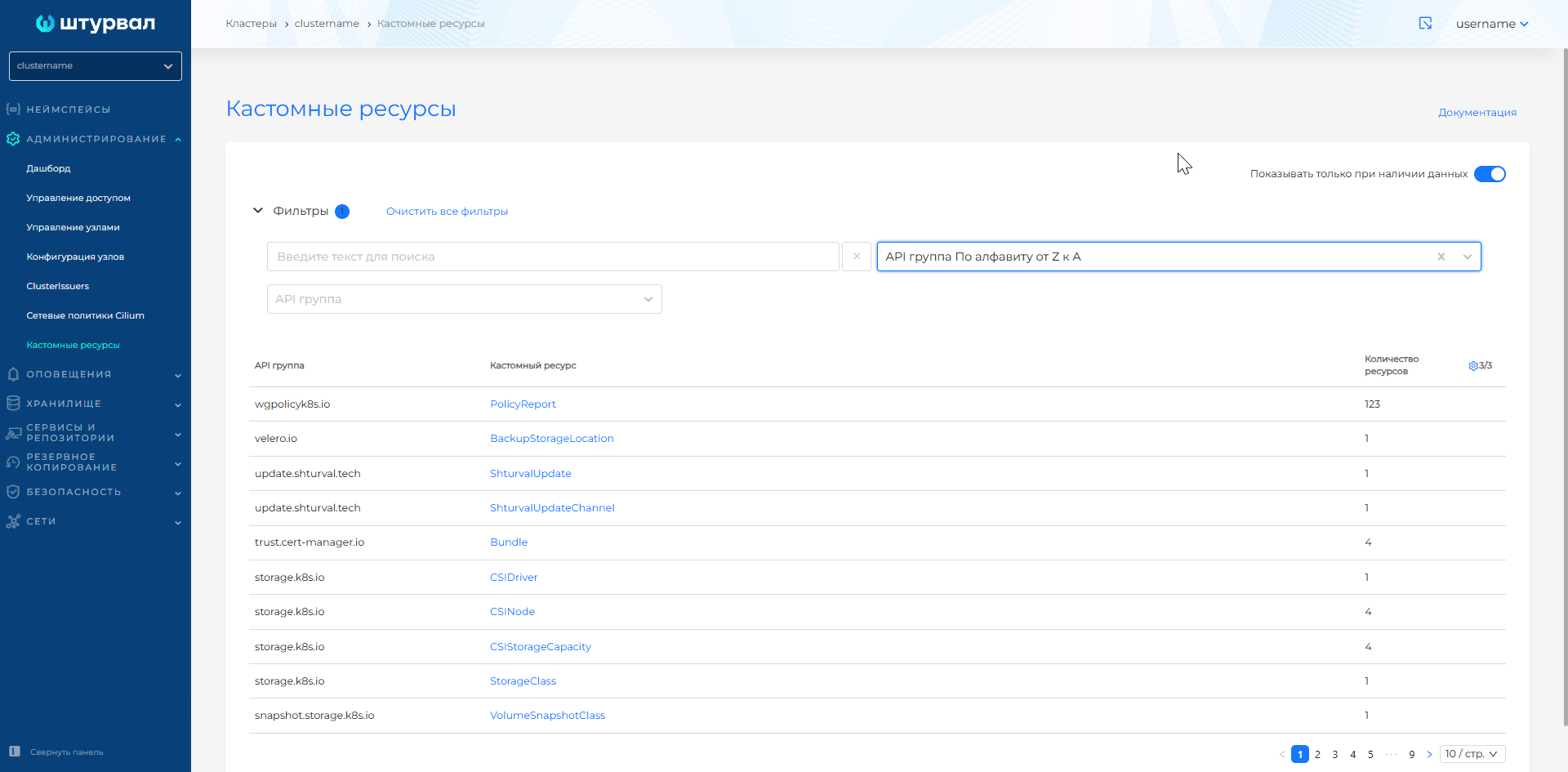
Click a CRD name to open the list of custom resources of that CRD. You can view, edit, and delete objects according to your access rights. To add a custom resource, including in a namespace, use Import manifests or the + Add button on the CRD custom resource list page — this opens the manifest import.
Screenshot: custom resource instances page
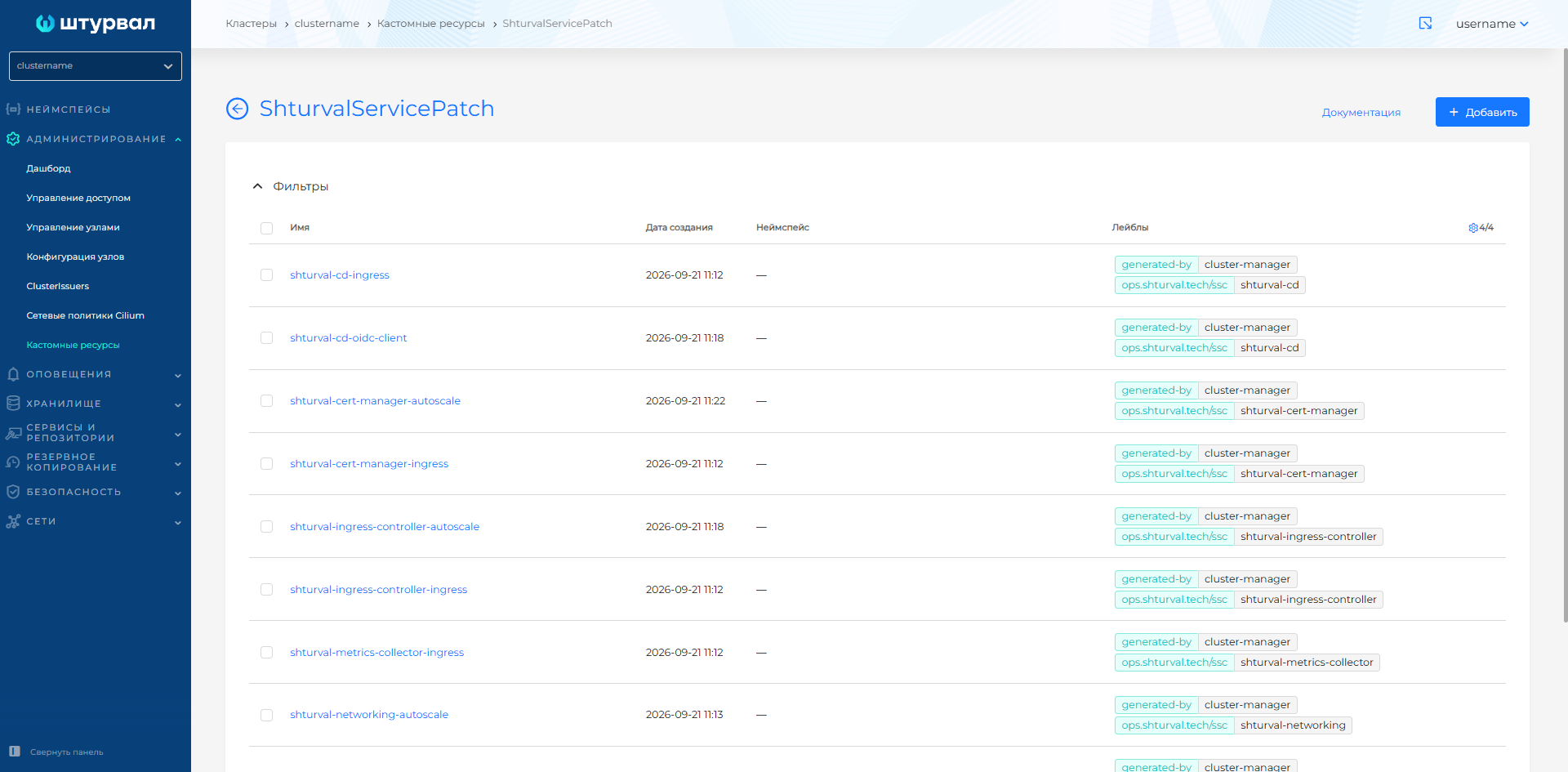
To delete a custom resource, use delete from the instance list or from the resource detail page. In the cluster and namespace CRD instance lists you can delete one object or several at once. How to select objects and confirm deletion: Bulk deletion. Deletion of system-critical objects is also available; it may cause errors in operation. On the resource view page, you can also edit or copy its manifest; after the change, run a check.
Custom platform resources
Below are specific custom resources in API groups *.shturval.tech, which are used in clusters of the “Shturval” platform.
API group auth.shturval.tech
In the management cluster.
| Resource | Purpose | GUI location | Documentation |
|---|---|---|---|
| AuthOidcClient | Clients of the platform’s internal authentication service (backend, frontend, Argo CD, Grafana, etc.) using OIDC | When switching via SSO to an external service | Custom IAM Resources |
| User | Local users stored in the platform | Access control → users | Local Administrator Password Management |
Kubectl example for auth.shturval.tech
kubectl get authoidcclient -A
API group node.shturval.tech
In the management cluster and client cluster.
| Resource | Purpose | GUI location | Documentation |
|---|---|---|---|
| NodeConfigItem | Object for applying node configuration: NTP, sysctl, packages, registries, systemd units, etc.; applied by node selector | Administration → Node Configuration (list and NCI cards) | Node Configuration (NCI), NCI Object (NodeConfigItem) |
| NodeConfig | Summary of actual node-specific configuration collected from all applicable NCIs, with application status | Administration → Node Management → node view page → Node Configuration tab | NodeConfig (NC) |
Kubectl example for node.shturval.tech
kubectl get nodeconfigitem
API group cluster.shturval.tech
In the management cluster.
| Resource | Purpose | GUI location | Documentation |
|---|---|---|---|
| ClusterConfig | Actual cluster configuration: API parameters, networks, set of services, links to profiles. Target update version is spec.releaseVersion, node update strategy is spec.update.updateStrategy | Cluster dashboard | API for cluster management, Update Kubernetes |
| ClusterInfo | Summary information about the cluster for dashboards: status, versions, number of nodes. Available update versions are status.update.availableUpdates | Cluster dashboard | Cluster graphs and dashboards |
| ClusterProfile | Configuration profile with which the client cluster will be deployed | Platform → Cluster Profiles → Client Cluster Configuration Profiles page | Cluster Profiles |
| ClusterUpdateSchedule | Deferred update schedule. During the update window it writes the target version to the cluster ClusterConfig | Cluster dashboard → Manage → Cluster update window → Configuring deferred update | Update Kubernetes |
| InfrastructureProvider | Provider instance metadata: VM templates and Kubernetes versions (spec.templates), provider subtype (spec.subtype). Credentials are stored on the provider resource | Provider instance page | Preparing the Provider Template |
Kubectl example for cluster.shturval.tech
kubectl get clusterprofile -A
kubectl get infrastructureprovider -A
Cluster API and infrastructure provider resources (cluster.x-k8s.io, bootstrap.cluster.x-k8s.io, controlplane.cluster.x-k8s.io, infrastructure.cluster.x-k8s.io) associated with the node life cycle are tabulated on the Creating nodes when deploying a client cluster page.
API group ops.shturval.tech
In the management cluster and client cluster.
| Resource | Purpose | GUI location | Documentation |
|---|---|---|---|
| ShturvalRepoConfig | Helm repositories configuration: URL, protocol, credentials, TLS | Services and repositories → Repositories page | How to connect your repository |
| ShturvalServiceConfig | Configuration of Helm charts (system services) (SSC): version, control mode, basic customvalues | Services and repositories → Installed services → Manage button → Service tab on the service view page | Overview of working with services, System services of the Shturval repository |
| ShturvalServicePatch | Patch for customvalues system service, overlaid on top of the base SSC; allows you to safely customize services | Applied ShturvalServicePatch tab on the service page | How to manage CustomValues services |
Kubectl example for ops.shturval.tech
kubectl get shturvalserviceconfig -A
API group update.shturval.tech
In the management cluster and client cluster.
| Resource | Purpose | GUI location | Documentation |
|---|---|---|---|
| ShturvalUpdate | Resource for manually running a cluster update and tracking update status | Cluster dashboard → Manage → Cluster Update window | Update Kubernetes |
| ShturvalUpdateChannel | Specifying the update channel (only the stable channel stable is available in the platform) | Cluster dashboard → Manage → Cluster Update window | Update Kubernetes, Update mirror in closed loop |
| ShturvalUpdateSchedule | Schedule for automatic (delayed) cluster update | Cluster dashboard → Manage → Cluster update window → Configuring deferred update | Update Kubernetes |
Kubectl example for update.shturval.tech (ShturvalUpdateSchedule)
kubectl get shturvalupdateschedule -n shturval-update-system
After the update to 2.15, the ShturvalUpdate, ShturvalUpdateChannel, and ShturvalUpdateSchedule objects are deleted.
An update from version 2.15 to a newer one is started by resources of the cluster.shturval.tech API group: the target version and strategy are in ClusterConfig, the schedule is in ClusterUpdateSchedule, and available versions are in ClusterInfo.
API group permissions.shturval.tech
In the management cluster.
| Resource | Purpose | GUI location | Documentation |
|---|---|---|---|
| GroupRole | An object to associate a permission set with a user group; determines which Permissions apply to the group and at what level (platform, tenant, cluster, namespace) | Access Control/Role Management→ Groups and assigning rights to groups | Custom resources for managing access rights, How access rights are assigned |
| UserRole | Object to associate a permission set with a specific user | Access Control/Role Management → Users and assigning rights to users | Custom resources for managing access rights, How access rights are assigned |
| Scope | A set of permission enforcement objects (for example, a platform, a specific tenant, a cluster, or a namespace) | The internal essence of the access control system; displayed through the access tree and rights assignment pages | Permission settings |
| Permission | Set of permissions | Access Control → Access Manager | Setting permissions, Custom resources for managing access rights |
| Tenant | Logical combination of entire clusters or namespaces of one or more clusters for access control | Tenants tab | Tenant concept |
Kubectl example for permissions.shturval.tech
kubectl get userrole -n shturval-backend
When to use GUI and when to use manifests
- GUI is convenient for typical operations: creating a cluster, setting up services, assigning rights, changing node configurations.
- Custom resource manifests (
kubectl, YAML import) are useful when:- you want to version changes and apply them via GitOps;
- requires access to the full set of resource fields, not all of which are in the GUI.
Instructions for importing YAML manifests through the interface: Import manifests.
For all of the listed resources, it is recommended to focus on the specialized sections of the documentation (links in the tables above) - they contain YAML examples, restrictions and typical usage scenarios.