Restore
Restore resource
Restoring from a backup creates an object Restore in the namespace velero. The Velero controller asynchronously applies resources from the selected Backup. Progress and errors are reflected in the status Restore.
The Restore manifest is available on the Manifest tab; after YAML changes, run validation.
After creation, the Restore object is not edited — if necessary, a new one is created. You can delete the Restore resource from the recovery list page, from the view page, or through the manifest. In the cluster and namespace restore lists you can delete one restore or several at once. How to select objects and confirm deletion: Bulk deletion.
In the cluster or namespace GUI
Backup and Restore → Restores → Restore from Backup. The button is active when the current scope has at least one Backup.
Screenshots
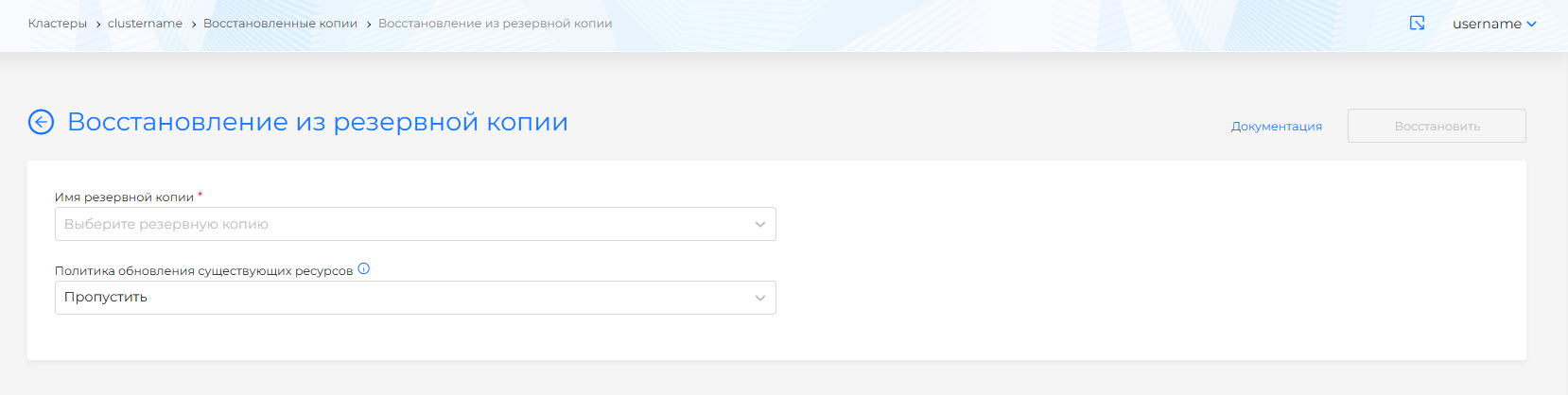
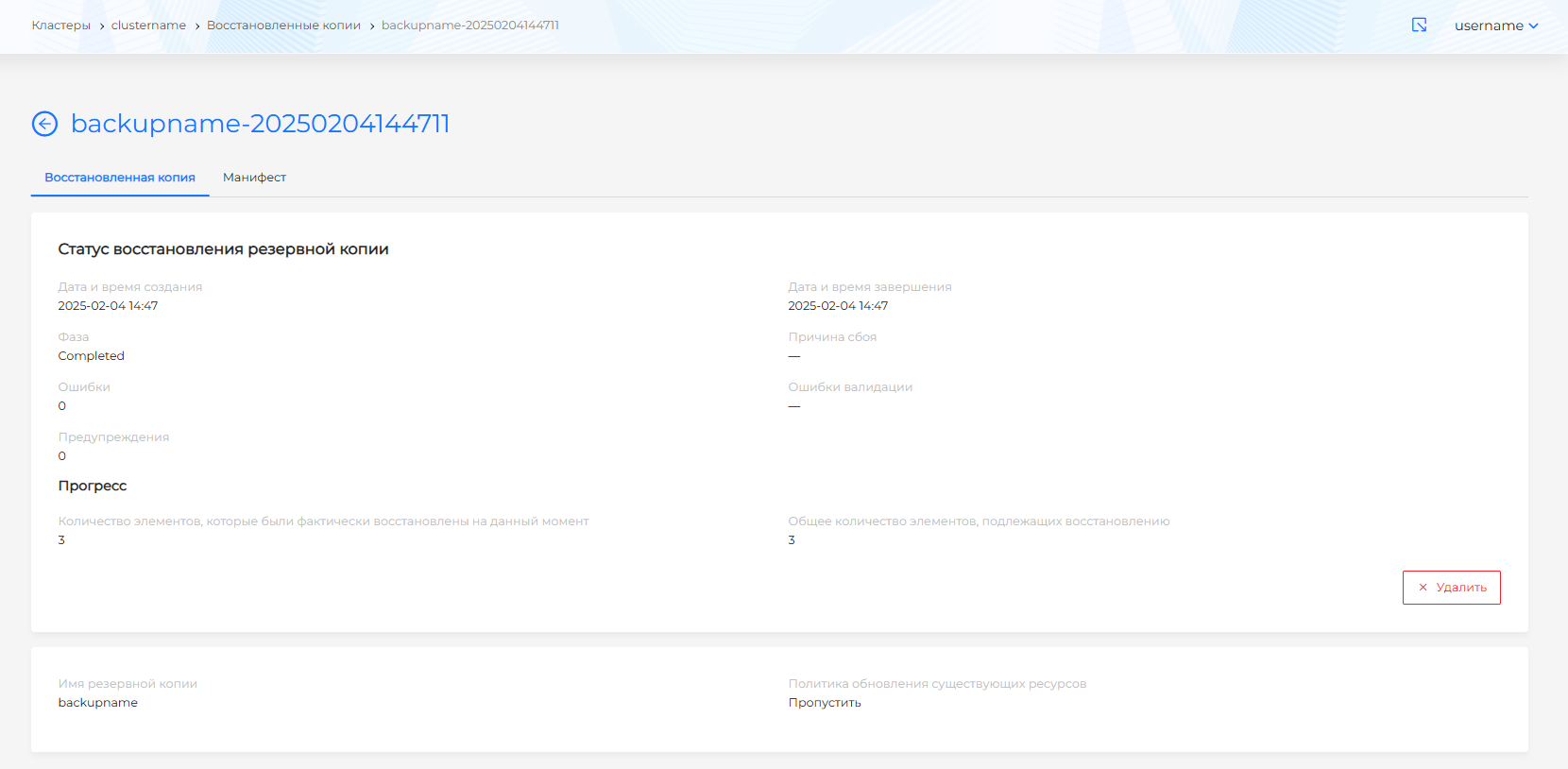
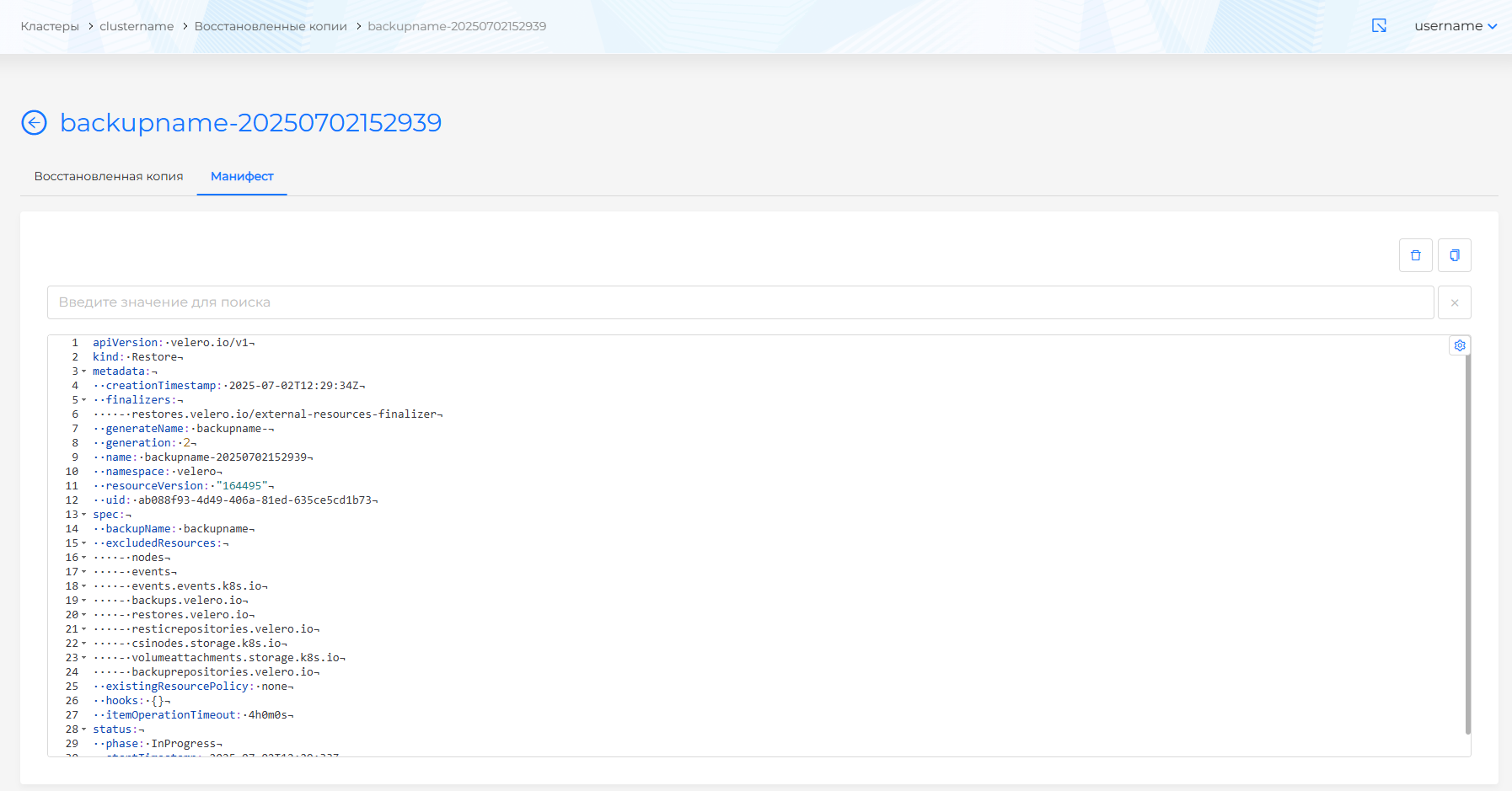
The source is chosen in Restore from resource: Backup or Scheduler. Fill in one of the two fields.
| Field | Manifest parameter | Description |
|---|---|---|
| Backup name | spec.backupName | Required if the source is Backup. Name of the Backup object to restore from. |
| Scheduler name | spec.scheduleName | Required if the source is Scheduler. Name of the Schedule object. Velero restores from the latest backup of this scheduler in phase Completed. |
| Policy for updating existing resources | spec.existingResourcePolicy | Rule for resources that already exist in the cluster. |
| Interface | Meaning in terms of Velero |
|---|---|
| Skip (default) | Existing cluster resources are not overwritten (existingResourcePolicy: none). |
| Update | If there is a conflict, existing resources are updated (existingResourcePolicy: update). |
More information about the order of applying resources, skipping existing objects and filters is Restore Reference (v1.17) and Reference Information.
When restore is possible
Right after you create a backup it is too early to restore: Velero first collects resources and stores the archive.
Restore is available when the backup status is Completed or PartiallyFailed. Not when it is New or InProgress.
If the source is a scheduler, restore uses the latest backup created by that scheduler with status Completed.
Selecting resources and namespaces to restore
The Available resources and Available namespaces lists are filled after you select a backup or scheduler. Choose a backup that has already finished (see When restore is possible).
The form has two blocks: Restore resources and Restore namespaces. There is no separate cluster-resources block: cluster-scoped and namespaced types are chosen in the single Restore resources list.
For restore you can select everything at once (*All resources or namespaces in the selected block. The manifest receives *). If you then pick a specific resource or namespace, “all” is cleared.
The same resource or namespace cannot be included and excluded at the same time. The same list cannot contain both “all” (*) and individual names.
Excluding all namespaces and resources for restore is blocked in Velero.
If you include nothing and exclude nothing, everything from the backup is restored.
You can include all resources (*) and exclude selected types. If exclude is set to “all” (*), nothing is restored, regardless of what is selected in include.
| Field | Manifest parameter | Description |
|---|---|---|
| Include resources | spec.includedResources | Resource types included in the restore. |
| Exclude resources | spec.excludedResources | Resource types excluded from the restore. |
| Include namespaces | spec.includedNamespaces | Namespaces included in the restore. |
| Exclude namespaces | spec.excludedNamespaces | Namespaces excluded from the restore. |
If you include nothing and exclude nothing, everything from the backup is restored. Resources or namespaces you explicitly excluded are not restored.
Volume restrictions
PVs that are already mounted into running Pods (Deployment, StatefulSet, Pod) are not restored so as not to disrupt applications.
Recovery hooks
Velero supports restore hooks (initContainer and exec after the pod starts) to prepare the application after restore. In release 2.14.0, hooks are available only in the restore manifest in the GUI.
Description of annotations and fields spec.hooks - Restore Hooks (v1.17).
Example: Restore (YAML)
apiVersion: velero.io/v1
kind: Restore
metadata:
  name: restore-my-backup
  namespace: velero
spec:
  backupName: backup-my-namespace
  includedNamespaces:
  - my-app
  includedResources:
  - "*"
  excludedResources:
  - events
  restorePVs: true
  existingResourcePolicy: none
existingResourcePolicy:none- as “Skip”;update- as “Update”.restorePVs: restoring PV from a backup (if present in the backup and if there are no conflicts with running volumes).
Import: Import manifests.
Diagnostics: velero restore describe <name> — incl. summary of hooks (Restore Hooks (v1.17)).
Known features of restore on the Kubernetes side (LoadBalancer, admission webhooks) are listed in troubleshooting.