ServiceAccounts
A ServiceAccount is a Kubernetes identity in the cluster. It is not a user account: pods, system components, and external applications can use its credentials.
Where to manage
Namespace → Security → ServiceAccounts.
On this page you can create, edit, delete, or view a ServiceAccount.
Creating a ServiceAccount
- Security → ServiceAccounts → + Add ServiceAccount.
- Set the name. Optionally add labels and annotations.
- Click Save.
ServiceAccount access can be managed after the account is created.
View, edit, and delete
On the detail page you can:
- on the ServiceAccount tab, see the name and creation time and manage access rights;
- on the Labels and annotations tab, update metadata. How to add and change them: Labels and annotations;
- on the Manifest tab, edit YAML. After edits, run a check; the result appears on the right. Unsaved changes are not applied.
Save writes changes to the account. Access rights are not saved with this button: they are added separately.
You can delete a ServiceAccount from the list (delete icon in the row) or with Delete on the detail page.
In the ServiceAccounts list you can delete one object or several at once. How to select objects and confirm deletion: Bulk deletion.
Access rights
To assign rights to a ServiceAccount, on the ServiceAccount tab in the Access rights block, click +. Add access rights opens on the right.
Screenshot: ServiceAccount with no access rights
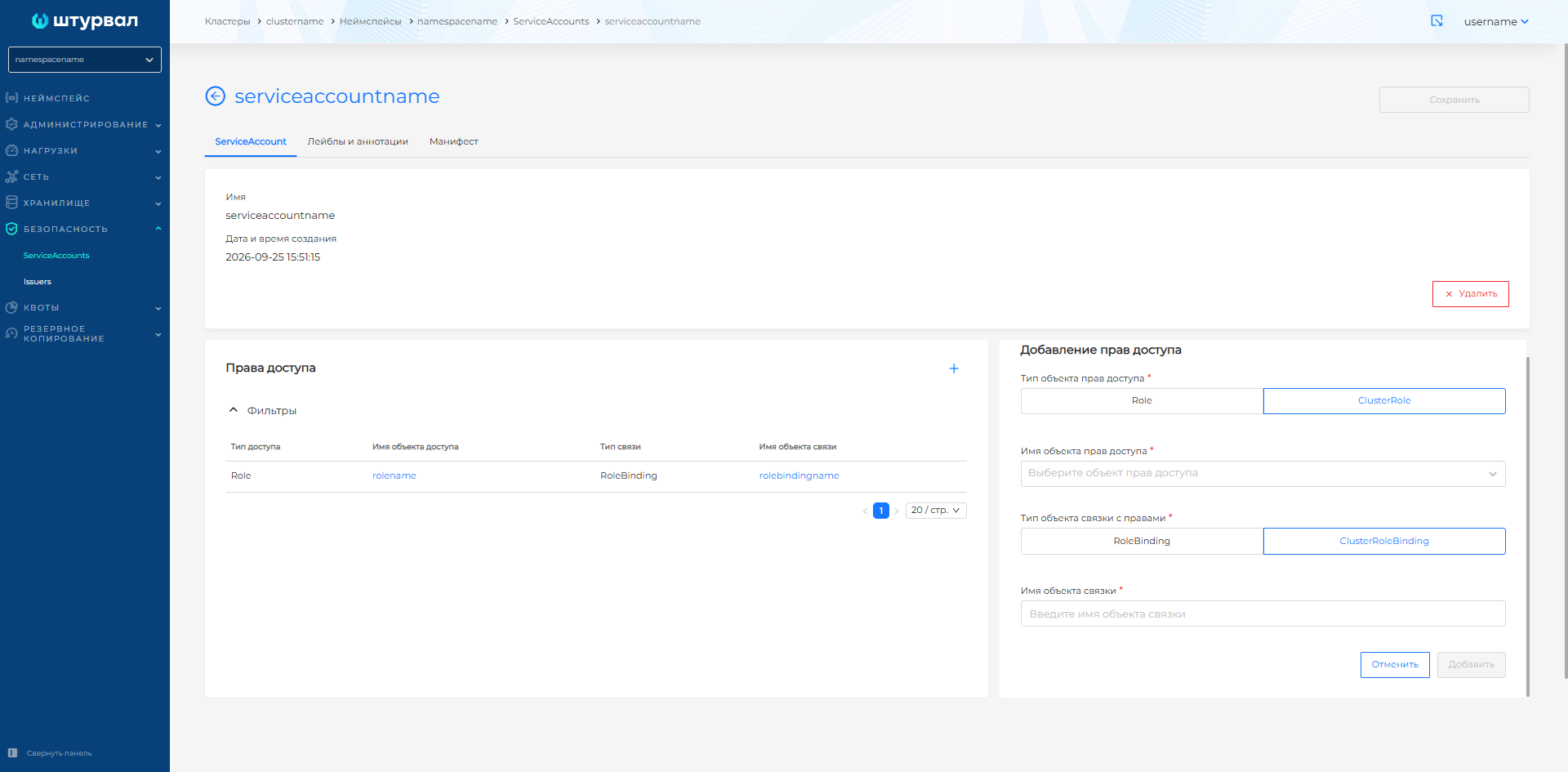
Select the object type: Role or ClusterRole (if you have access to cluster roles).
In Access object name, select a role from the list or create a new one. For a Role, the list is the roles of the current namespace; for a ClusterRole, all cluster roles. If the role does not exist yet, create it by clicking + Create Role or + Create ClusterRole. In the manifest import dialog, set the name and write the rules in the rules block.
For a Role, only a RoleBinding is available. For a ClusterRole, you can choose RoleBinding or ClusterRoleBinding. Set the binding name and click Add.
Clicking the name of a Role or ClusterRole, a RoleBinding, or a ClusterRoleBinding opens a dialog with the object manifest.
If you delete a Role or ClusterRole from the ServiceAccount, the related RoleBinding or ClusterRoleBinding is deleted as well. If you delete a RoleBinding or ClusterRoleBinding, the role is unbound from the account, but the role itself remains.
Deleting or changing a Role or ClusterRole also affects other ServiceAccounts that use that role.