VM nodes and templates
Communication between platform and node updates
When upgrading the platform, the Upgrade Kubernetes version step updates Kubernetes components in the cluster. The shturval-node-config (std) module automatically updates the Kubernetes version on existing nodes.
The mapping of template name and Kubernetes version is stored on the provider instance InfrastructureProvider, in spec.templates. Connection credentials stay on the provider resource.
For an update up to and including version 2.15, and for the InPlace strategy, InfraMachineTemplate does not change. New nodes are created with the old version from that template, so the template in the node groups is replaced manually. Starting with version 2.15, the RollingUpdate strategy takes the template of the target Kubernetes version from InfrastructureProvider and applies it to the node groups.
Actions after update (providers with VM templates)
For clusters on VMware vSphere, oVirt, OpenStack and other providers with virtual machine templates:
Step 1: Preparing the Template (Platform Administrator)
- Create a virtual machine template in the virtualization platform with the version of Kubernetes corresponding to the updated version of the cluster.
- Providers → Provider Configuration → select a provider instance.
Screenshot: provider configuration
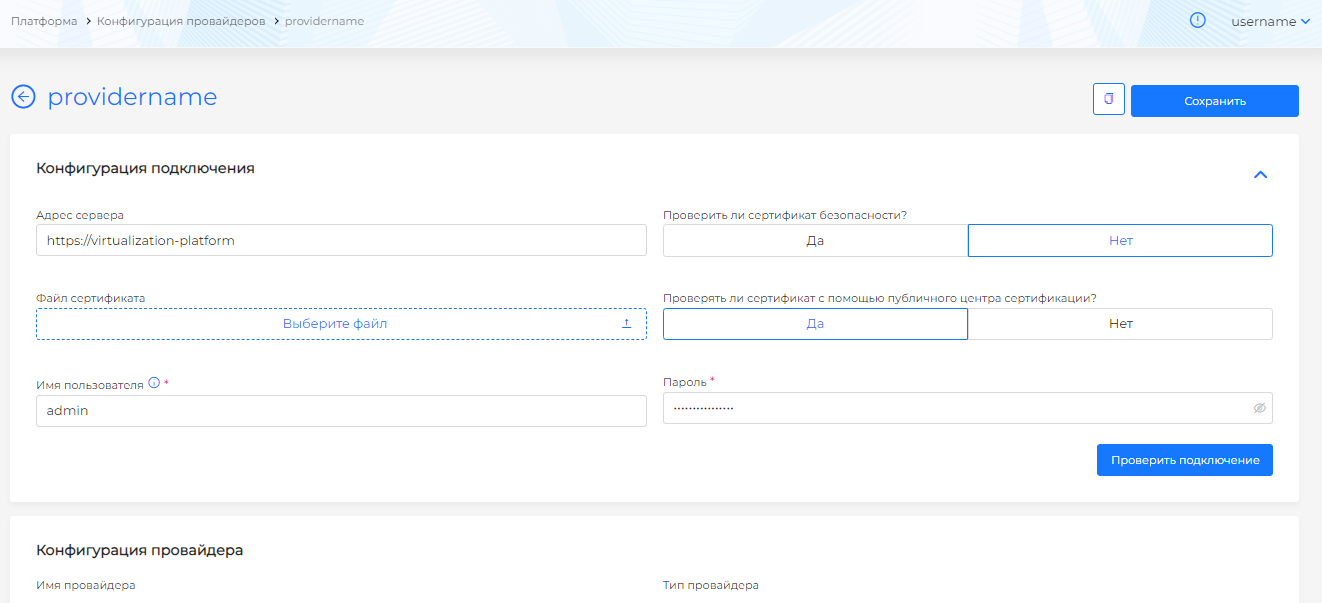
- Add a VM template in the “Virtual machine templates” block - specify the Kubernetes version that corresponds to the updated version of the platform. The mapping is stored on
InfrastructureProvider. If the instance has several VM templates with the same Kubernetes version, the platform selects the first one in alphabetical order and applies it to all node groups. To make sure the intended template is used, add one template of the next version.
Screenshot: adding a template with Kubernetes version
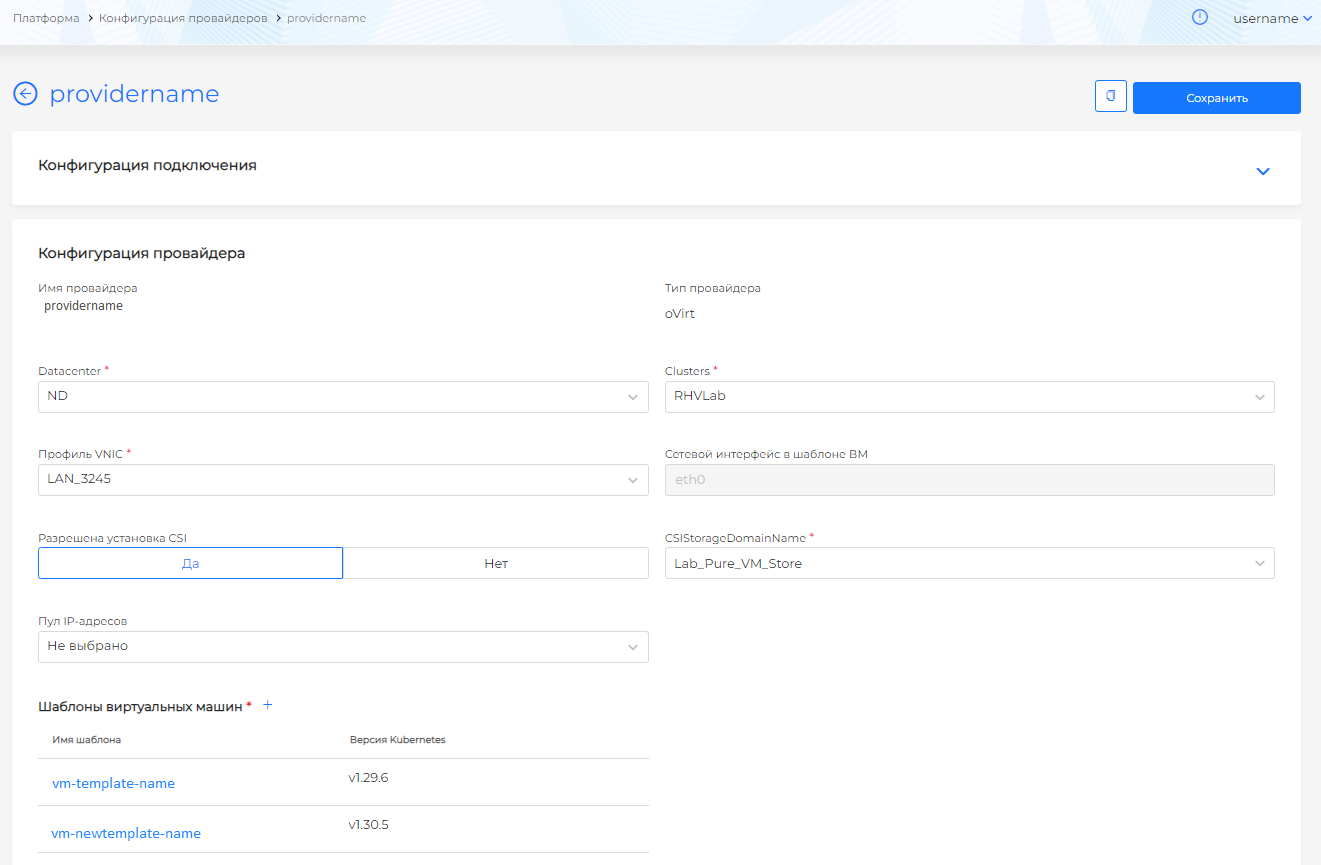
- Save your changes.
Correspondence between versions of Shturval and Kubernetes - table.
Step 2: Replacing the template in node groups (cluster administrator)
- Administration → Node Management.
Screenshot: node management
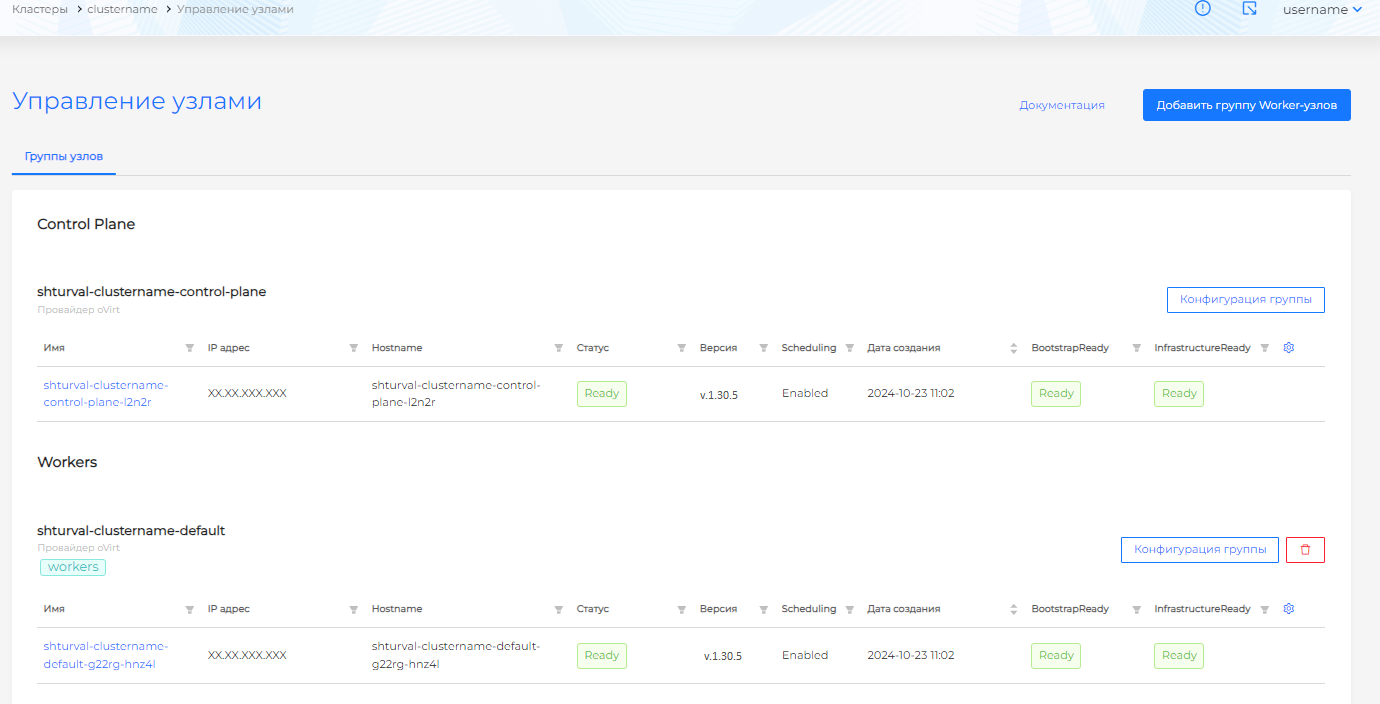
- For each group (Control Plane and all Worker groups), open the group configuration.
- Go to the InfraMachineTemplate tab.
Screenshot: InfraMachineTemplate tab
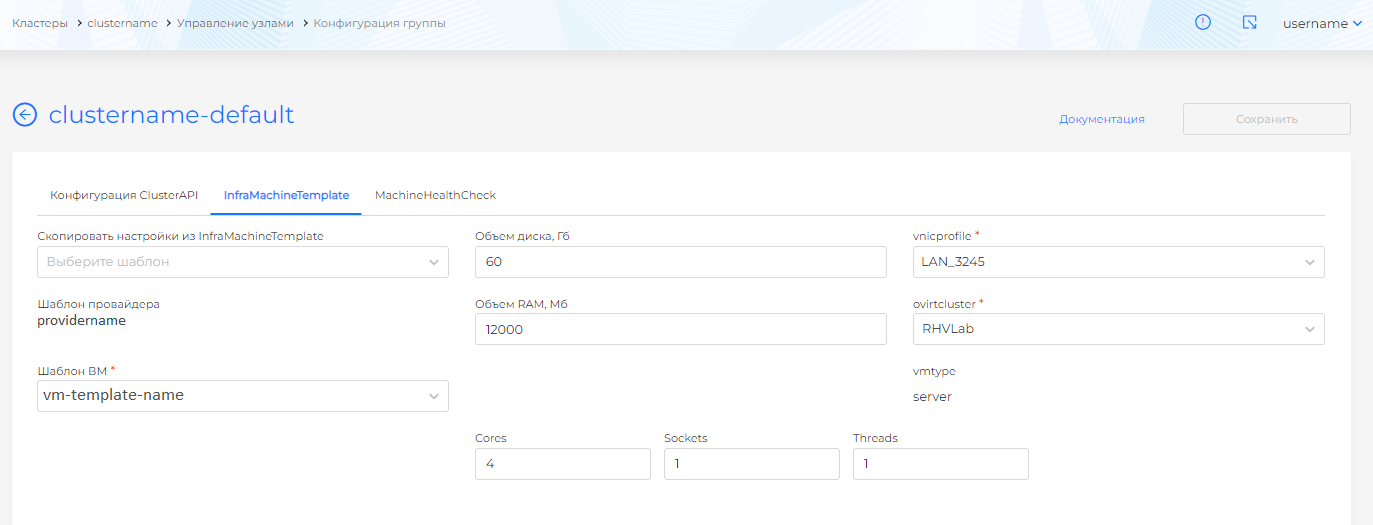
- In the “VM Template” field, replace the template with the one newly added to the provider instance.
Screenshot: replacing a VM template
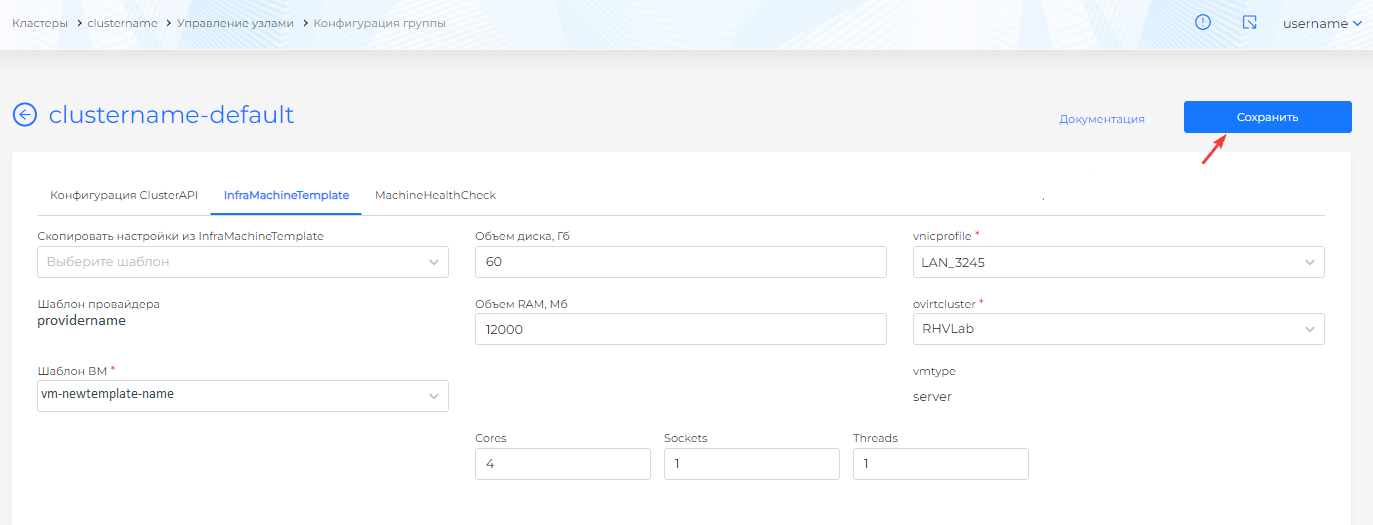
- Save your changes.
Note: Replacing a template in InfraMachineTemplate triggers automatic re-creation of nodes in the group. Make sure this is acceptable in your environment.
Note: For zVirt, oVirt, HostVM, RED Virtualization, ROSA Virtualization, VMware vSphere, Yandex Cloud, and VMware vCloud Director, the InfraMachineTemplate drop-down lists all VM templates in the provider that the service account can access. Use only templates prepared with STC.
Exception: Shturval v2
For clusters with the Shturval v2 provider, virtual machine templates are not used - nodes are created on bare hosts. Updating the Kubernetes version on nodes is done automatically by the shturval-node-config module. Separate steps to replace templates are not required.
If there are no rights to the provider
Updating the template in the provider instance is available to the platform administrator. If you only have cluster administrator rights, contact the platform administrator to prepare and add a VM template. After that, follow steps 2 (template replacement in node groups) on your cluster.