Logs in the platform
The “Logs” tab in the cluster dashboard.
Cluster logs are available in the GUI on the Logs tab of the cluster dashboard if:
- The local log collection module (shturval-log-collector, Vector) is enabled in the cluster;
- shturval-metrics-collector is running in the management cluster.
Where to view logs
In the cluster side menu: Dashboard → Logs tab.
The “Logs” tab is one of the tabs of the expanded cluster dashboard (along with Cluster, Annotations, Events, Certificates, Metering). Data is updated automatically.
The “Logs” tab in the cluster dashboard
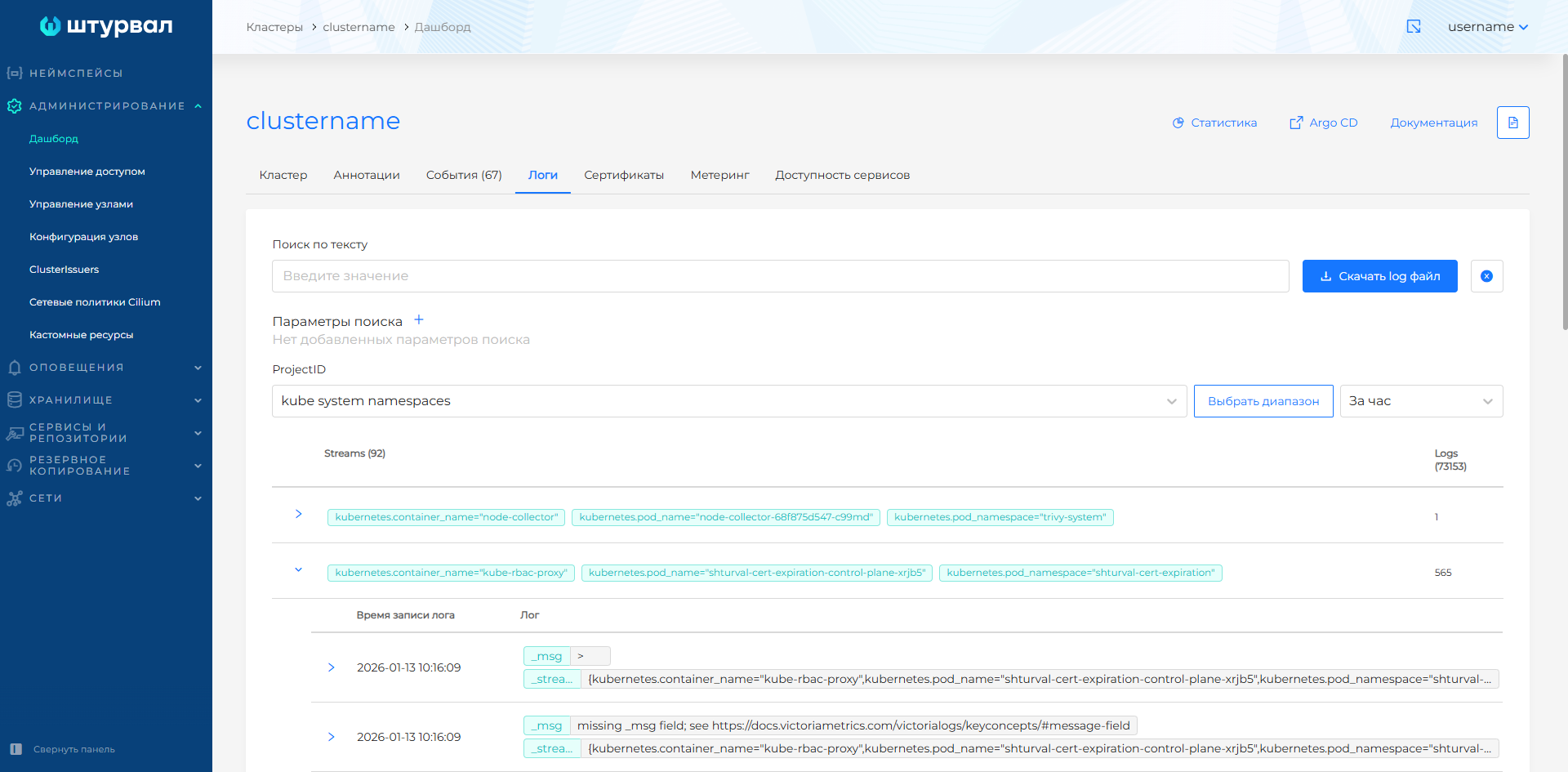
Filtering by ProjectID (log types)
In VictoriaLogs, logs are grouped by projects. The number in the ProjectID column matches the ProjectID header in request.headers of the platform_logs_sink module shturval-log-collector. When redefining values (/2.15/en/cluster-admin/services/custom-values/), the numbers may change.
| UI project | ProjectID | Description |
|---|---|---|
| kube system namespaces | 1 | System logs /var/log/containers/*.log |
| cluster namespace | 2 | Custom namespaces; separate stream in customvalues, disabled by default |
| kube events | 3 | Cluster Object Events |
| kube audit | 4 | Kubernetes Audit API |
| journald | 5 | shturvald, containerd, kubelet |
| auditd | 6 | System audit |
Logs in projects are grouped into streams — sets of logs with the same metadata. The stream name is the _stream field value. The GUI shows log and stream counts per project.
Note: Authentication, authorization, and access-assignment logs, as well as infrastructure logs, are stored in the management cluster. More details: Overview of security logs in the GUI.
When advanced security settings are enabled, a kube audit project is created in the cluster with events according to the configured audit policy (AuditPolicy). You can check the availability of advanced settings on the Cluster tab of the dashboard.
Time range
Preset ranges:
- last 15 minutes;
- last 30 minutes;
- last hour (default);
- full day;
- custom range.
Search for logs
Search by text
Use the field:value pattern with a colon and no spaces. Separate multiple keys with |. Search runs within the selected ProjectID and time range.
Examples of requests:
kubernetes.pod_name:shturval-local-csi-node-6g6nh
kubernetes.pod_name:shturval-local-csi-node
message.level:warning | message.id:1
kubernetes.namespace_name:default
Search by parameters
- Click + next to the Search Options heading.
- Select a field, an operator, and enter a value.
Operators:
| Operator | Description |
|---|---|
| AND | Logs where the field includes all listed values. With one value, behaves like =. |
| OR | Logs where the field includes at least one listed value. With one value, behaves like =. |
| NOT | Excludes logs where the field contains any listed value. |
| = (Equal) | Logs where the field equals the value. With multiple values, combined with logical AND. |
Features:
- Filtering parameters are combined according to the AND principle. For example,
message.level=warningandmessage.id=1- logs corresponding to both conditions will be displayed. - The list of fields for parameters is generated by project, time range and text search. If the required field is not there, change the filters.
- Search by parameters supports partial match in field values, except for special parameters. For example,
kubernetes.pod_name=kubwill find logs where the field containskub.
Special parameters (search only by exact, complete match, one value):
| Field | Requirement | Example |
|---|---|---|
_stream_id | Specify in full, without additional characters | 000000e2f41194 |
_stream | Use curly braces {}. One parameter or several separated by commas | {kubernetes.container_name="config-reloader"} |
_time | Specify in full. To sample by time, use the time range setting | 2026-01-13T10:02:09.393429156Z |
Search by parameters and text is simultaneously combined with the AND operator.
Export logs
You can download:
- the full log file;
- logs matching the current filters.
Files use the .log extension. Names are generated automatically: prefix Logs, export date, and record count.
You can export up to 30,000 log entries from the current selection.
Additional
Redirecting logs to external storage - How to integrate and redirect logs. Components - Logging services architecture. Rotation - How to set up log rotation.