Configuring Ingress Controllers
Overview
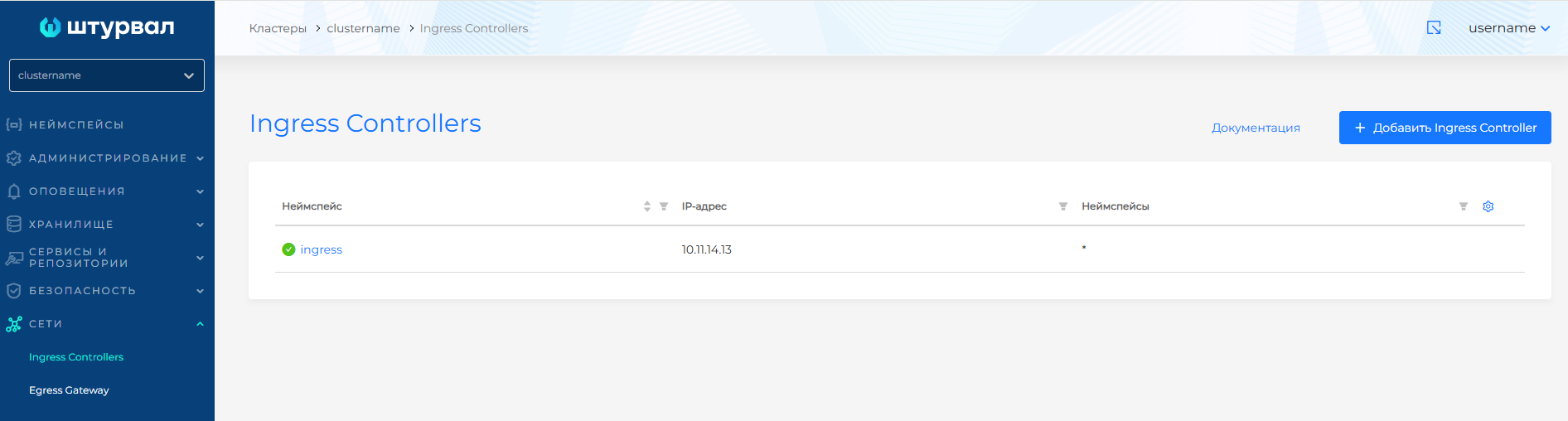
The Ingress Controllers page contains a list of Ingress controllers created in the cluster. The Ingress controller controls the incoming traffic of the cluster namespaces. On the management cluster, incoming traffic is served by Gateway API. Entry points are on the Gateways page.
On the Ingress Controllers page you can create, edit, delete, or view previously created Ingress Controllers.
System Ingress Controller
By default, a system Ingress Controller with the name ingress is deployed in the cluster for all namespaces. When a new namespace is added to the cluster, it is automatically included in the list of namespaces for which incoming traffic must be configured.
For the system Ingress Controller, the value * in the namespaces column means enabling all namespaces.
System ingress is not editable.
Screenshot: system Ingress Controller
Creating an Ingress Controller
To add a new Ingress Controller:
- Ingress Controllers → + Add Ingress Controller.
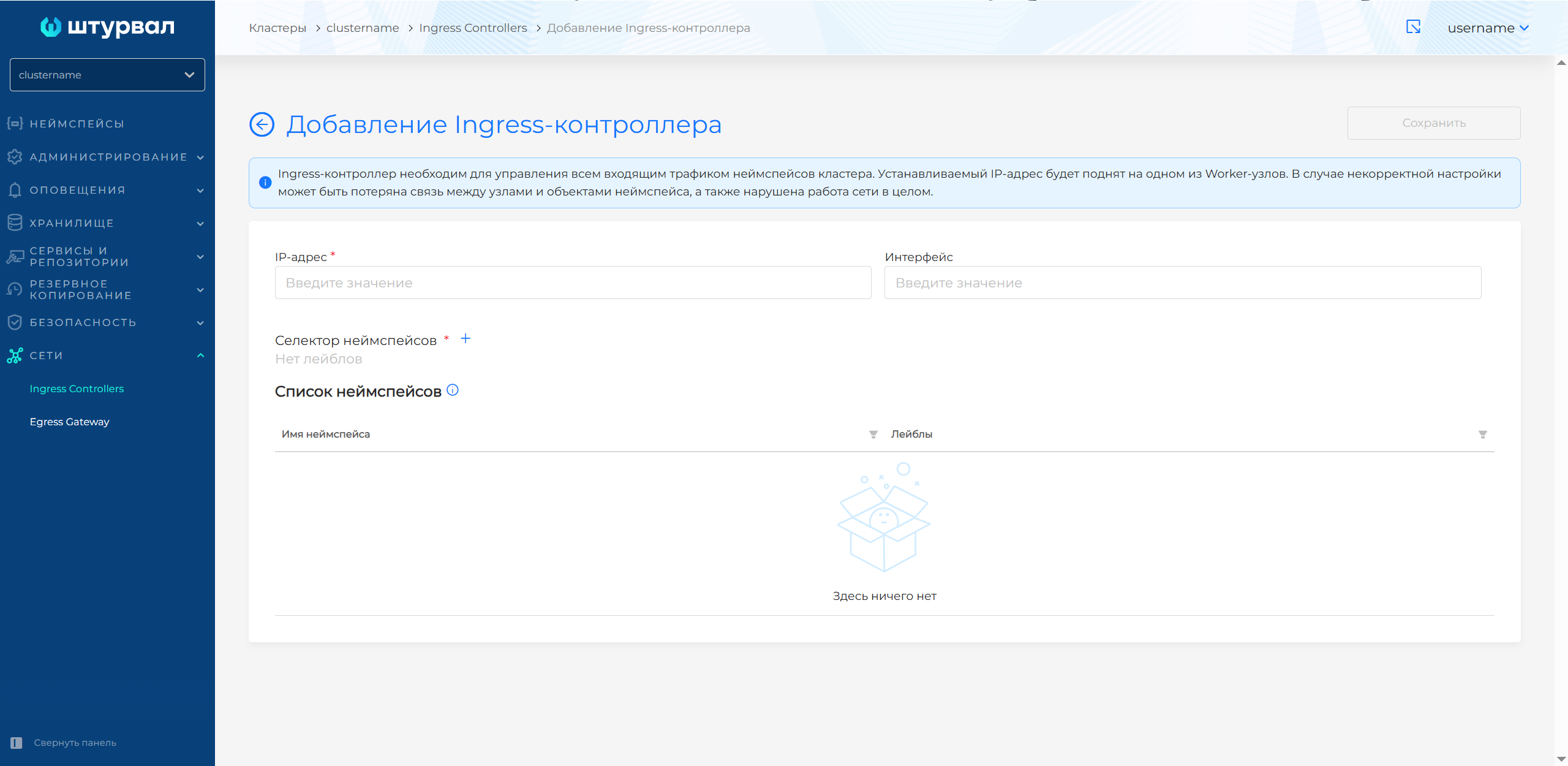
- On the page that opens, fill in the parameters:
- IP address of the Ingress controller — assigned to Worker nodes in the cluster. You can set the IP address only when creating the Ingress Controller.
- Interface — optional. You can set the interface only when creating an Ingress Controller.
- Namespace selector - a label of namespaces for which incoming traffic should be configured and an Ingress Controller created. Click + and set the label. After adding a label, one or more namespaces with the specified label will be displayed in the List of Namespaces section.
- Click Save.
Screenshot: creating Ingress Controller
Once saved, the Ingress Controller will appear listed on the Ingress Controllers page. Ingress Controller is created in a new auto-generated namespace.
In the installed services, an External Connection Management Module will be added with a name corresponding to the name of the created namespace.
Configuration notes
Note: Please note:
- The namespace selector works on the AND logic (all labels must match). If you need to add several namespaces, assign one label to the group of these namespaces and specify it in the selector.
- A namespace included in an Ingress controller cannot be added to another Ingress controller.
- When you associate an IP address with an interface, incoming packets are routed through that interface. Outgoing packets follow routing tables on the cluster node.
View, change and delete Ingress Controller
To view an Ingress Controller, click on its line in the list.
When changing the Ingress Controller, you can update the list of namespaces. To do this, change the labels in the Namespace selector block. The updated list of namespaces will be displayed in the table of the List of namespaces section.
Note: Please note: The namespace selector works on the AND logic (all labels must match).
If a specific namespace is specified in the Ingress Controller configuration, the Namespace selector block is replaced with the name of this namespace. This namespace is not available for editing.
When you are finished making changes, click Save.
To remove an Ingress Controller, click the delete action on the item row on the Ingress Controllers page, or go to the Ingress Controller view page and click Delete, then confirm the action.