OpenStack Provider (shturval-capos)
About the service
| Parameter | Description |
|---|---|
| GUI name | OpenStack Provider |
| System name (identifier) | shturval-capos |
| Cluster Assignment | Integration with OpenStack: deployment of virtual machines for cluster nodes via the Cluster API. Installed in the management cluster. |
| Critical | Yes, if the management cluster is deployed with the OpenStack provider |
| Public repository | Cluster API Provider OpenStack (CAPO) |
| Dependencies | shturval-capi-crds, shturval-capos-crds |
| Namespace | capos-system |
Purpose
shturval-capos is an OpenStack provider for the Cluster API. Enables the creation and management of virtual machines in OpenStack for use as nodes in Kubernetes clusters.
Installing the service
shturval-capos - infrastructure provider Cluster API for OpenStack. In the Shturval platform, the connection and life cycle of such a provider in the management cluster is ensured by cluster-manager; ShturvalServiceConfig (SSC) objects for provider charts are created and maintained as part of the platform configuration, rather than as an arbitrary manual installation of a service chart.
In the production environment, the provider is represented by two SSCs:
shturval-capos— the main chart of the OpenStack provider;shturval-capos-crds— CRD chart of the OpenStack provider module.
For correct operation, the CRD of the main Cluster API (shturval-capi-crds and the associated component shturval-capi) must be available in the management cluster.
Below are the chart names and the correspondence of spec.customvalues to the helm/main/values.yaml file of the main chart - for comparison with the release and configuration via ShturvalServicePatch (SSP). This does not duplicate the full deployment scenario via the cluster-manager UI/API.
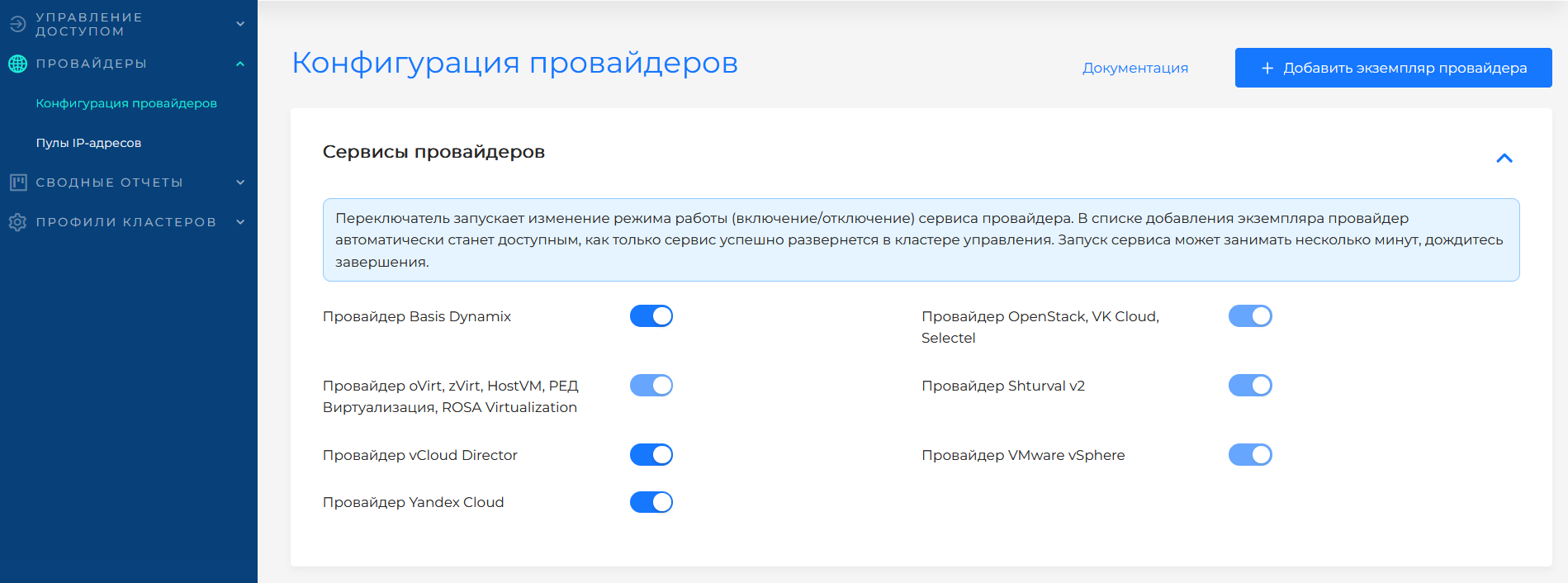
If the service was disabled during platform deployment, the provider’s SSCs could receive an absence mode (mode: absent). To ensure that the provider is available to work with the cloud, first switch the mode shturval-capos-crds to auto, then shturval-capos to auto. You can change the mode in the platform GUI on the Providers page.
In the GUI, this action is performed by the service mode switch. The screenshot shows the selection of the Auto mode for the provider service.
Customvalues parameters
The structure of the main chart values is described by the spec.customvalues field of the corresponding ShturvalServiceConfig and coincides with helm/main/values.yaml of the shturval-capos chart.
Recommendation: do not edit the ShturvalServiceConfig object manually to change limits, nodeSelector, connection parameters to OpenStack and other release settings - such an object belongs to the platform configuration and can be overwritten during updates. Make all changes to the behavior of the service through ShturvalServicePatch (SSP), which overlays spec.customvalues on top of the base SSC.
Supported platforms
The OpenStack provider supports the following infrastructure platforms and public clouds:
- OpenStack (on-premise)
- VK Cloud
- Selectel
Where to configure
Services and repositories → Installed services → shturval-capos → Manage. The service is hosted in the management cluster.
Configuring provider instances in the platform - OpenStack and similar providers. General overview - How work with providers in the platform works.
Reference: For OpenStack infrastructure CRs, see Custom Node Lifecycle Resources - OpenStack.
To dynamically provision volumes in OpenStack clusters, use the shturval-capos-csi module (CSI OpenStack Cinder).