External connection control module (shturval-ingress-controller)
About the service
| Parameter | Description |
|---|---|
| GUI name | External Connection Control Module |
| System name (identifier) | shturval-ingress-controller |
| Cluster Assignment | Routing external traffic to cluster services via HTTP/HTTPS; Ingress controller. |
| Critical | Yes |
| Public repository | Ingress NGinx Controller |
| Dependencies | shturval-networking, shturval-cert-manager-crds |
| Namespace | ingress |
Purpose
shturval-ingress-controller is the external connections module based on Ingress NGINX. It publishes applications in the cluster by domain name and path, including TLS through cert-manager.
Deployment and management
shturval-ingress-controller is a critical platform service. In the Shturval platform, its inclusion and life cycle in the cluster is ensured by cluster-manager (platform service); the ShturvalServiceConfig (SSC) object for the shturval-ingress-controller chart is created and maintained as part of the platform configuration, and not as an arbitrary manual installation of the Helm chart by the administrator. For correct operation, the dependencies from the table above must be deployed: shturval-networking and CRD shturval-cert-manager.
Recommendation: do not edit ShturvalServiceConfig manually to change release parameters - such an object belongs to the platform configuration and can be overwritten during updates. Configuration (hostPort for HA, NodePort, common domain for TLS, proxy protocol, etc.) is performed via ShturvalServicePatch (SSP) for shturval-ingress-controller.
On a client cluster the service is installed when NGINX Ingress Controller is selected on the services step. If Gateway API is selected, the service is installed disabled: external traffic is served by Gateway API. The management cluster uses Gateway API by default.
If the service was disabled during platform deployment, the SSC could receive an absence mode (mode: absent); To enable, set the mode to auto. If the module is not in the Installed Services list, check the deployment policy and SSC status in the cluster setup documentation; Installing a chart yourself from a catalog is not a typical scenario.
Below in the section Where to configure - transition to managing an already deployed service in the GUI; Examples of patches are in the following sections of the page.
Where to configure
Services and repositories → Installed services → find External connections management module (shturval-ingress-controller) → Manage.
Configuration (hostPort for HA, NodePort, common domain for TLS, proxy protocol) is performed via ShturvalServicePatch for shturval-ingress-controller. More details: Ingress. Official documentation: NGINX Ingress Controller.
If you need to increase the allowed size of HTTP headers for user login to the GUI, see Restore GUI Login.
Replacing VIP Ingress with an external balancer
If an internal virtual IP was specified when adding a cluster and you need to replace it with an external balancer (for example, HAProxy):
- Prepare ShturvalServicePatch for
shturval-ingress-controllerwith hostPort and/or NodePort enabled. - Upload the patch to the cluster via Import (or kubectl).
Example ShturvalServicePatch for an external balancer
apiVersion: ops.shturval.tech/v1beta2
kind: ShturvalServicePatch
metadata:
  name: <resource name>
spec:
  shturvalServiceConfigName: shturval-ingress-controller
  customvalues:
    controller:
      hostPort:
        enabled: true # When enabled, the ingress controller pod will also use ports 80 and 443 on cluster nodes
      service:
        nodePorts:
          http: "<your parameter value>"
          https: "<your parameter value>"
        type: NodePort
      shturval:
        commonName: <your parameter value>
| Parameter | Description | Data type | Example |
|---|---|---|---|
metadata.name | Name ShturvalServicePatch | string | shturval-ingress-controller-lb |
commonName | Wildcard domain. The value must be specified as specified in the service specification before changes are made | string | clustername.ip-11-12-13-14.shturval.link |
nodePorts.http | HTTP connection port | int | 30080 |
nodePorts.https | Port for connecting via HTTPS | int | 30443 |
Once ShturvalServicePatch is loaded, it will take some time for the configuration to apply. Afterwards, the nodes will be ready to accept ingress traffic to the specifiedports (for example, 30080 and 30443).
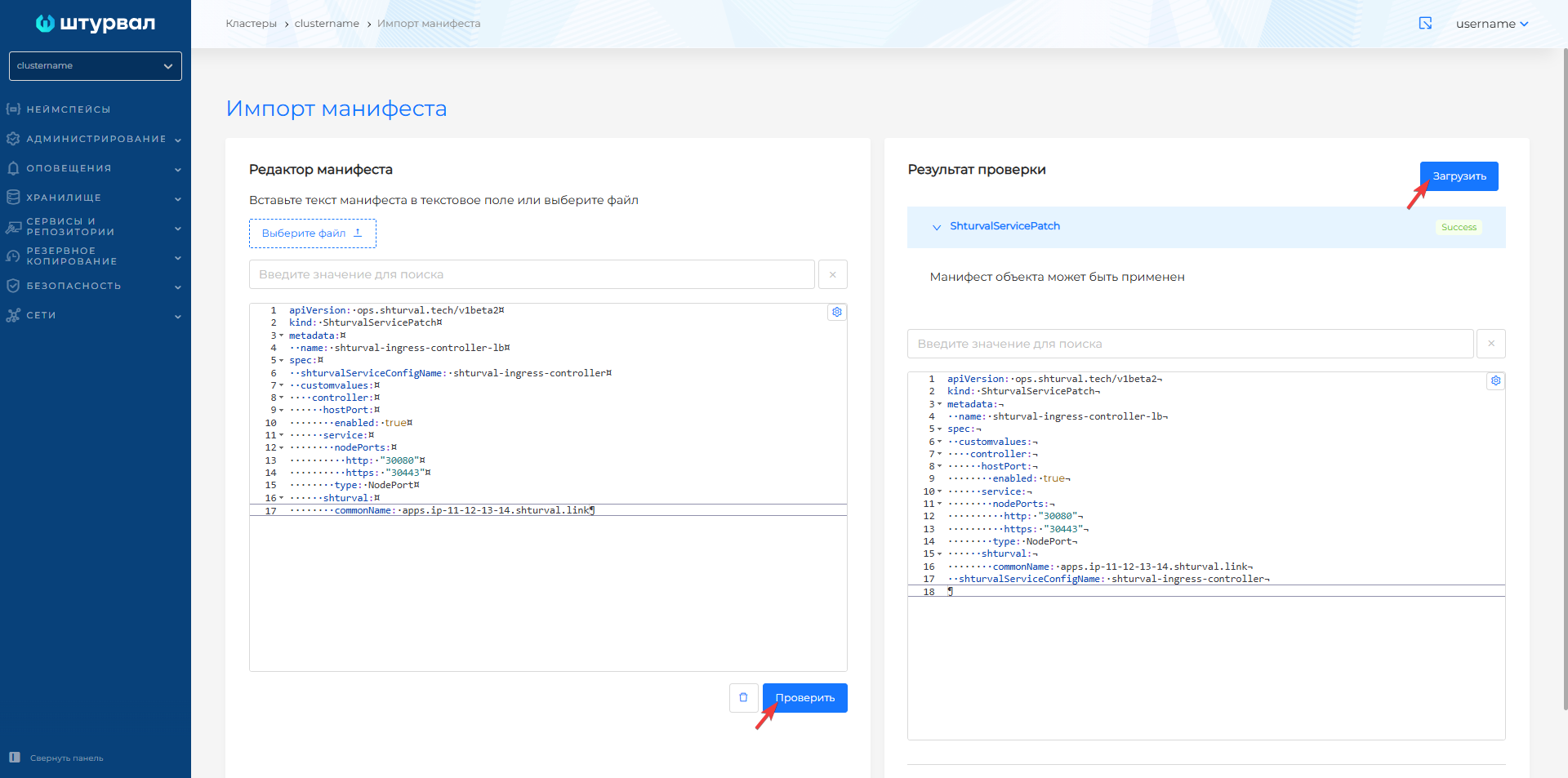
Screenshot of ShturvalServicePatch for external balancer
Enabling Proxy Protocol
To transmit the real client IP through an external balancer, you can enable the proxy protocol in the Ingress Controller configuration via ShturvalServicePatch:
Example ShturvalServicePatch for proxy protocol
apiVersion: ops.shturval.tech/v1beta2
kind: ShturvalServicePatch
metadata:
  name: shturval-ingress-controller-proxy
spec:
  shturvalServiceConfigName: shturval-ingress-controller
  customvalues:
    controller:
      config:
        use-proxy-protocol: true
For additional configuration options, see the official Ingress NGinx documentation.
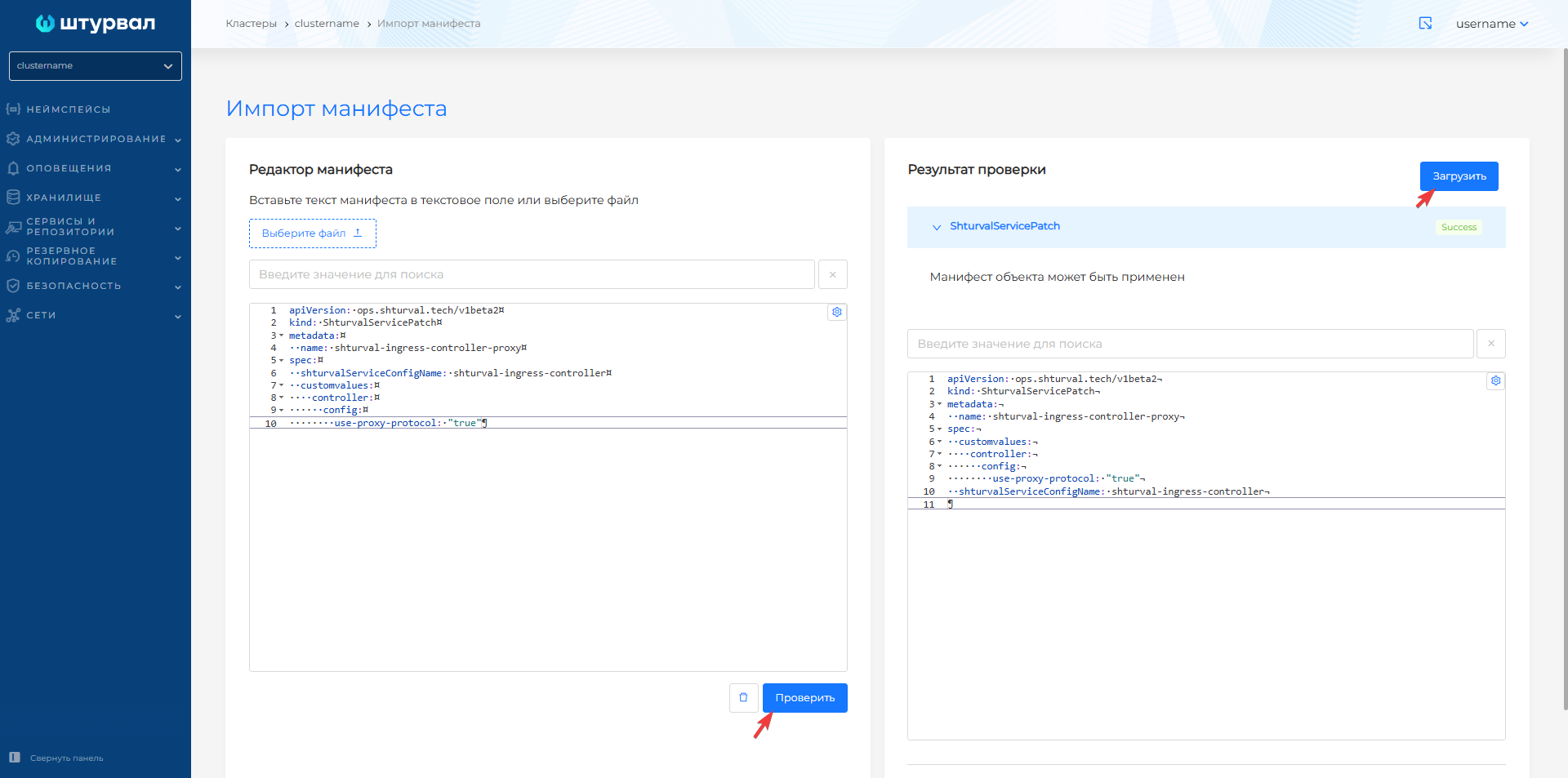
Screenshot of ShturvalServicePatch for Proxy Protocol
Configuring worker-processes
By default, the Ingress Controller has restrictions on the number of NGINX worker processes and resource limits:
controller:
  config:
    worker-processes: 4
  resources:
    limits:
      memory: 400Mi
    requests:
      cpu: 200m
      memory: 300Mi
To override values, use ShturvalServicePatch:
Example ShturvalServicePatch
apiVersion: ops.shturval.tech/v1beta2
kind: ShturvalServicePatch
metadata:
  name: shturval-ingress-controller-workers
spec:
  shturvalServiceConfigName: shturval-ingress-controller
  customvalues:
    controller:
      config:
        worker-processes: <your value>
      resources:
        limits:
          memory: <your value>
        requests:
          cpu: <your value>
          memory: <your value>
| Parameter | Description | Type | Example |
|---|---|---|---|
worker-processes | Number of NGINX Worker Processes | int | 6 |
limits.memory | Memory limit | string | 800Mi |
requests.cpu | CPU Request | string | 400m |
requests.memory | Memory Request | string | 600Mi |
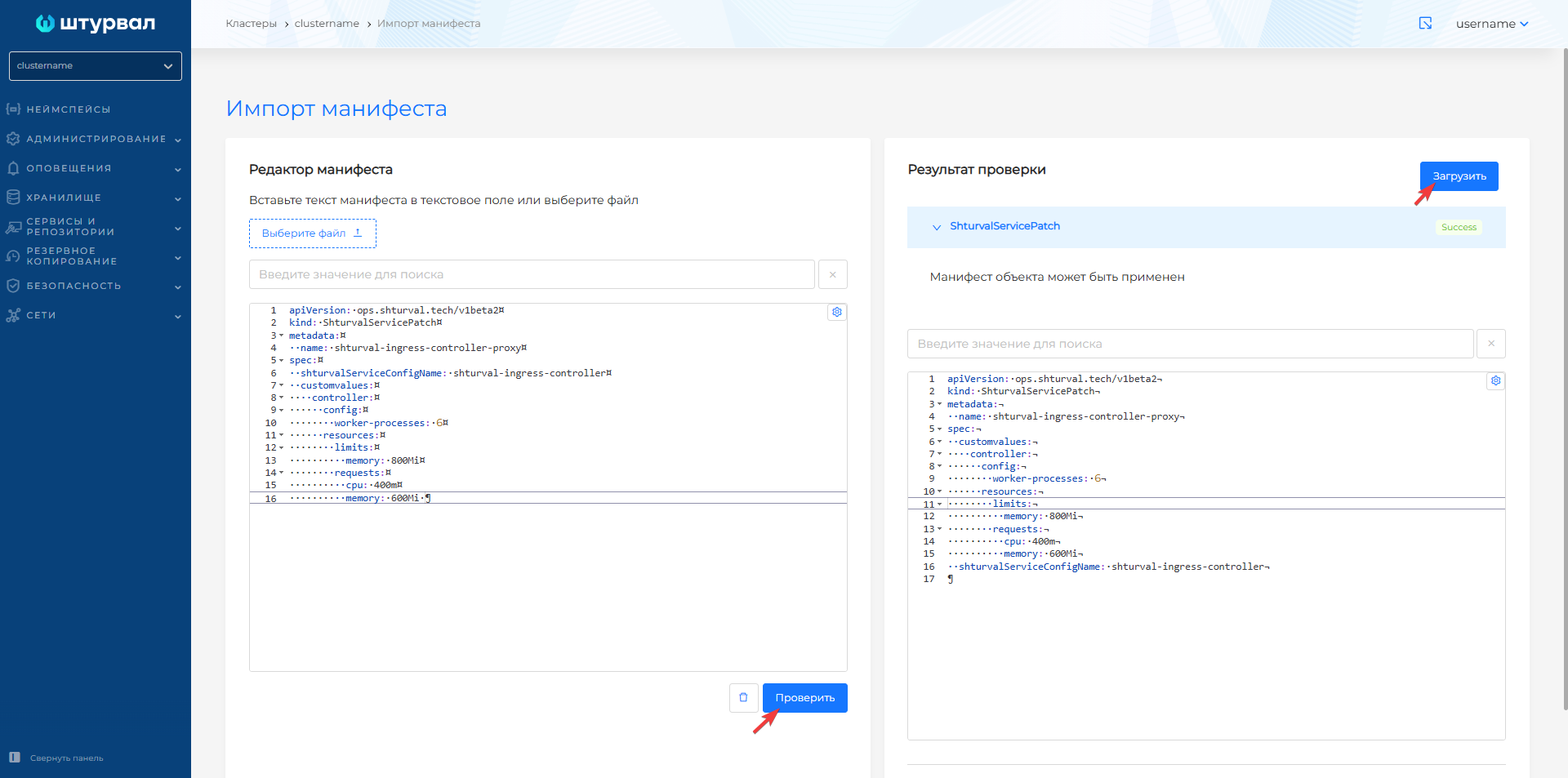
Screenshot of ShturvalServicePatch for worker-processes and resources
Setting up a buffer for HTTP headers
By default, in the Shturval platform, the Ingress Controller is set to a HTTP header size limit of 2 16k (two 16 KB buffers). If a user with a larger token cannot login to the GUI, increase the large-client-header-buffers value via ShturvalServicePatch:
apiVersion: ops.shturval.tech/v1beta2
kind: ShturvalServicePatch
metadata:
  name: shturval-ingress-controller-large-headers
spec:
  shturvalServiceConfigName: shturval-ingress-controller
  customvalues:
    controller:
      config:
        large-client-header-buffers: <your value>
| Parameter | Description | Type | Example |
|---|---|---|---|
large-client-header-buffers | Number and size of buffers for reading HTTP headers | string | 2 128k |
Enabling snippet annotations
For snippet annotations to work in Ingress resources, you must apply ShturvalServicePatch, which allows the use of snippet annotations and sets the risk level:
ShturvalServicePatch
apiVersion: ops.shturval.tech/v1beta2
kind: ShturvalServicePatch
metadata:
  name: ingress-controller-snippet
spec:
  shturvalServiceConfigName: shturval-ingress-controller
  customvalues:
    controller:
      allowSnippetAnnotations: true
      config:
        annotations-risk-level: Critical