Select a role for debugging
If a problem has arisen in the cluster, the solution of which requires increasing the user’s permissions (for example, it does not start or is often restarted for no apparent reason), you can assign the user a temporary role (set of accesses).
To increase permissions, you must assign an additional role (set of accesses) that has a large number of permissions.
For example, a user has the system access set dev-basic, which allows only viewing workload objects. To solve the problem, you need to view the logs and work in the pod terminal. To do this you can:
- temporarily assign the system access set
dev-debugger; - temporarily assign a custom set of accesses.
After completing the work, you can remove the additionally assigned access set by lowering the privilege.
Assigning an additional temporary set of accesses will allow you to quickly allocate and, after solving the problem, limit your permissions. It is recommended to allocate a new set of accesses, because changing an existing access set changes the access rights of all users and groups to whom it is assigned.
The Shturval platform administrator can create and change the composition of permissions for access sets. A user with rights to manage clusterroles, grouproles objects of a cluster or namespace can assign roles (access sets).
Permissions using the example of the dev-debugger system access set
In the Shturval platform, the dev-debugger access set provides the user with rights to debug workload operation. You can view the full list of access set permissions.
To do this, in the platform GUI:
- go to the Access Manager page;
Screenshot

- find the permission set
dev-debuggerand open the access set permissions page.
Screenshot
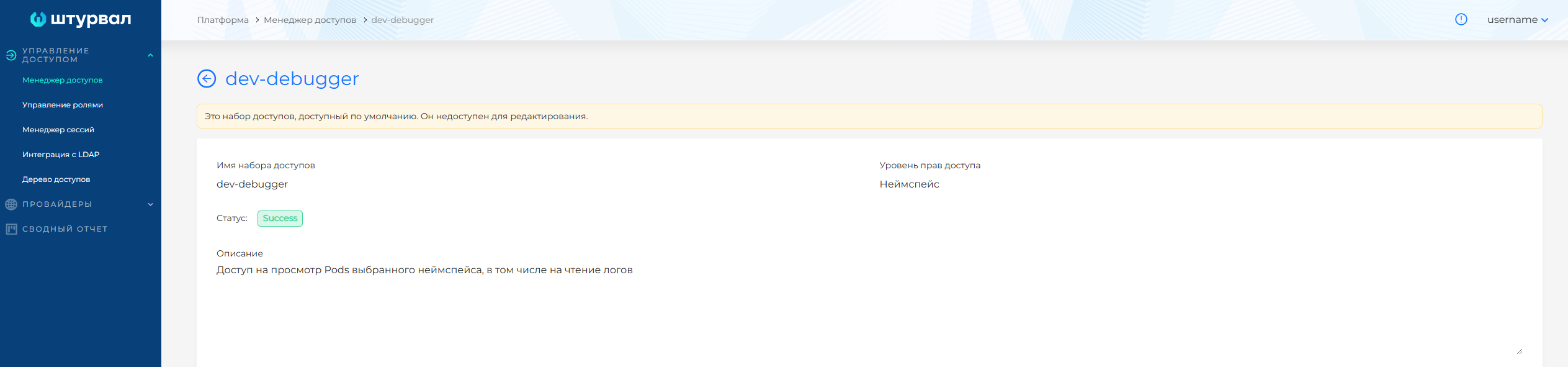
Cluster dev-debugger permissions
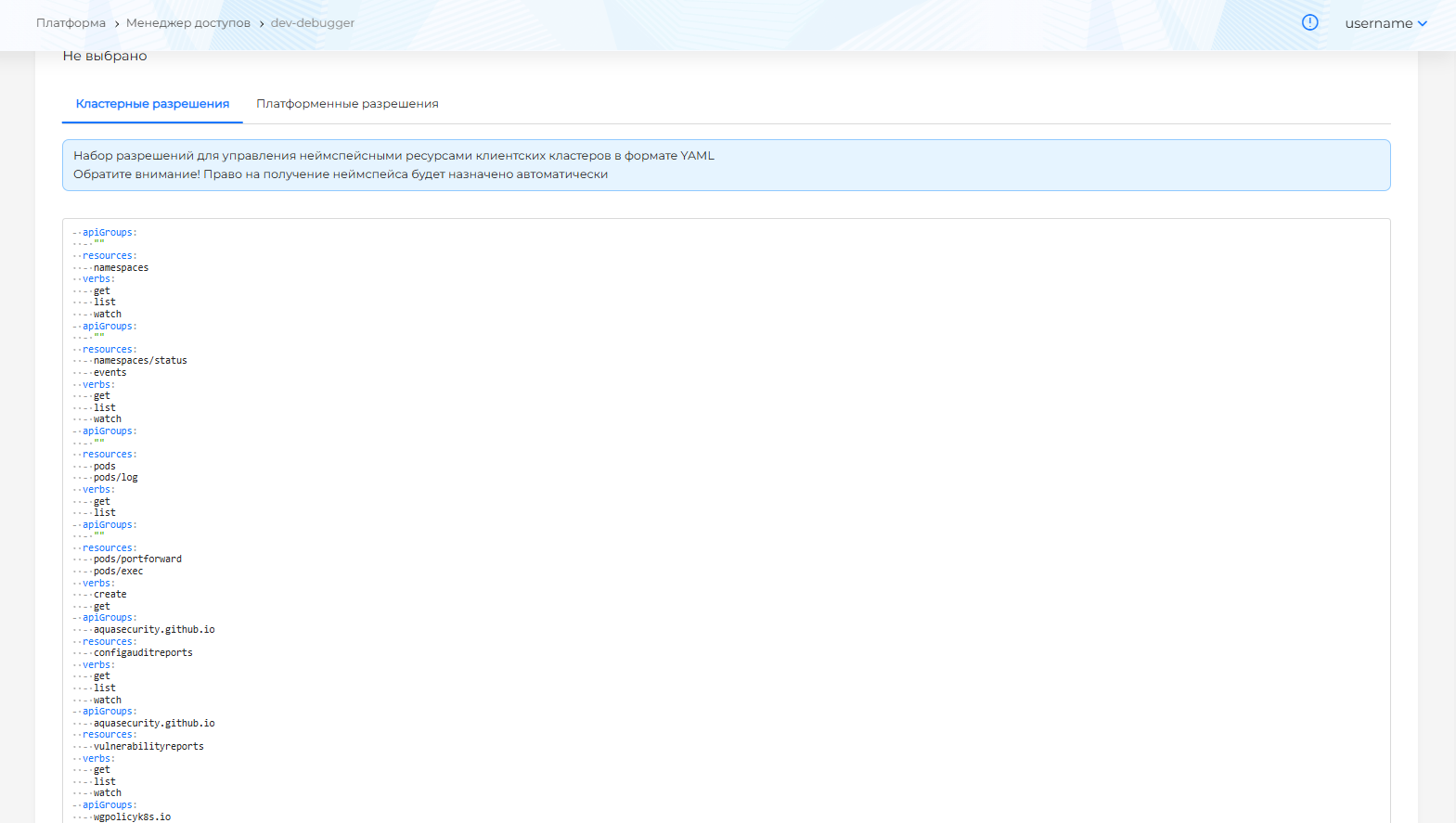
Allows the user to have access to:
- namespace and its status;
- a list of events associated with namespace objects;
Rules — illustration
- apiGroups:
  - ""
  resources:
  - namespaces
  verbs:
  - get # Getting namespaces
  - list # Getting a list of namespaces
  - watch # View namespaces
- apiGroups:
  - ""
  resources:
  - namespaces/status
  -events
  verbs:
  - get # Retrieving statuses of namespaces and events
  - list # Get a list of namespace and event statuses
  - watch # View the status of namespaces and events
- getting a list of pods;
- extracting logs from pod containers;
- viewing the configuration of namespace pods;
Rules — illustration
- apiGroups:
  - ""
  resources:
  - pods
  - pods/log
  verbs:
  - get # Getting pods, pod logs
  - list # Getting a list of pods, pod logs
- creating a secure tunnel between local computer and pod;
- an action to execute commands in the pod container;
Rules — illustration
- apiGroups:
  - ""
  resources:
  - pods/portforward
  - pods/exec
  verbs:
  - create # Create a secure tunnel between the local computer and the pod
  - get # Access to execute commands in the pod container
- receiving and viewing reports based on the results of configuration audits (ConfigAuditReport);
- receiving and viewing reports based on the results of scanning container images for vulnerabilities (Vulnerabilityreports);
- receiving and viewing reports on violated security policies, aggregated by namespace (Clusterpolicyreports);
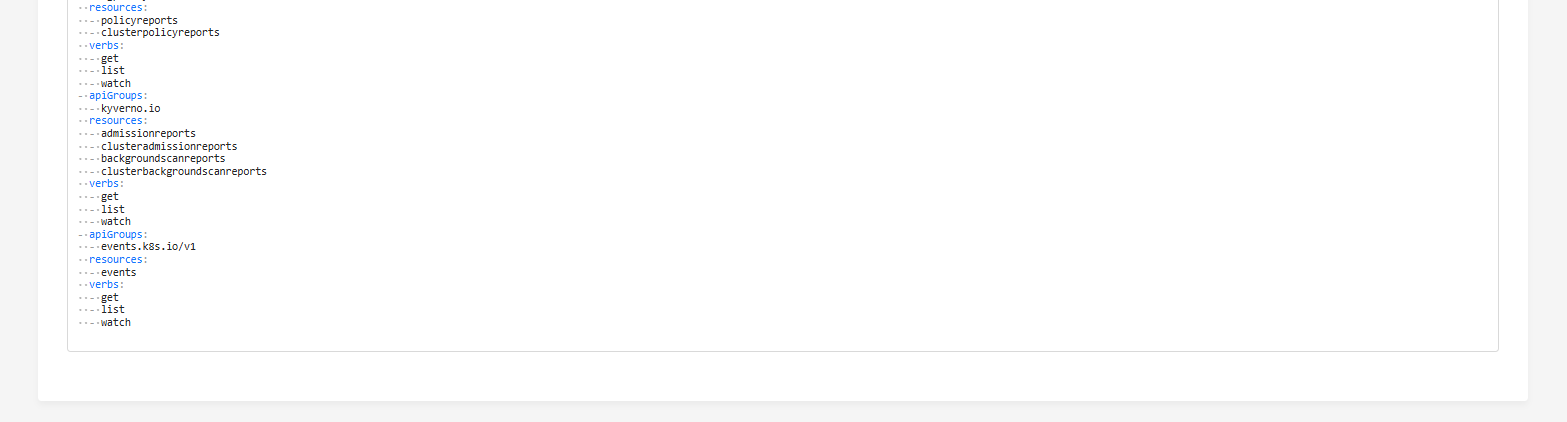
- receiving and viewing intermediate Kyverno reports, which are created during resource scanning (Admissionreports, Clusteradmissionreports), in the background (Backgroundscanreports, Clusterbackgroundscanreports) and are used to generate reports on violated security policies;
Rules — illustration
- apiGroups:
  - aquasecurity.github.io
  resources:
  - configauditreports
  verbs:
  - get
  - list
  - watch
- apiGroups:
  - aquasecurity.github.io
  resources:
  - vulnerabilityreports
  verbs:
  - get
  - list
  - watch
- apiGroups:
  - wgpolicyk8s.io
  resources:
  - policyreports
  - clusterpolicyreports
  verbs:
  - get
  - list
  - watch
- apiGroups:
  - kyverno.io
  resources:
  - admissionreports
  - clusteradmissionreports
  - backgroundscanreports
  - clusterbackgroundscanreports
  verbs:
  - get
  - list
  - watch
events of namespace objects in the cluster
- apiGroups:
  - events.k8s.io/v1
  resources:
  -events
  verbs:
  - get # Receive events
  - list # Get a list of events
  - watch # View events
Screenshot
The permission set dev-debugger contains the Platform Permission cluster-get required to grant permission to access the cluster. This permission allows you to request objects within the cluster, for example, the namespace of the cluster, in the GUI.
Cluster-get platform permission of dev-debugger access set
rules:
  - verbs:
      - get # Get a cluster
    apiGroups:
      - cluster.x-k8s.io
    resources:
      - clusters
  - verbs:
      - get # Getting namespace
      - list # Getting a list of namespaces
    apiGroups:
      - ''
    resources:
      - namespaces
If system permission sets contain redundant or missing permissions, you can create a custom permission set.
Assigning a role (set of accesses) using the example of dev-debugger
- In the GUI, go to the Access Control page of the Administration section.
Screenshot
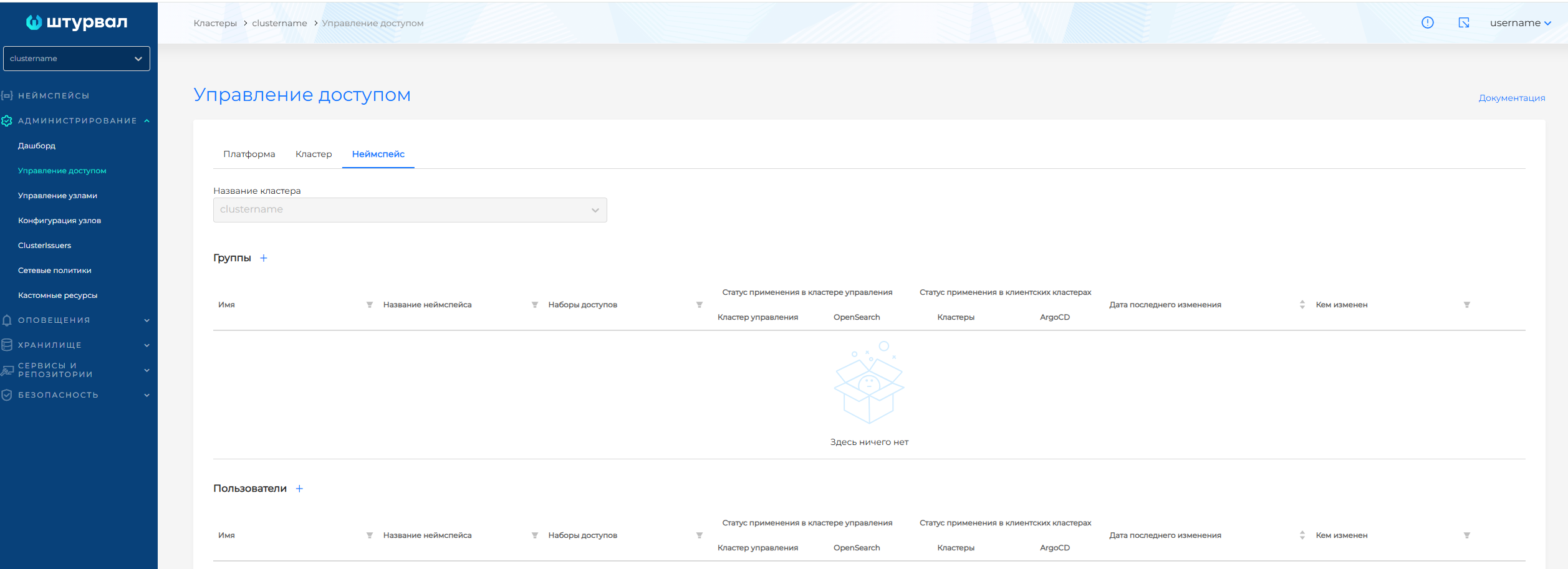
- On the Namespace tab of the Access Management page, add a user or go to the Assignment of access rights page for a user from the list.
On the page Assigning access rights:
- specify a name if adding a user;
- select the access set
dev-debuggerfrom the list.
Screenshot
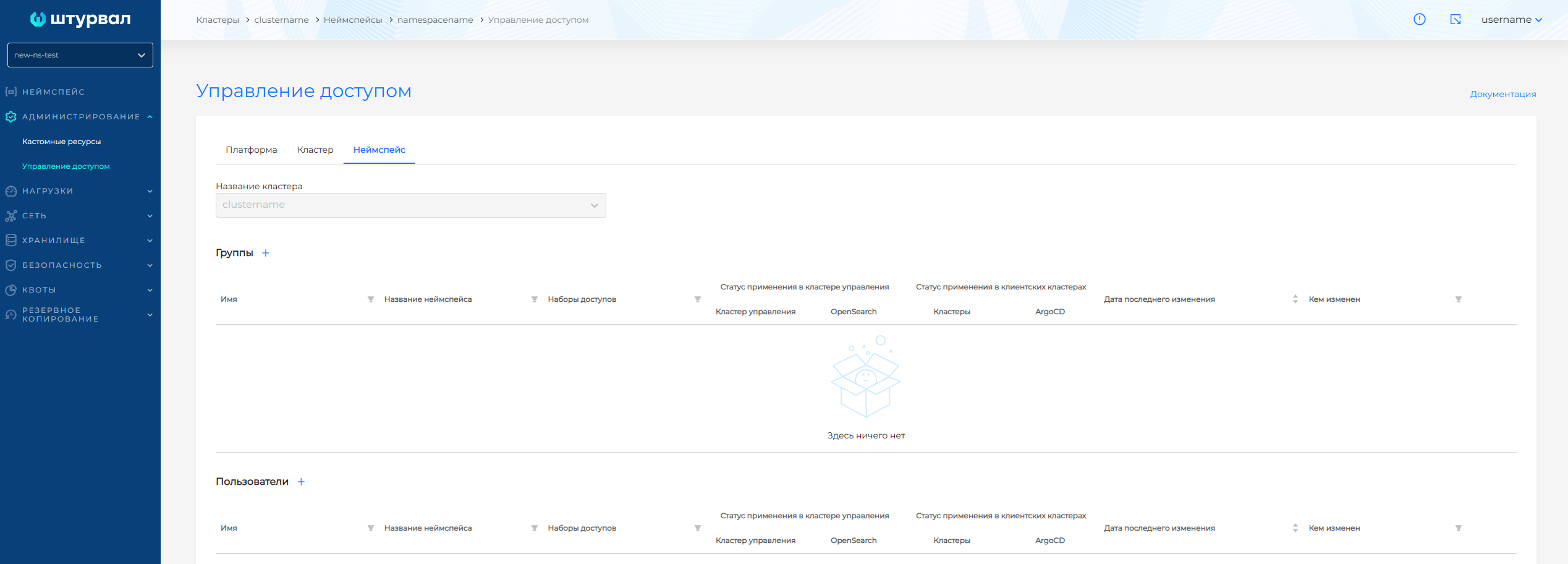
- Save the assignment of the role (set of access) to the user.
An example of creating and assigning a custom access set
Suppose you need to grant fewer rights than the system dev-debugger access set. Create a custom set on the Access Manager page.
- In the platform, on the Access Manager page of the Access Management section, create a set of accesses at the NameSpace level, for example, with the name
debug.
Screenshot
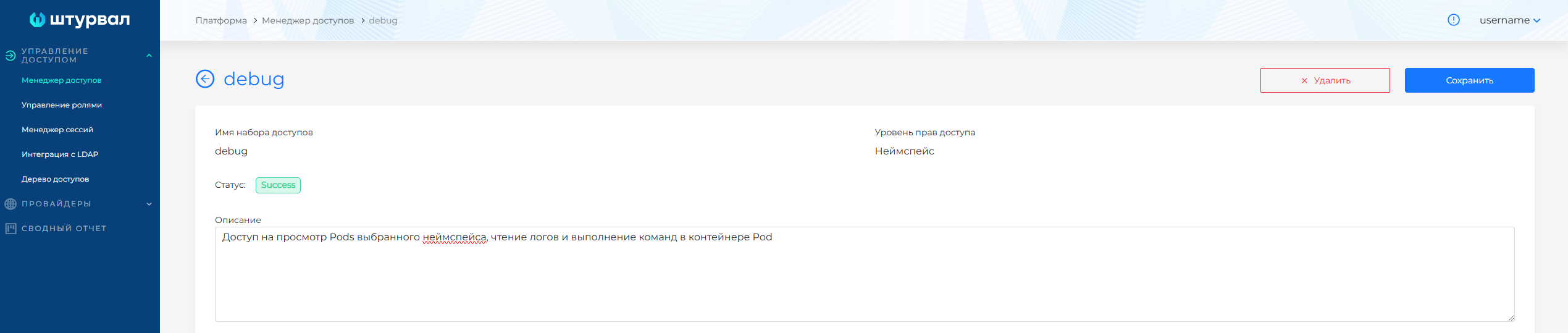
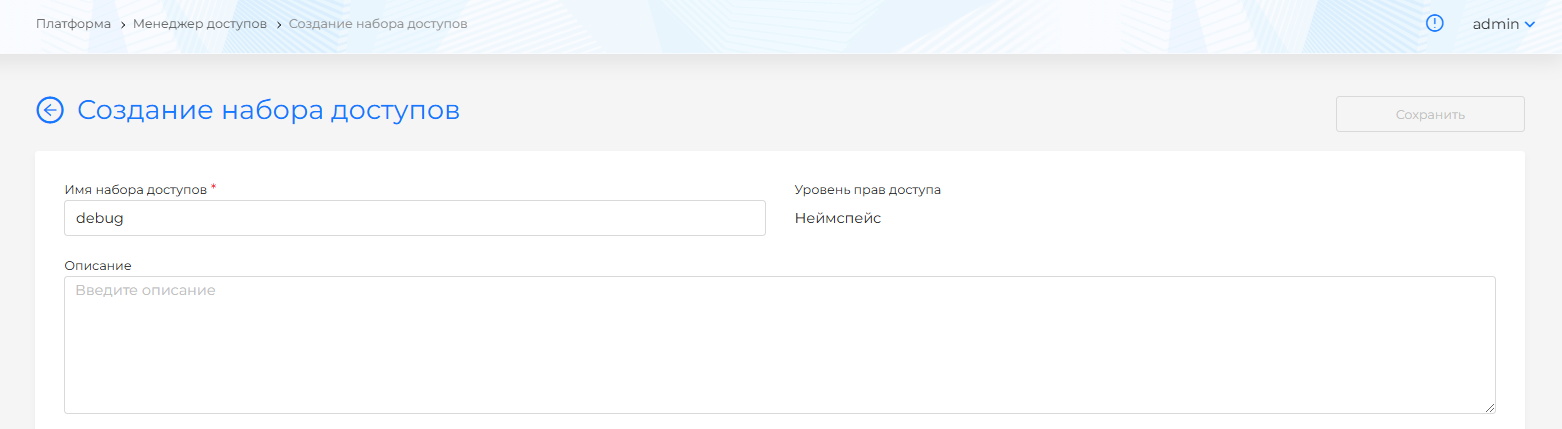
- Configure the access set:
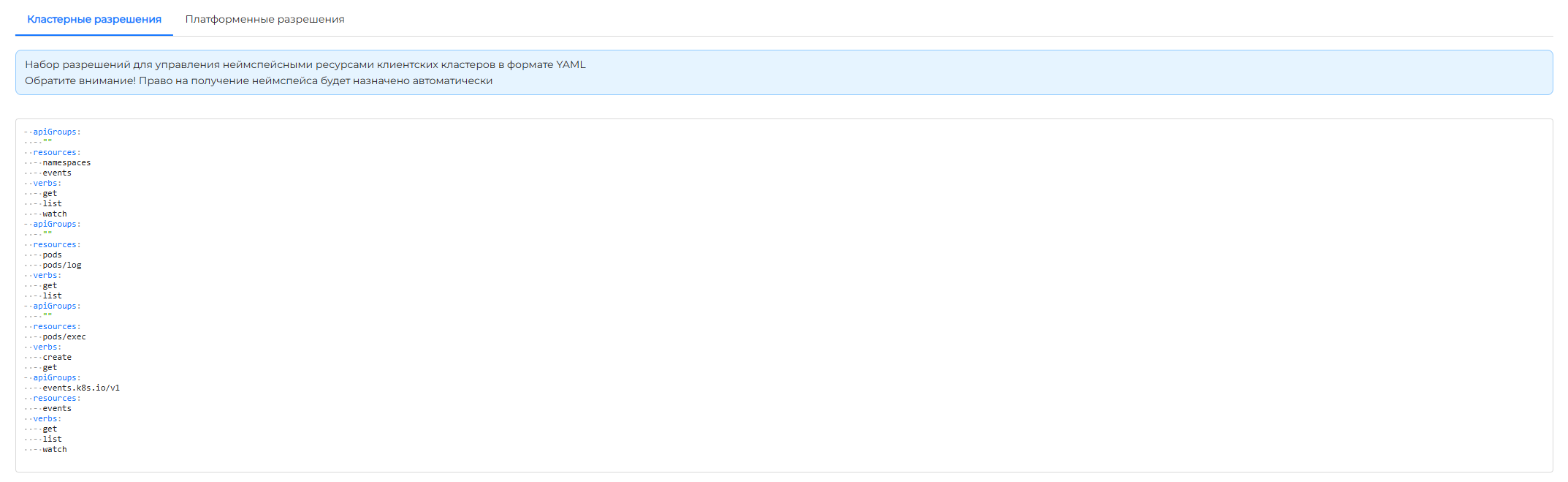
- On the Cluster permissions tab, specify rules in YAML format containing the API group (apiGroups), verbs (verbs) and resources (resources) to which rights are assigned.
Rules — illustration
In the rules:
- add an API group and a list of resources:
namespaces,eventsto provide the user with access to the cluster namespace and to the events of namespace objects. - add an API group and a list of resources:
pods,pods/log. Thus, you will provide the user with access to the pods and pod logs in the cluster namespace; - specify actions
get,listinverbto view the pod configuration, get a list of pods and to extract logs from the pod containers; - add an API group with a list of resources:
pods/exec. This will provide the user with rights to execute commands in the pod container; - set actions for executing commands in the pod container:
create,get.
- apiGroups:
  - ""
  resources:
  - namespaces
  - events
  verbs:
  - get
  - list
  - watch
- apiGroups:
  - ""
  resources:
  - pods
  - pods/log
  verbs:
  - get
  - list
- apiGroups:
  - ""
  resources:
  - pods/exec
  verbs:
  - create
  - get
Screenshot
- On the Platform Permissions tab, select the cluster access permission
cluster-get.
Screenshot

Add a new access set to the platform by clicking Save.
- Go to the Access Control page of the Administration section in the cluster or namespace.
Screenshot
- On the Namespace tab of the Access Management page, add a user or go to the Assignment of access rights page for a user from the list.
On the page Assigning access rights:
- specify a name if adding a user;
- select the created access set
debugfrom the list.
Screenshot
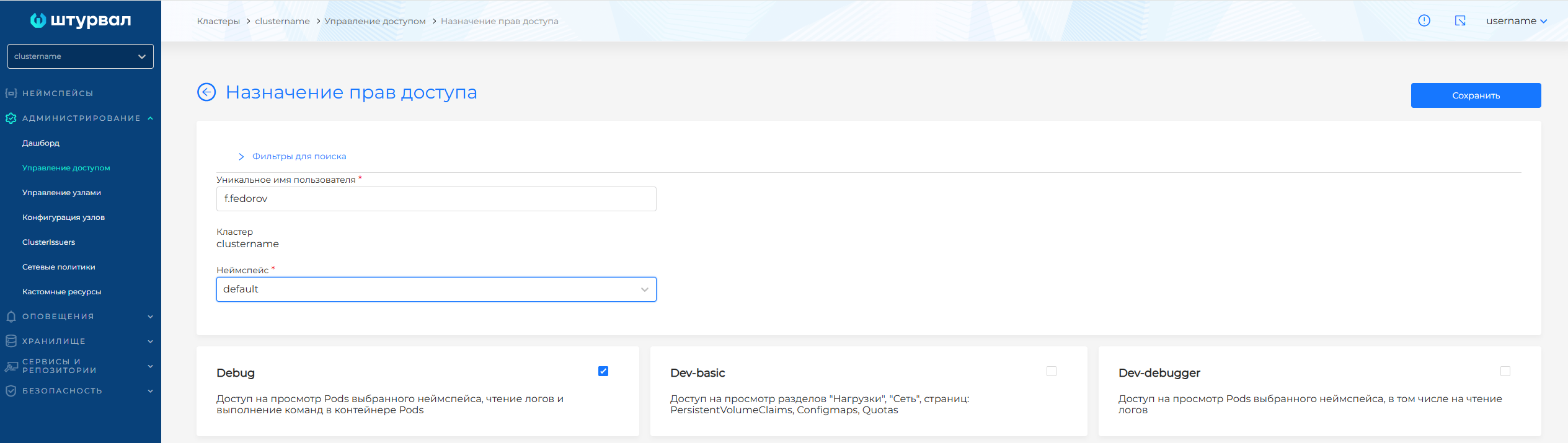
- Save the access set assignment to the user.
Screenshot
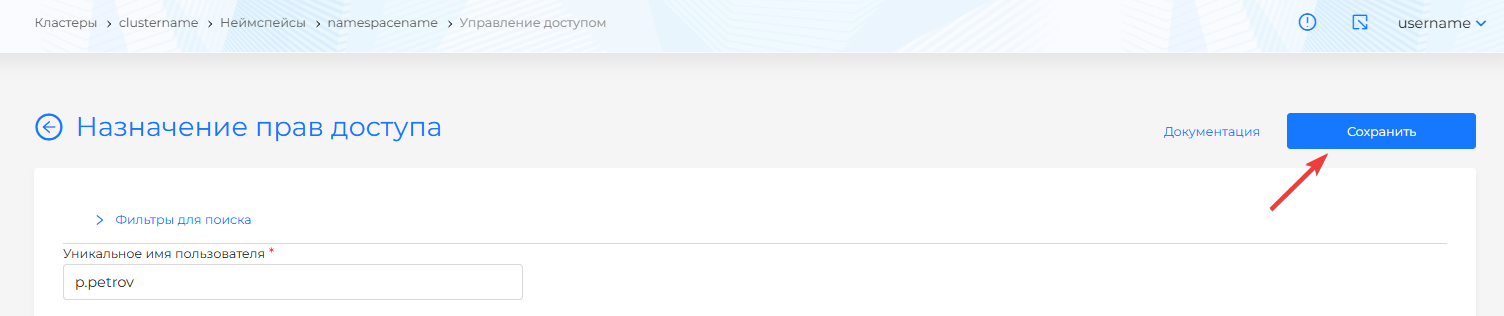
As a result of assigning the debug access set, the user receives:
- access to namespace pods in the cluster;
- access to container logs of namespace pods in the cluster;
- rights to execute commands in the pod container;
- access to namespace object events.