DR configuration
Active-passive, external balancer, two separate clusters.
The DR configuration (Disaster Recovery) ensures switching to a backup management cluster if the main one fails. Available only in Enterprise and Enterprise ML. It is recommended to transfer data to a backup cluster with the support of implementation engineers.
Option 1: With an external balancer or DNS
Access to only one management cluster at a time. Full transparency for users and client clusters.
Preparation
- Create a common Ingress name for both management clusters and a certificate for it.
- Install two management clusters with this certificate.
Option A: Two clusters with an external balancer for Ingress, common name Ingress (the balancer looks at the main one). For KubeAPI - another balancer or virtual IP.
Option B: Two clusters with an internal balancer, different IPs for Ingress, but common name Ingress.
On the primary management cluster
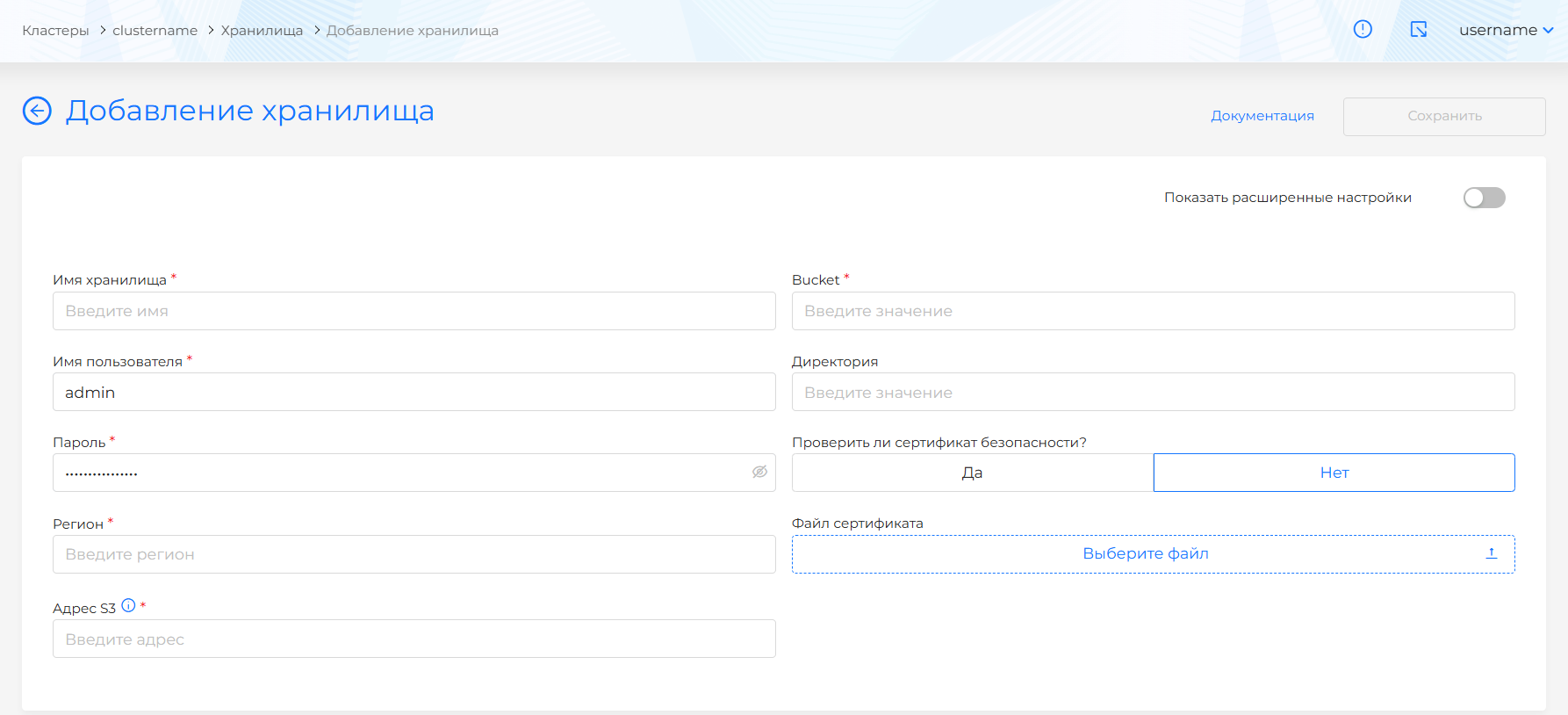
- Set up a connection to S3 for backup (Backup and Restore → Storage).
Setting up storage for backup
- Configure infrastructure providers (section Providers).
- Create client clusters (section Deploying clusters).
- Connect LDAP or OIDC: LDAP Integration or External Authentication Providers.
- Grant access rights (Assigning access rights).
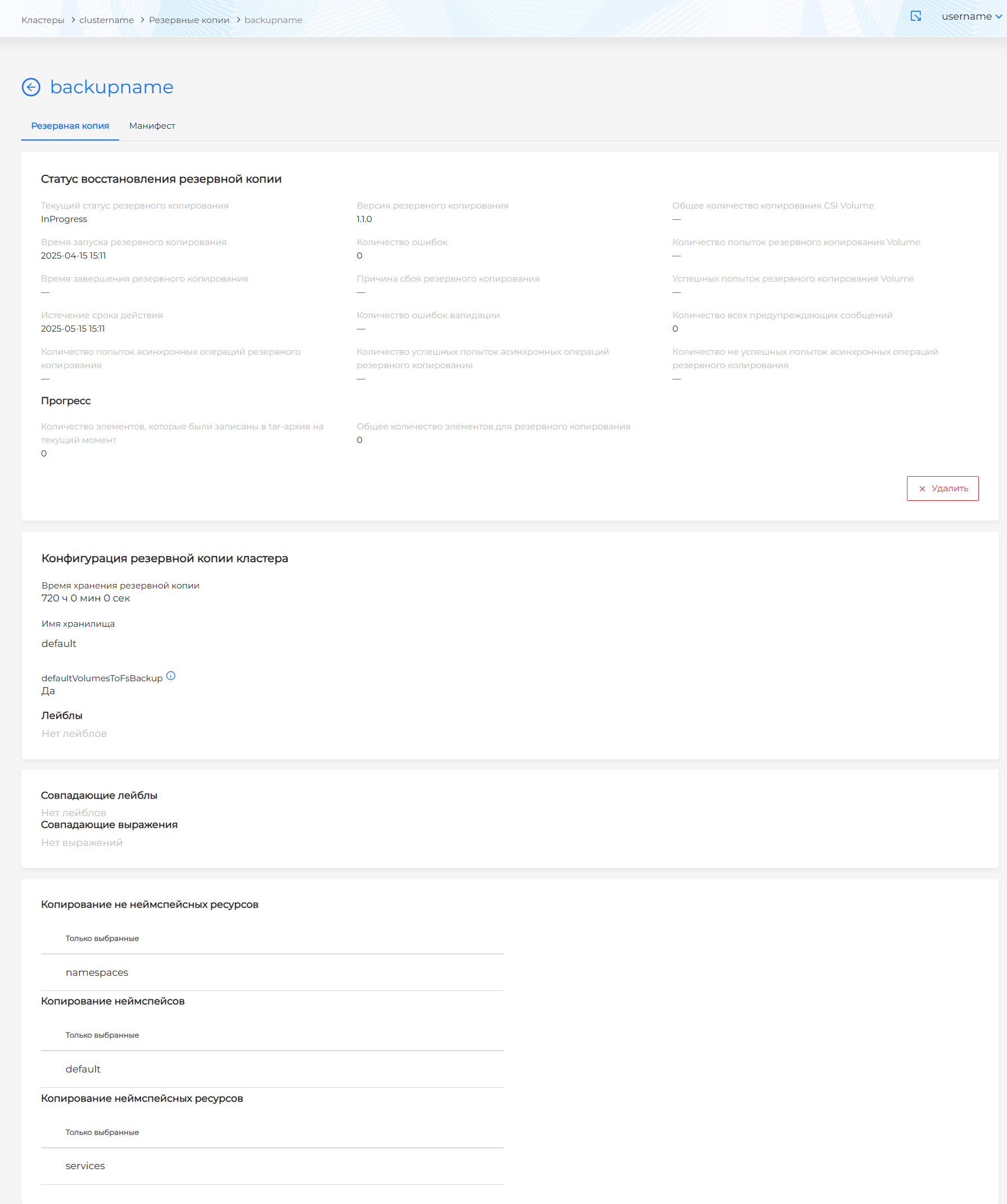
- On the cluster dashboards, click Pause infrastructure reconciliation and create backups:
- providers;
- namespaces of client clusters;
- UserRoles, GroupRoles.
Creating backups
Emergency transfer
Switch the balancer (or change the IP in DNS) to the second management cluster.
On the backup management cluster
- Set up a connection to S3.
- Wait for the backups to appear in the GUI.
- Restore in the specified order:
- infrastructure providers;
- namespaces of client clusters;
- UserRoles, GroupRoles.
- Wait for the client clusters to display.
- On the dashboards, click Resume Infrastructure Reconciliation. Wait a few minutes.
Option 2: Two separate management clusters
Advantage: both platforms are available immediately, ext.No external balancer is needed.
Preparation
- Create a general certificate for Ingress for both clusters (otherwise, after switching, you will need to update the CA on the Control Plane nodes of the client clusters).
- Install two management clusters with a common certificate. One is the main one, the second is DR.
On the primary management cluster
- Configure S3, providers, client clusters, LDAP, access rights assignments.
- Pause reconciliation and create backups (providers, namespaces, roles).
On the standby (DR) management cluster
- Set up a connection to S3 (same storage).
- Connect LDAP.
- Restore the backups in order: providers → namespaces → UserRoles, GroupRoles.
- Resume reconciliation.
For kubeconfig after switching
- Reconfigure Kube-APIServer on all Control Plane nodes of client clusters: point
oidc-issuer-urlto the desired management cluster. - Reconfigure authorization parameters for services: shturval-cd, shturval-dashboards, shturval-log-collector, shturval-metrics-collector (IP Ingress).
Examples of backup manifests
Infrastructure providers
apiVersion: velero.io/v1
kind: Backup
metadata:
  name: backup-platform-providers
  namespace: velero
  labels:
    velero.io/storage-location: s3
spec:
  includedNamespaces:
    - capv-system
    - capov-system
    - capbd-system
    - shturval-capsm
  includedClusterScopedResources:
    - vspherefailuredomains.infrastructure.cluster.x-k8s.io
    - vspheredeploymentzones.infrastructure.cluster.x-k8s.io
    - vsphereclusteridentities.infrastructure.cluster.x-k8s.io
    - ovirtproviders.infrastructure.cluster.x-k8s.io
    - basisproviders.infrastructure.cluster.x-k8s.io
    - shturvalproviders.infrastructure.cluster.x-k8s.io
    - shturvalhosts.infrastructure.cluster.x-k8s.io
  storageLocation: s3
  ttl: 24h
Namespaces of client clusters
apiVersion: velero.io/v1
kind: Backup
metadata:
  name: backup-clusters
  namespace: velero
  labels:
    velero.io/storage-location: s3
spec:
  includedNamespaces:
    - shturval-myclustername-client1
    - shturval-myclustername-client2
  storageLocation: s3
  ttl: 24h
UserRoles, GroupRoles
apiVersion: velero.io/v1
kind: Backup
metadata:
  name: backup-platform-roles
  namespace: velero
  labels:
    velero.io/storage-location: s3
spec:
  includedNamespaces:
    - shturval-backend
  includedResources:
    - GroupRole
    - UserRole
  storageLocation: s3
  ttl: 24h
Create a public certificate (cfssl)
For two clusters with different IPs, use a wildcard certificate with hosts for both:
{
  "CN": "clustername.ip-XX-XX-XXX-XX.shturval.link",
  "hosts": [
    "*.clustername.ip-XX-XX-XXX-XX.shturval.link",
    "*.clustername.ip-XX-XX-XXX-XXY.shturval.link",
    "*.clustername.ip-XX-XX-XXX-XXZ.shturval.link"
  ],
  ...
}
Detailed examples of ca.json, cfssl.json, interm-ca.json, server-csr.json and the cfssl command are in the official cfssl documentation. For a wildcard certificate, specify all domains of both clusters in hosts.