User sessions
How to view and, if necessary, interrupt user sessions in the GUI.
User sessions in the Shturval platform
User session is created each time the user logs into the platform GUIs:
- when entering the platform GUI;
- when switching to Kubeflow from the platform GUI;
- when switching to Argo CD from the platform GUI;
- when switching to Grafana from the platform GUI.
Thus, the same user can have several active sessions at the same time (for example, the platform is open in one browser window, Grafana in another).
Understanding the number and parameters of sessions helps:
- detect suspicious activity (several simultaneous sessions from different devices);
- terminate access correctly when the user status changes.
Where is the session manager located?
The session manager is available from the “Platform” section in the “Access Control” block:
- From the GUI start screen, select the Platform tile (see GUI - Navigation section).
- In the left menu, open Access Management → Session Manager.
A page with a list of active sessions of all users will open.
What data is displayed by session
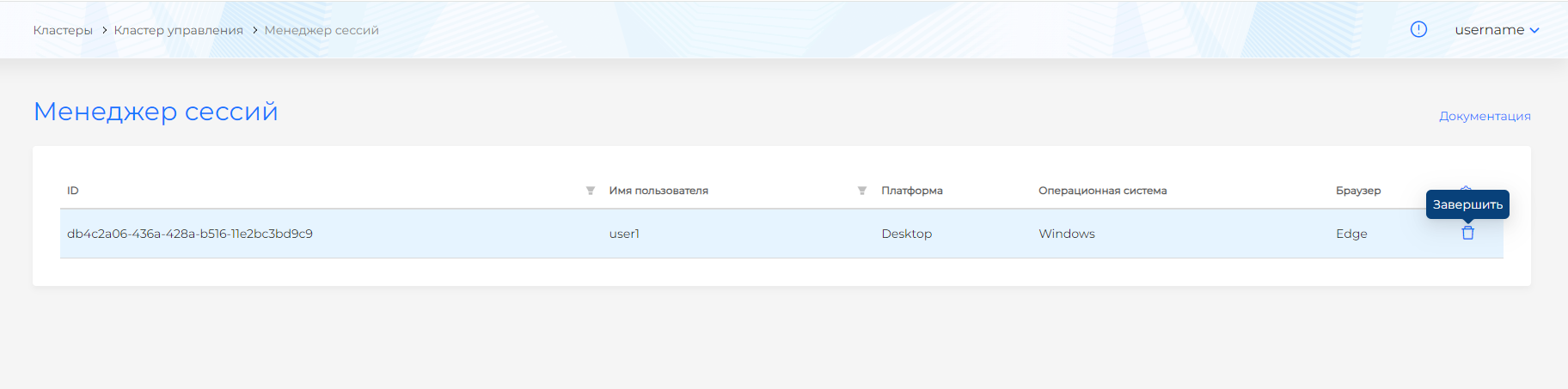
The Session Manager page displays for each active session:
- Username — user ID in the platform;
- Platform — type/variant of the client through which the login was made;
- Operating system — the OS with which the user entered the interface;
- Browser — name and version of the browser.
Screenshot: list of active sessions
The list can be used for a quick check:
- whether there are any active sessions left for users who have already been denied access;
- are there any anomalies (for example, one session user from different browsers at the same time).
How to end a user session
If you need to forcefully end the session:
- Find the user in the list of sessions (by name or other parameters).
- Select the appropriate session.
- Click the end session button (icon in the session line).
After this:
- the user will be logged out from the corresponding interface (GUI/Kubeflow/Argo CD/Grafana);
- to continue working, he will need to log in again.
It is recommended to end sessions:
- when the user password is changed by the administrator;
- when access rights are revoked;
- if your account is suspected of being compromised.