How to redirect metrics
VM Agent and metrics routing.
By default, VM Agent (shturval-metrics-collector) collects metrics and sends them to VictoriaMetrics of the management cluster. You can configure client or management cluster metrics to be redirected to external VictoriaMetrics in your infrastructure.
Step 1. Prepare the ShturvalServicePatch manifest
Prepare a manifest ShturvalServicePatch to apply to the specification (ssc) *Monitoring module control component (shturval-metrics-collector) with the required parameters in custom values.
Metric redirection options:
- Disable internal monitoring and send metrics only to the external cluster;
- Duplicate — send metrics to both internal and external clusters.
Redirecting metrics and disabling internal monitoring
Example ShturvalServicePatch:
apiVersion: ops.shturval.tech/v1beta2
kind: ShturvalServicePatch
metadata:
  name: <resource name>
spec:
  shturvalServiceConfigName: shturval-metrics-collector
  custom values:
    external:
      vm:
        write: # Configuration of sending metrics to an external monitoring service
          url: <your parameter value>
        read: # Settings for reading metrics from an external monitoring service
          url: <your parameter value>
| Parameter | Description | Data type | Example |
|---|---|---|---|
metadata.name | Name of the created ShturvalServicePatch | string | shturval-metrics-external |
write.url | URL VictoriaMetrics Insert | string | http://shturval-monitoring-vminsert.victoria-metrics.svc:8480/insert/0/prometheus/ |
read.url | VictoriaMetrics Select URL. Do not specify the read block if you only need to configure the direction of metrics to an external monitoring service | string | http://shturval-monitoring-vmselect.victoria-metrics.svc:8481/select/0/prometheus/ |
Instead of 0 in the examples, you must specify TenantID. In this case, the ability to receive metrics from an external monitoring service is also configured to be able to configure alerting in the Shturval platform cluster.
Note: Without the read block, the Grafana and alerting dashboards in the platform will not work correctly.
Redirect metrics without disabling internal monitoring
To save internal monitoring and additionally send metrics to external VictoriaMetrics:
apiVersion: ops.shturval.tech/v1beta2
kind: ShturvalServicePatch
metadata:
  name: <resource name>
spec:
  shturvalServiceConfigName: shturval-metrics-collector
  custom values:
    vmagent:
      additionalRemoteWrites:
      - url: <your parameter value>
| Parameter | Description | Data type | Example |
|---|---|---|---|
metadata.name | Name of the created ShturvalServicePatch | string | shturval-metrics-external |
additionalRemoteWrites.url | VictoriaMetrics Insert URL | string | http://shturval-monitoring-vminsert.victoria-metrics.svc:8480/insert/0/prometheus/ |
Step 2: Upload the manifest to the cluster
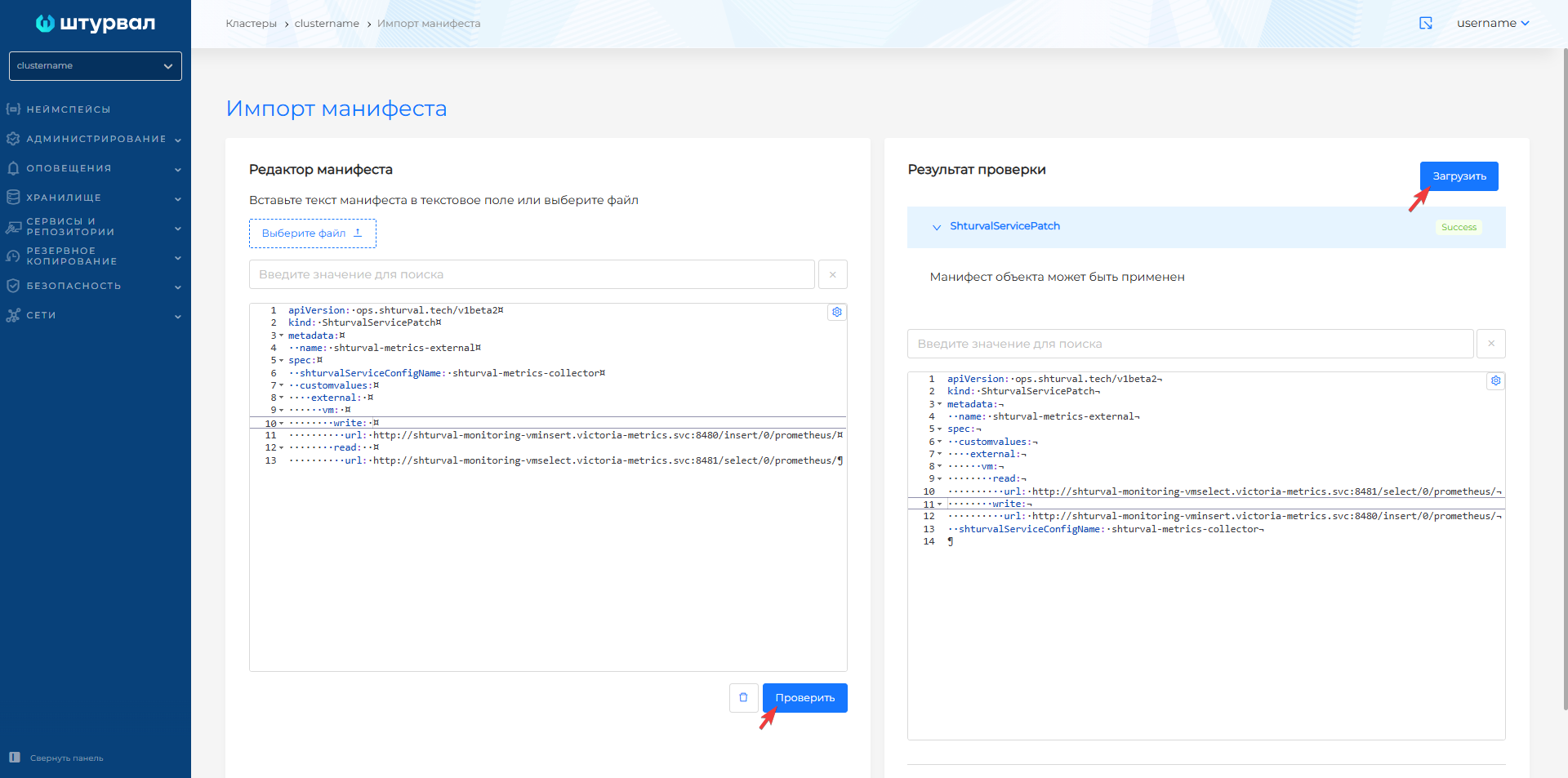
Load the prepared ShturvalServicePatch into the GUI. After downloading, it will take time for the changes to be applied.
Import manifest
Illustration: Import manifest

Illustration: Import manifest
Step 3: Check the application
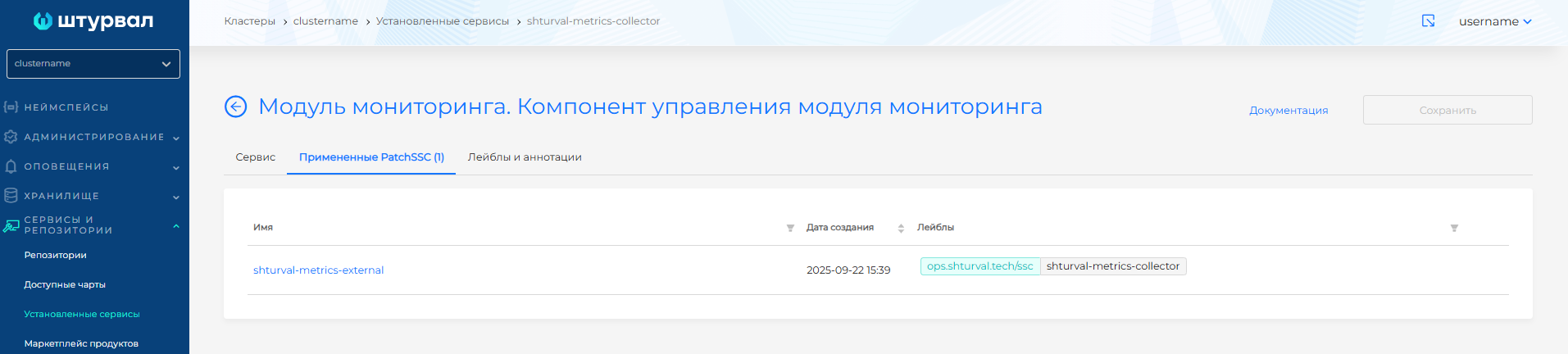
In the cluster GUI, go to the Services and repositories section → Installed services page → Monitoring module. Monitoring module control component → Manage. The status should be Patched, in Applied ShturvalServicePatch - loaded ShturvalServicePatch.
Illustration: Step 3: Check the application