Summary report on client cluster resources
Resources, nodes, pods and CPU/Memory/Disk usage by cluster.
The summary report allows you to obtain detailed information about all client clusters deployed in the Shturval platform.
Where to open
In the platform GUI: section Summary reports → Report on client cluster resources.
What is included in the report
The information is provided in the following context:
- client cluster name. Clicking the cluster name opens the cluster dashboard;
- node group name. Clicking the group name opens the configuration page, the ClusterAPI configuration tab;
- group roles;
- list of nodes by group. Clicking a node name opens the node view page;
- node readiness;
- number of pods. Clicking the pod count of the selected node opens the Pods tab on the node page;
- CPU;
- Memory;
- Disk.
The report shows created nodes. If a group has no nodes yet, the group row stays in the table: a dash stands in place of the node data.
Resource usage (CPU, Memory, Disk)
If the local metrics collection module is installed and running in client clusters, and the centralized metrics storage module is enabled and running in the management cluster, the summary report for nodes displays actual usage of the indicator versus the allocated (requested) one.
If more than 80% of the allocated amount is used (pods, CPU, RAM, and Disk), you will see a warning indicator ⚠.
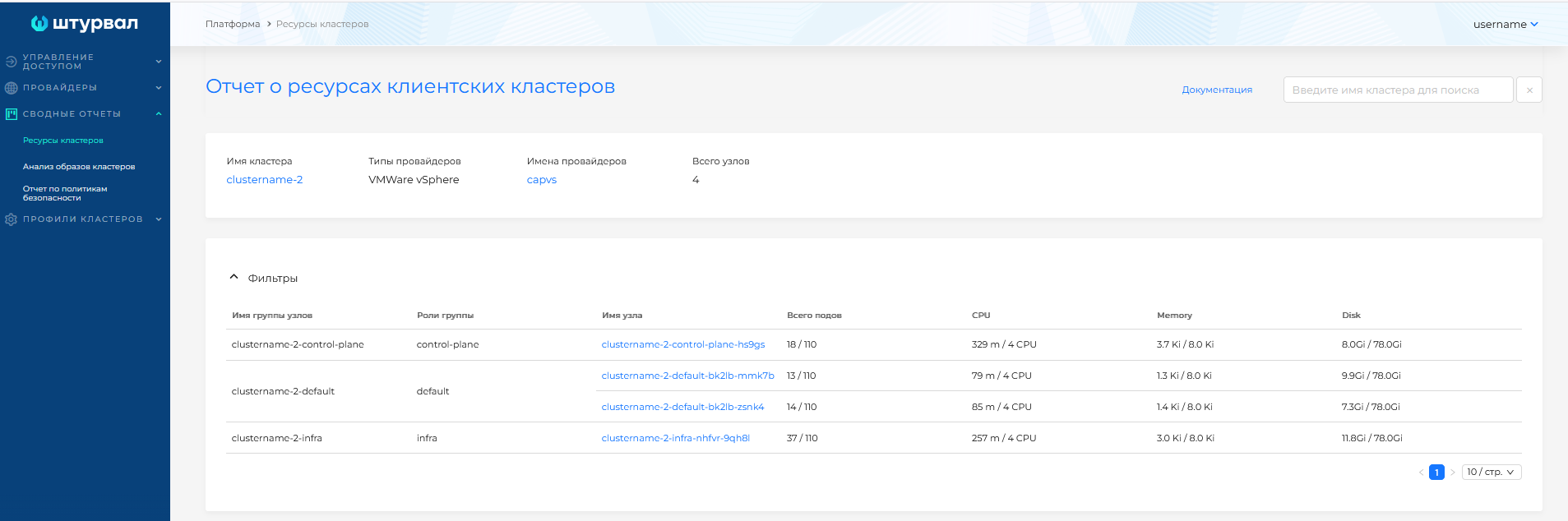
If metrics are not available, only the requested amount of resources for the nodes is displayed.
Illustration: Resource usage (CPU, Memory, Disk)
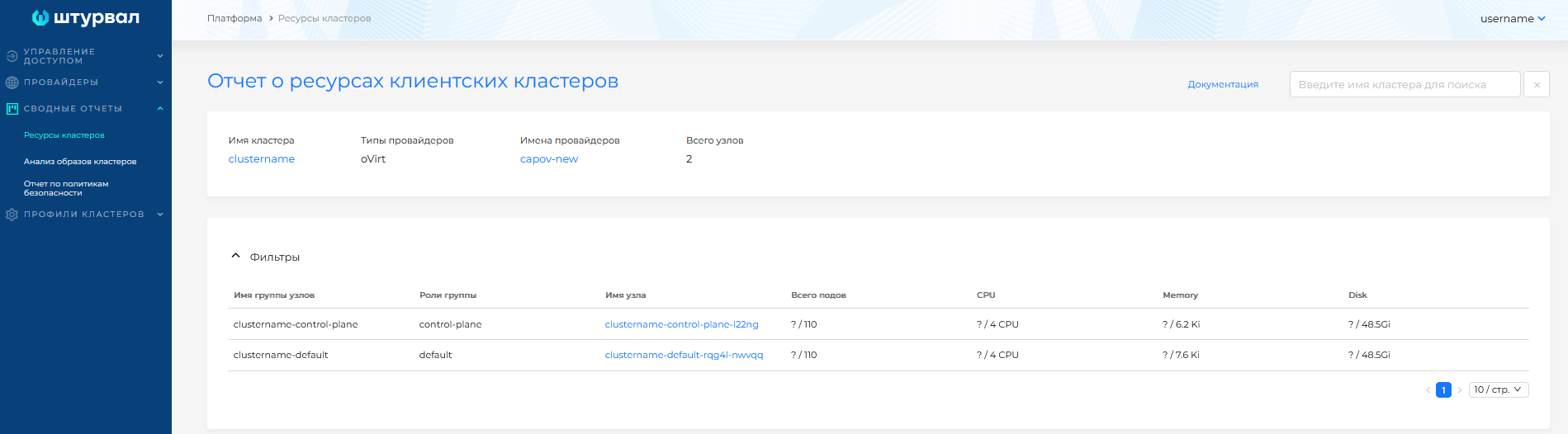
Filtering
The page provides text search, sorting by pod, CPU, RAM, and Disk utilization, and filtering by cluster group roles.
Illustration: Filtering
