VMware vCloud Director
Integration with vCloud Director.
Purpose
The VMware vCloud Director provider allows you to deploy Kubernetes clusters in a vCloud Director environment (organization, vDC, directories).
To configure the provider, it is necessary that the corresponding service in the management cluster is enabled and in the Auto management mode. More details: vCloud Director Provider (shturval-capvcd).
Summary table of vCloud Director infrastructure CRs (VCD*): section Custom node lifecycle resources - VMware vCloud Director.
Pre-configuration in vCloud Director
Before creating a provider instance, prepare your vCloud Director environment:
- Read the general description of working with providers.
- Create a service account (account) for your organization in VMware vCloud Director. To create a service account and assign a role to it, use VMware instructions.
- In the vCloud Director administrative control panel, enable TKG (Tanzu Kubernetes Grid) support.
- Grant the organization’s service account permissions:
- User → management of the user’s own API token;
- vApp → saving ExtraConfig elements during OVA import and export;
- Gateway → view Gateway;
- Gateway Services → setting up NAT and load balancer;
- default role rights
vApp Author; - right
Full Control: VMWARE:CAPVCDCLUSTER; - rights required for CPI;
- rights required for CSI.
- Create a virtual machine template in the virtualization platform. Templates are prepared in the same way for all providers.
- Prepare a node subnet with working DHCP. Cluster nodes obtain IP addresses via DHCP — without DHCP, the created VMs will not receive addresses.
Instance creation
Go to Providers → Providers Configuration. In the Provider Services block, check whether VMware vCloud Director Provider is enabled. If the service is disabled, click on the switch and wait for it to start. Then click Add Provider Instance → “+ VMware vCloud Director”.
The service switch puts the associated provider SSCs into auto mode: first the CRD chart, then the main provider chart. Wait until the service enters the ready state.
Illustration: Instance creation
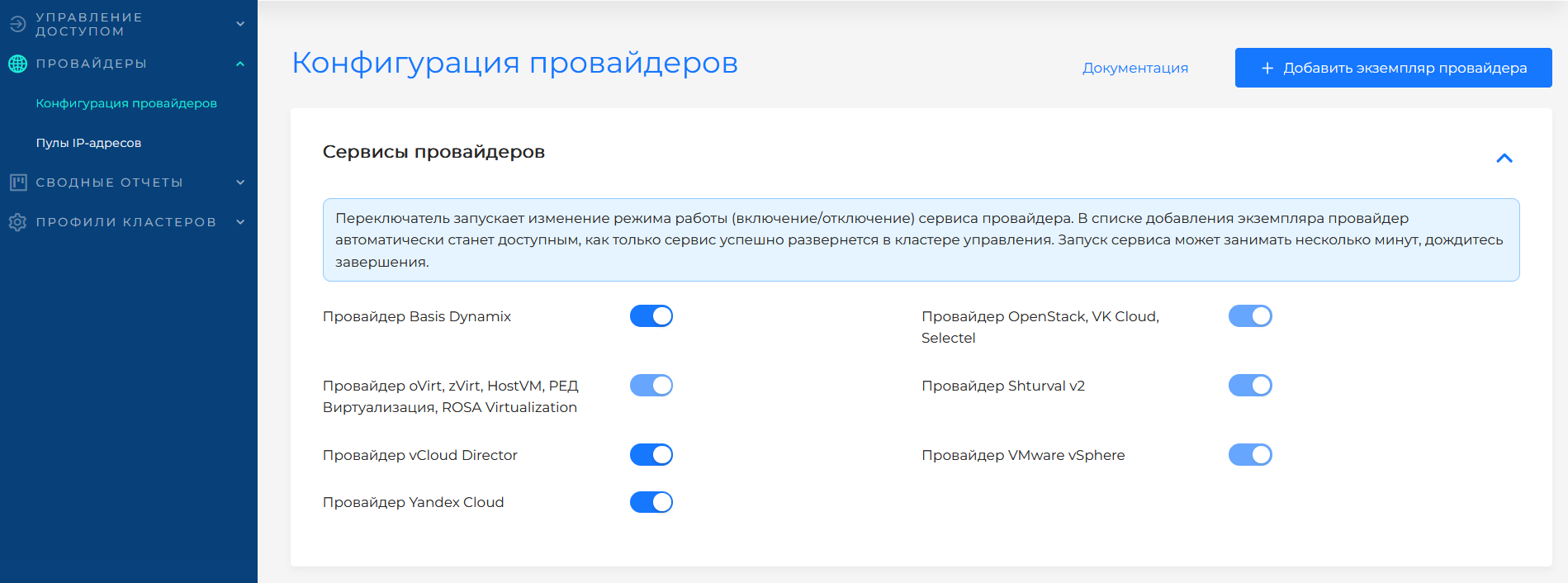
Connecting to vCloud Director
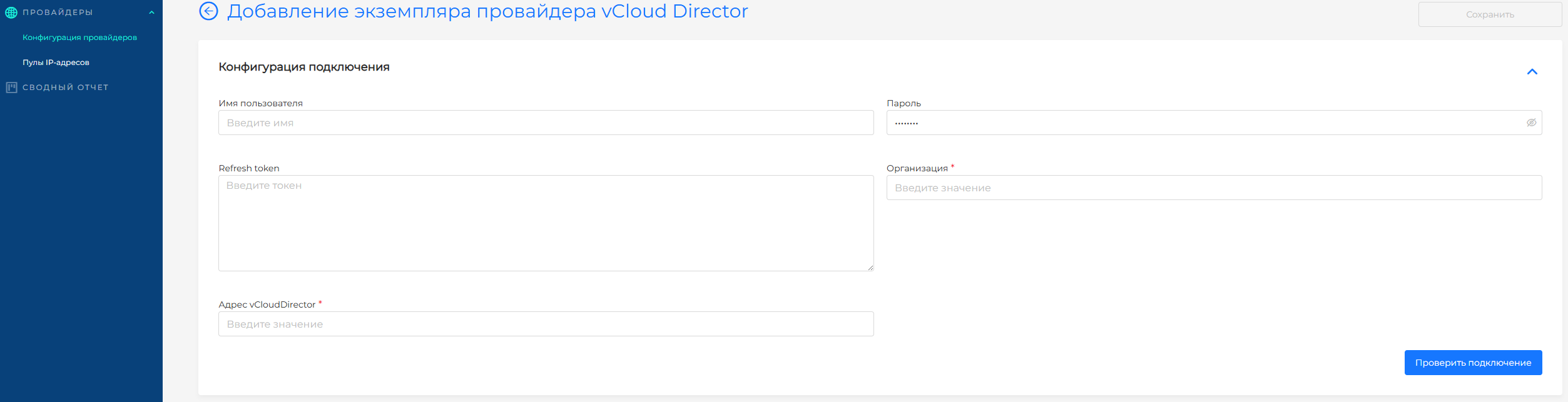
Configuration fields
| Field | Required | Description |
|---|---|---|
| Instance name | Yes | A unique name to identify the instance. |
| IP Pool | No | For vCloud Director, pools are not used - addresses are set differently. |
| URL | Yes | vCloud Director API address (for example, https://vcd.company.local). |
| Organization | Yes | Organization name in vCloud Director. |
| Refresh token | Yes, if token | Token of the organization’s service account. |
| Username | Yes, if you use login and password | An account with rights to the organization. |
| Password | Yes, if you use login and password | Account password. |
| Catalogue | Yes | Image catalog in vCloud Director. |
| Sizing Policy | Yes | Resource management policy available when creating clusters. |
| vDC (Virtual Datacenter) | Yes | Virtual data center for hosting VMs. |
| Network | Yes | Node subnet. Nodes obtain IP addresses via DHCP — DHCP must be enabled on the selected subnet. |
| Allow CSI | No | If you select Yes, when you create a cluster with this provider instance, you will be able to enable vCloud Director CSI integration for Persistent Volumes. The default is No. |
| Storage Profile | Yes, if CSI is enabled | vCloud Director Storage Profile for Persistent Volumes |
After entering the parameters, click Test connection. If the connection is not successful, check the service account details and the composition of its access rights on the virtualization side.
VM templates
After successfully checking the connection, add VM templates for the required versions of Kubernetes. You can add multiple templates with the same Kubernetes version. Templates are created according to single instruction.
In the Virtual machine templates block, click + to add a template. In the side window, select name (as in virtualization) and Kubernetes version. Shturval platform version will be filled in automatically and will be available for viewing only.
To update the Kubernetes version on cluster nodes after deployment, follow the instructions VM nodes and templates.
Features
- Work with organizations and vDC;
- Manage CSI installation permission at the provider instance level;
- Nodes obtain IP addresses via DHCP — DHCP is required on the subnet selected in the Network field;
- Taking into account network restrictions and vCloud Director quotas.