Yandex Cloud
Integration with Yandex Cloud.
Purpose
The Yandex Cloud provider allows you to deploy Kubernetes clusters on virtual machines in Yandex Cloud (Compute Cloud).
To configure the provider, it is necessary that the corresponding service in the management cluster is enabled and in the Auto management mode. More details: Yandex Cloud Provider (shturval-capy).
Summary table of Yandex Cloud infrastructure CRs (Yandex*): section Custom node life cycle resources - Yandex Cloud.
Instance creation
Before creating a provider instance, prepare in Yandex Cloud:
- a service account with roles
compute.editorandalb.editor; CSI also needsk8s.clusters.agent; - an authorized service account key in JSON format;
- a folder, network, and subnet in the required availability zone;
- a virtual machine template to add to the provider.
Go to Providers → Providers Configuration. In the Provider Services block, check whether Yandex Cloud Provider is enabled. If the service is disabled, click on the switch and wait for it to start. Then click Add provider instance → “+ Yandex Cloud”.
The service switch puts the associated provider SSCs into auto mode: first the CRD chart, then the main provider chart. Wait until the service enters the ready state (see the screenshot below).
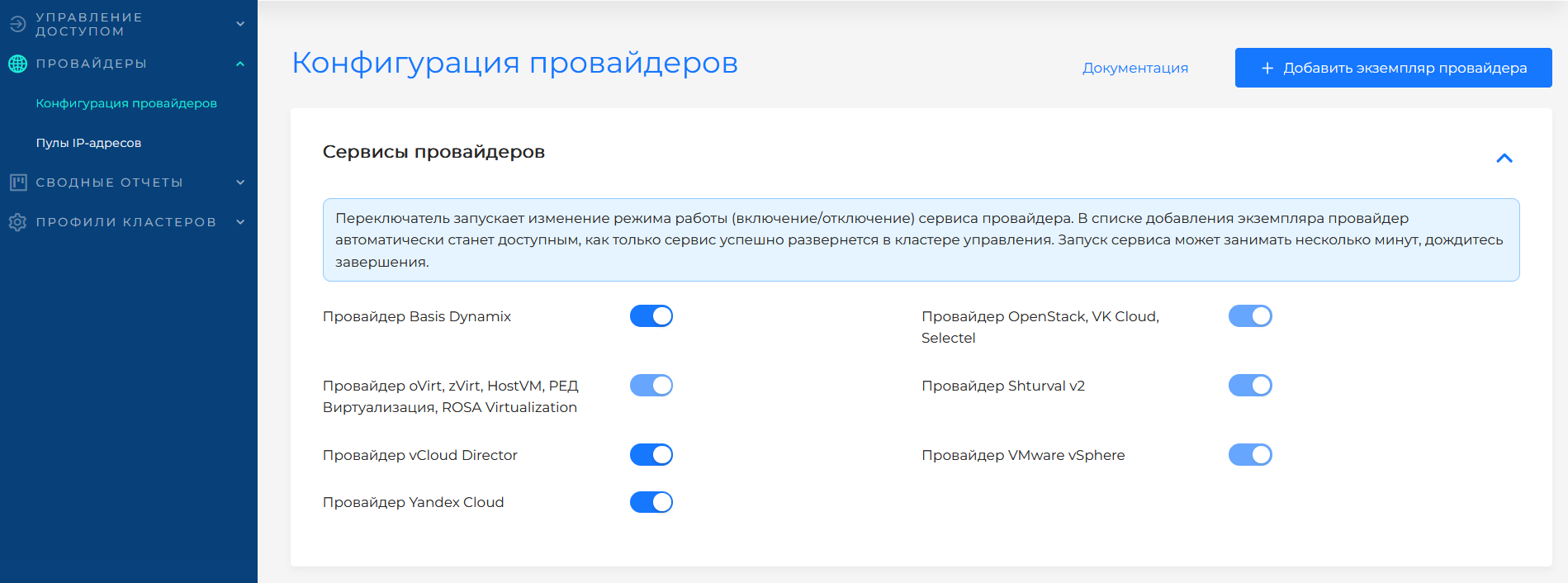
Yandex Cloud provider configuration
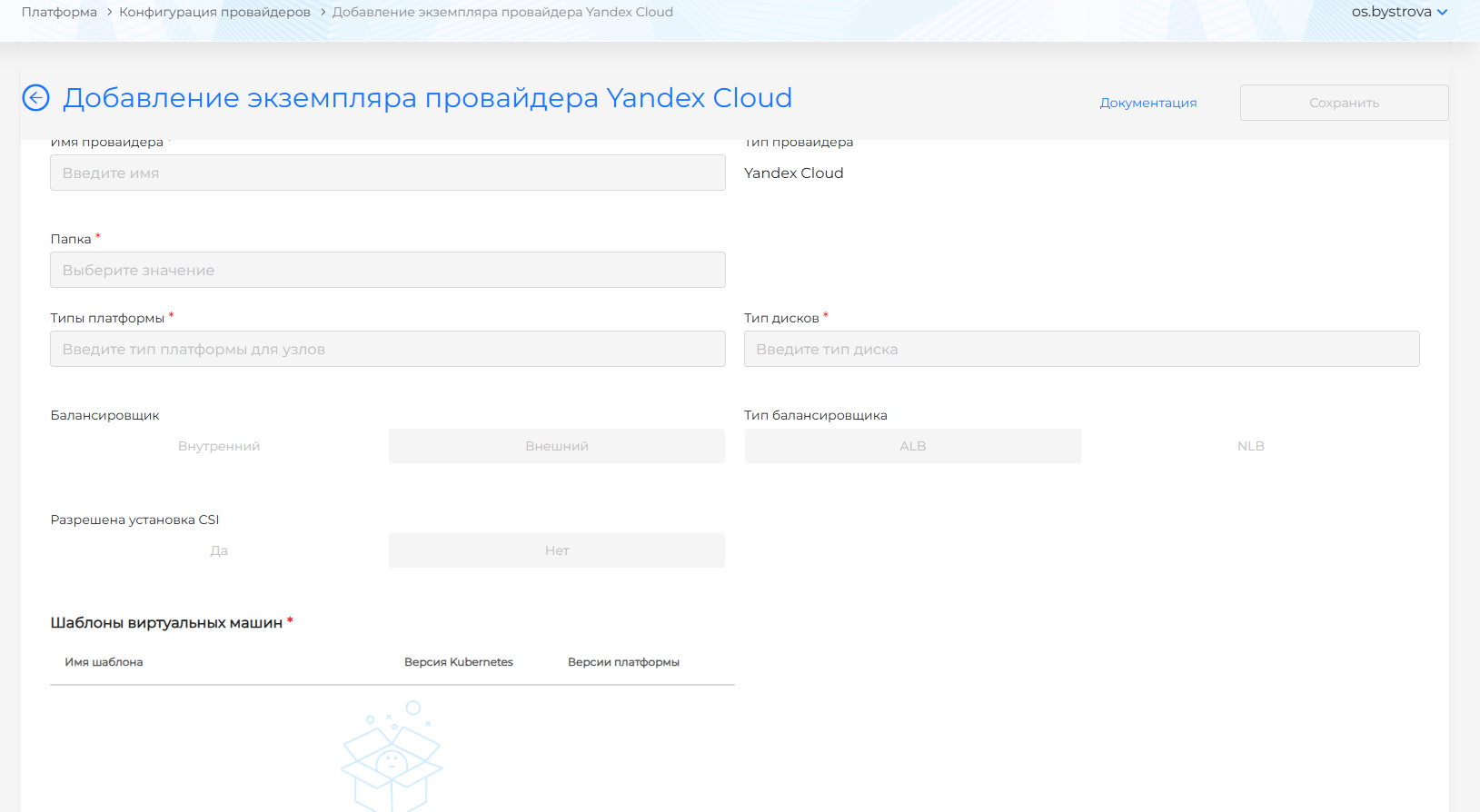
Configuration fields
| Field | Required | Description |
|---|---|---|
| Authorized service account key | Yes | JSON key. Node operations need compute.editor and alb.editor. CSI also needs k8s.clusters.agent. |
| Folder ID | If necessary | Folder ID when the service account cannot list folders. |
| Provider name | Yes | Unique instance name. |
| Provider type | — | Read-only: Yandex Cloud. |
| Folder | Yes | Cloud folder for resources. A single visible folder cannot be changed. |
| Subnet | Yes | One subnet of the selected folder: name, ID, and zone. |
| Platform types | Yes | Platform IDs available for cluster nodes. |
| Disk type | Yes | Disk types available for cluster nodes. |
| Load balancer | Yes | Internal or External. Default is External. |
| Load balancer type | Yes | ALB or NLB. Default is ALB. |
| Allow CSI | No | Yes or No. Default is No. Yes makes Enable CSI integration available when creating a cluster. No disables that field and the delete-PV field. |
After filling in the connection information, click Test connection. If the connection is unsuccessful or there are no folders available to select, check the key data and the service account’s access to obtain the directory list.
After successfully checking the connection, configure the provider configuration and images for node deployment.
VM templates
Add pre-created VM templates for the desired versions of Kubernetes. You can add multiple templates with the same Kubernetes version. Templates are created according to single instruction.
In the Virtual machine templates block, click + to add a template. In the side window, select name (as in virtualization) and Kubernetes version. Shturval platform version will be filled in automatically and will be available for viewing only.
Features
- Images prepared according to the platform instructions. When creating a Yandex Cloud template with stc, use
--keep-cloud-init. - The network and subnet are set on the provider instance.
- If Allow CSI is Yes, cluster creation can install the Yandex Cloud CSI module.