Host and Platform Scanning (CIS Benchmarks)
ClusterComplianceReports, CIS, NSA, PSS reports.
Introduction
Validation of the cluster configuration for compliance with security standards is performed using Trivy. In the platform, the container image scanning module (shturval-scanner) is responsible for scanning. The results are displayed as ClusterComplianceReports on the Security → Scan Results page in the cluster GUI.
Trivy checks that the cluster configuration complies with Kubernetes security best practices. By default, a detailed report is created on a schedule every 6 hours. Immediately after the cluster is deployed, the report appears after the first full scheduled scan.
Report types
The Scan Results page displays:
- Summary information on the cluster - results of passing checks for all types of reports (diagrams).
- Summary information on the results of inspections - distribution by reports.
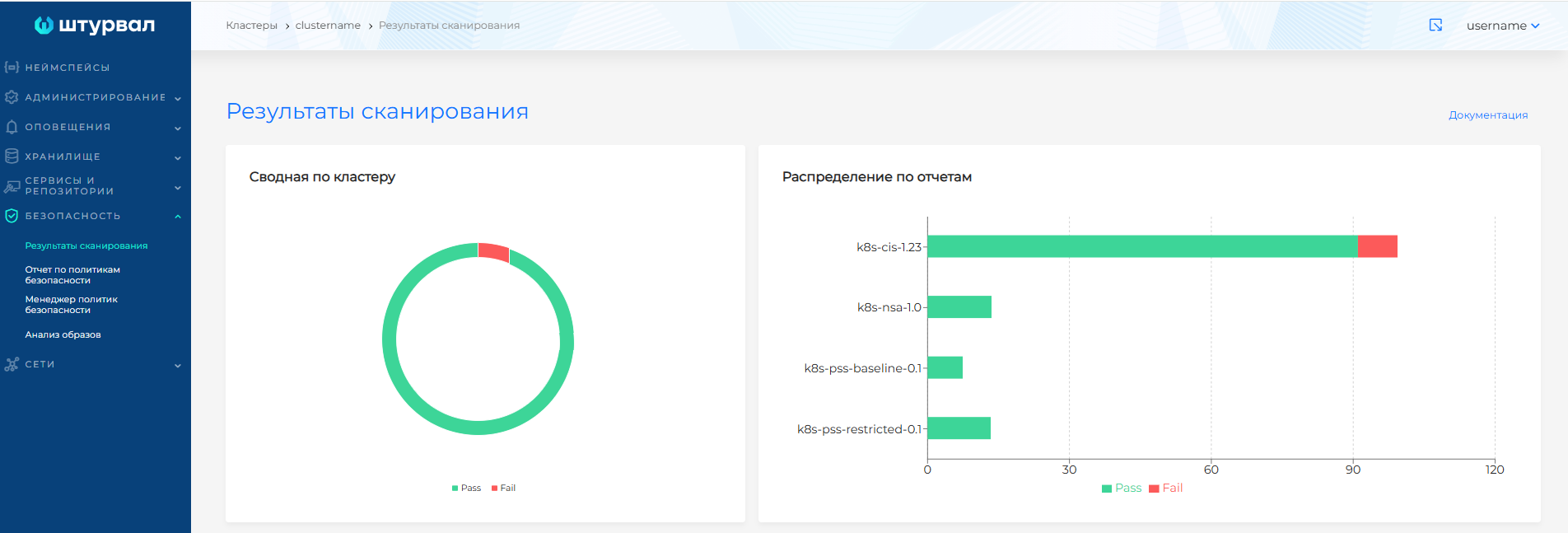
- Detailed results by report types (tabs):
- k8s-cis-1.23 - compliance with CIS Kubernetes Benchmark.
- k8s-nsa-1.0 - compliance with NSA Kubernetes Security Guide (NSA/CISA).
- k8s-pss-baseline-0.1 - Pod Security Standards (Baseline).
- k8s-pss-restricted-0.1 — Pod Security Standards (Restricted).
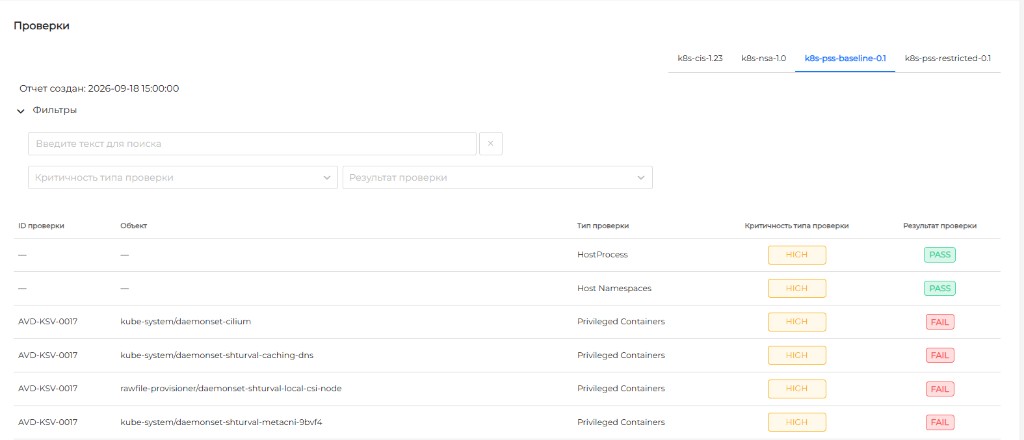
The selected report tab shows the report timestamp and a Checks table. The table is single-level: each row is a check for a specific object. The same check identifier can appear more than once when the check applies to several objects. The table does not show a total count of checks.
| Field | Description |
|---|---|
| Check ID | Identifier of the check. Can repeat across rows. Passed checks may show a dash. |
| Object | Cluster object the check applies to. Passed checks may show a dash. |
| Check type | Name of the check type. |
| Check type severity | Severity of the check type. The table shows HIGH, MEDIUM, and LOW. |
| Check result | Result: PASS or FAIL. |
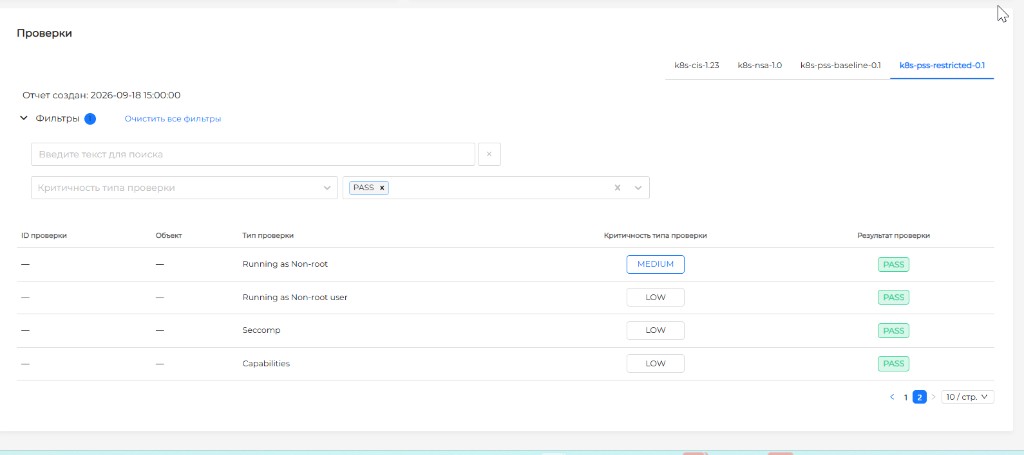
Above the table is a Filters block:
- a search field — by check identifier, object, and check type;
- a dropdown for check type severity;
- a dropdown for check result.
Applied filters can be cleared.
For a FAIL result, clicking the row opens a side panel on the right with remediation guidance. The check object is not repeated in the panel: it is shown in the Object column.
Screenshot: Checks table
Screenshot: Checks table filters
What the CIS Kubernetes Benchmark covers
The standard contains recommendations for configuring Kubernetes, including:
- Setting up authentication and authorization.
- Ban unmanaged container images.
- Restrict container privileges to reduce exploitation risk.
- Access to the Kubernetes API only via secure protocols.
- Restricting access to the API based on the principle of least privilege (roles and rights).
- Restricting access to the data storage only to users with the necessary rights.
Setting up a scan schedule
The schedule for generating ClusterComplianceReports (by default - every 6 hours) is set in the specification of the container image scanning module (Trivy). The change is made via ShturvalServicePatch for shturval-scanner: customvalues is set to compliance.cron with a schedule expression. To display detailed information in the GUI, the report mode must be set to reportType: all (with summary details are not displayed in the platform GUI). Details of the parameters are in the documentation for setting up the service shturval-scanner.
Additional
- Trivy - scanner for vulnerabilities and misconfigurations.
- What reports are in the platform and where are they located.