Taints and Tolerations
Taints and Tolerations are used in Kubernetes as one of the ways to manage the distribution of pods to nodes. Taints are placed on cluster nodes to prevent Pods from being allocated to them. To place pods on such nodes, the pods must be assigned the appropriate Tolerations. The Kubernetes scheduler by default takes into account Taints and Tolerations when choosing a node to run a particular pod.
Taints and Tolerations can be used, for example, when it is necessary to allocate cluster nodes for certain loads. In this case, you will need to install Taint on the node and the corresponding Tolerations on the pods.
From the helm platform GUI you can manage Taints on nodes and PodTolerations.
Taints
It is possible to add several Taints to one node. However, to place pods on such a node, Tolerations will be required for each constraint.
Taints consists of:
- key (key) and its value (value). For one node, it is possible to add identical key:value pairs with different Effects.
- Effect (effect), which defines the rules of restrictions for placing pods:
- NoSchedule - allows you to strictly limit the placement of pods. No pod will be scheduled on a node without the appropriate Toleration. 2. PreferNoSchedule - a non-strict restriction for placing pods. Pods without the appropriate Toleration can be hosted on a node, however, Pods with Tolerations are preferred. 3. NoExecute - allows you to displace already running pods on the node. When Taint is applied with the NoExecute Effect, then: - Pods without appropriate Toleration are immediately evicted. - Pods with the appropriate Toleration remain on the node. - Pods with the appropriate Toleration and the specified permission period (tolerationSeconds) remain on the node for the specified time, after which they are evicted. By default, toleranceSeconds is 5 minutes.
Taints that are installed automatically on a node when certain conditions are met
| Taint | Description | Effect |
|---|---|---|
| node.kubernetes.io/not-ready | The node is not ready. Corresponds to NodeCondition.Ready: False | NoExecute |
| node.kubernetes.io/unreachable | The node is unavailable. Corresponds to NodeCondition.Ready: Unknown | NoExecute |
| node.kubernetes.io/memory-pressure | There is not enough memory on the node | NoSchedule |
| node.kubernetes.io/disk-pressure | The disk space limit has been reached on the node | NoSchedule |
| node.kubernetes.io/pid-pressure | The node’s process limit (PID) has been reached | NoSchedule |
| node.kubernetes.io/network-unavailable | Host network unavailable | NoSchedule |
| node.kubernetes.io/unschedulable | Node is not schedulable | NoSchedule |
| node.cloudprovider.kubernetes.io/uninitialized | Unusable. Set at startup with the cloud provider before the cloud-controller-manager node is initialized | NoSchedule |
An example of installing Taints on a node in the graphical interface of the Shturval platform
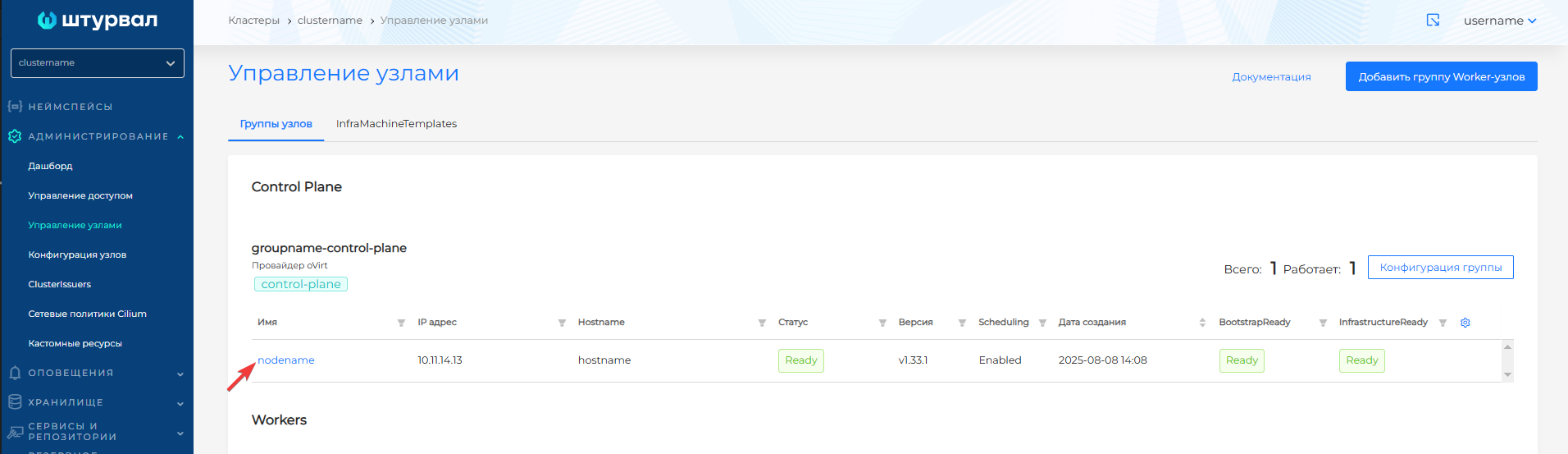
- In the cluster, in the Administration section, open the Node Management page and click on the node to which you want to add Taint.
Screenshot
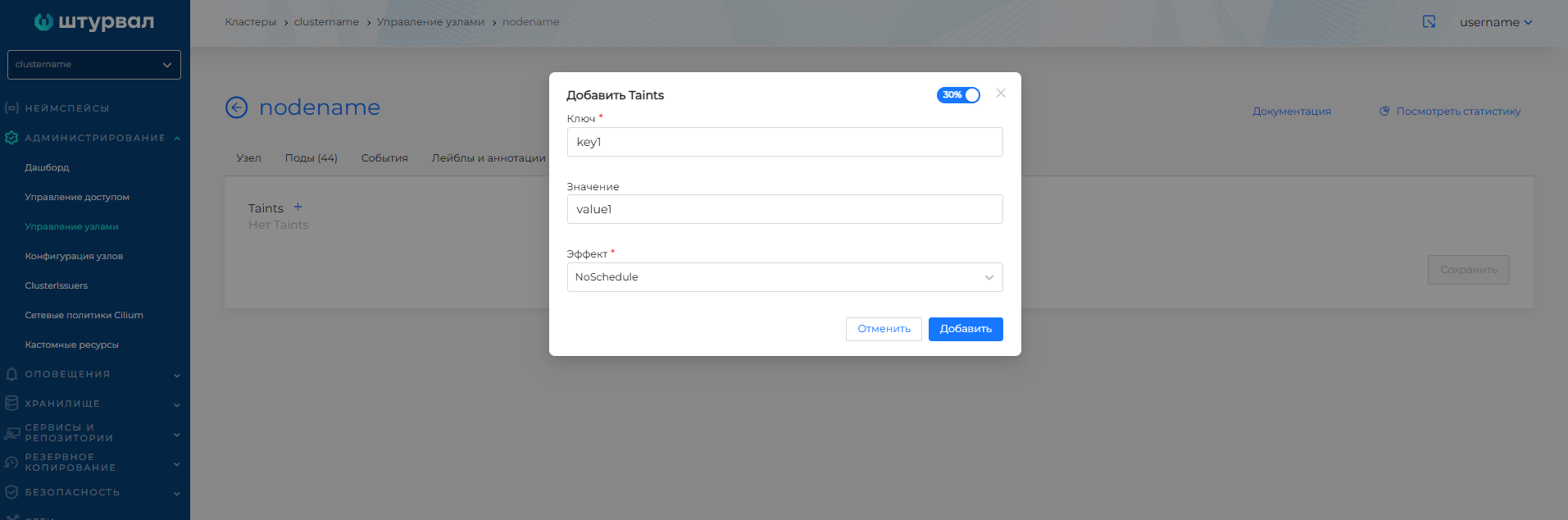
- On the node page, go to the Taint tab and click +. Set a Key and select an Effect. If necessary, specify a value and click Add.
Screenshot
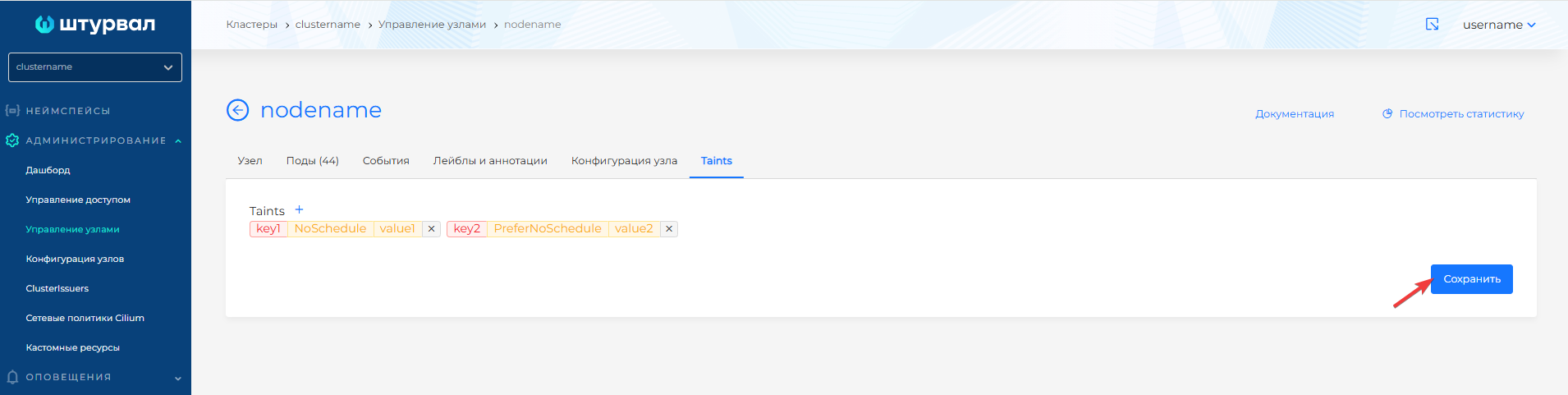
- When all the required Taints have been added, click Save.
Screenshot
When there are several Taints on a node with different Effects
- If a pod has Tolerations for all Taints except Taints with the NoSchedule effect, then the pod will not be scheduled to this node.
- If a pod does not have a Toleration corresponding only to a Taint with the PreferNoSchedule effect (other Taints have Tolerations), then perhaps the pod will be placed on a node.
- If a pod does not have a Toleration corresponding to a Taint with the NoExecute effect (other Taints have Tolerations), then such a pod will be evicted from the node (if it is already running on the node) and will not be scheduled on the node (if it is not already running).
Tolerations
To remove the restriction on placing a pod on a node with Taint, specify in Tolerations:
- Taint node key (key). If it is necessary for Toleration to apply to any Taints node keys, then the key must be empty, the Exists statement must be set, and the corresponding Taint Effect of the node must be specified;
- Taint node value (value). If no value is specified, Toleration applies to any Taints values of the node;
- Operator: Exists (existence), Equal (equality). Exists is specified when a match on the node’s Taint key is needed. If the value is required to match the Taint value of the nodes, Equal must be set.
- Taint node effect: NoSchedule, PreferNoSchedule NoExecute. The absence of an Effect corresponds to the selection of all effects with the specified key.
Example Tolerations pod
If it is necessary to evict pods from a node, Taint is added with the Effect of NoExecute. For example, this effect is added by default when a node is unavailable. In this case, the default is to remove all pods from the node within 5 minutes.
It is possible to extend this period to keep pods on the node until it is restored. To do this, add to TolerationstolerationSeconds.
Example of Toleration with a set period for placing pods before eviction from a node
Example of installing Tolerations module in the graphical interface of the Shturval platform
In the cluster namespace, in the Loads section, go to the load page, for example, Deployment, click Add Deployment. In the Power Template block, find Tolerations and click +. Set the taint key and value that Toleration should correspond to, select Effect.
Screenshot
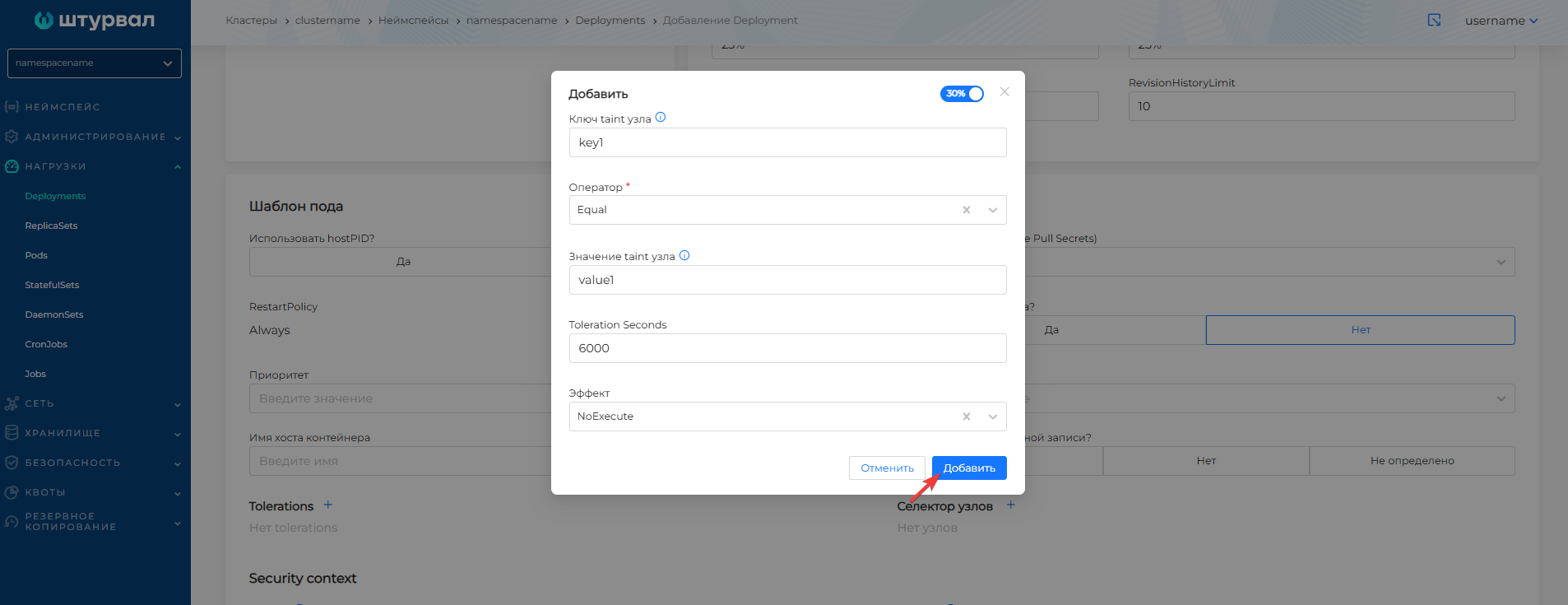
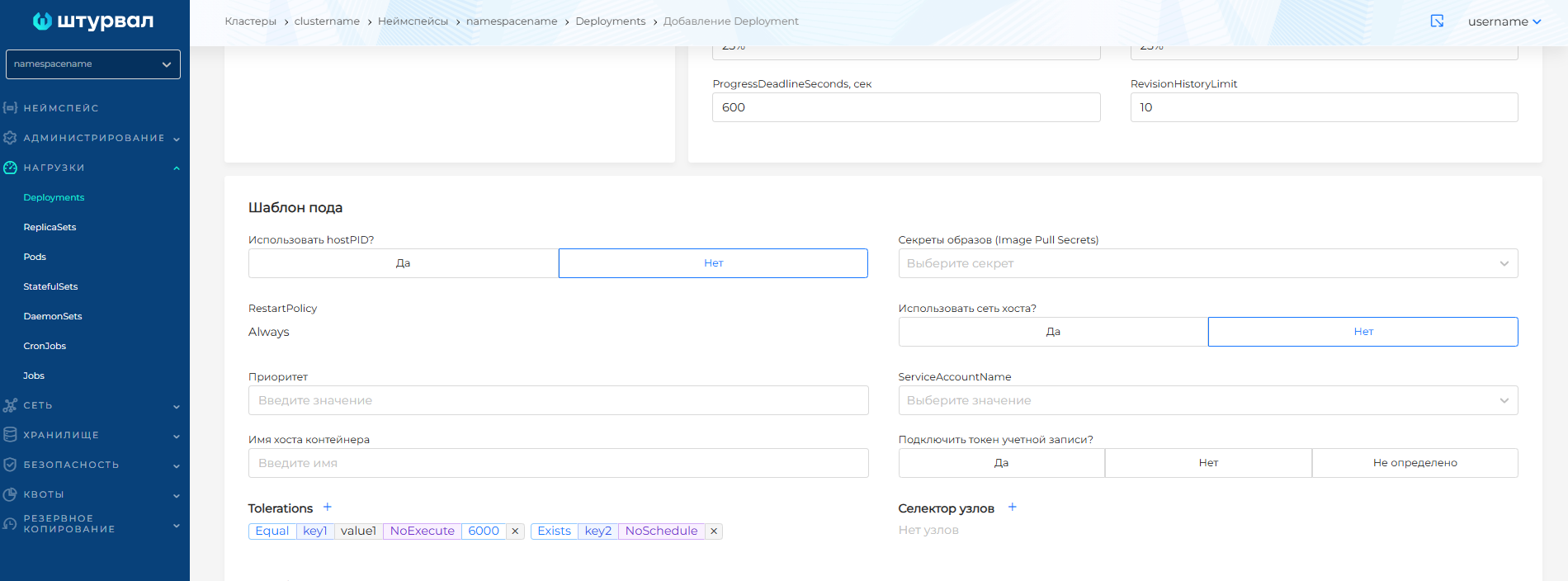
Screenshot of adding Tolerations to a previously created Deployment
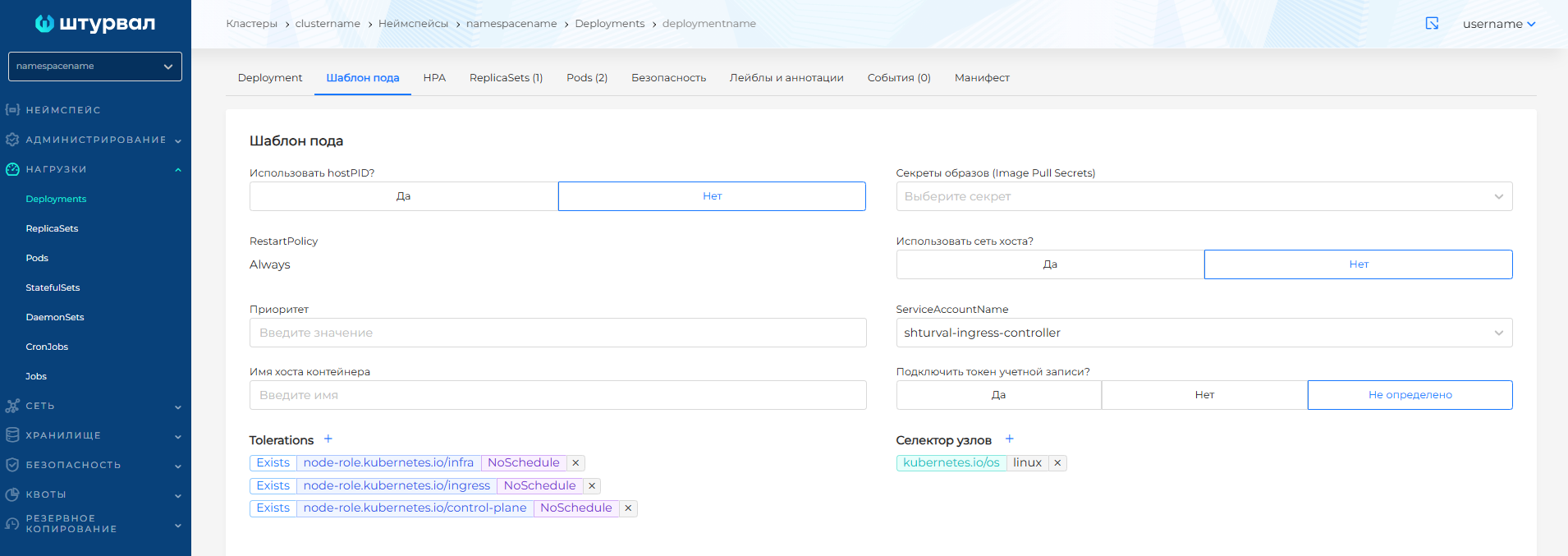
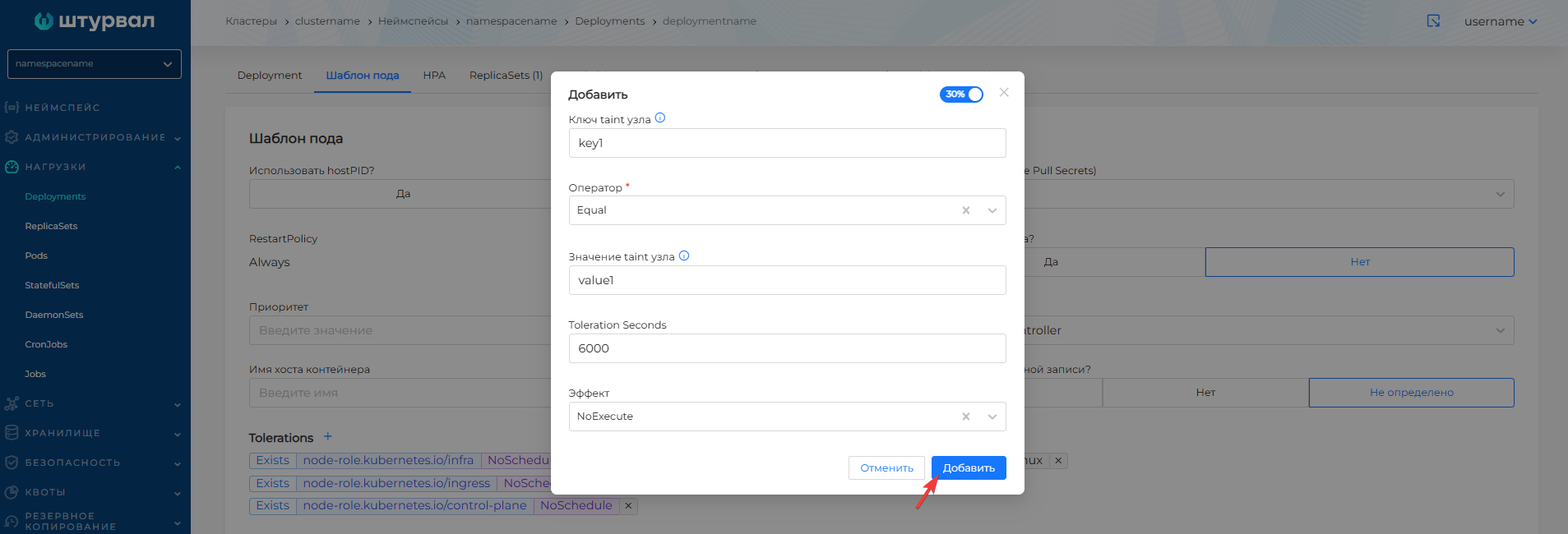
When creating any type of load, it is possible to add Tolerations.